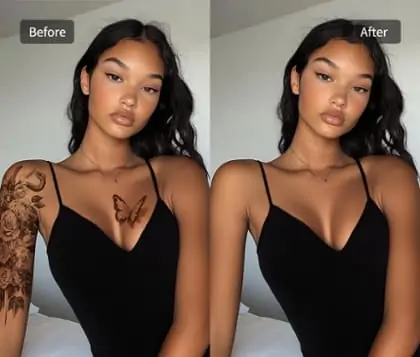
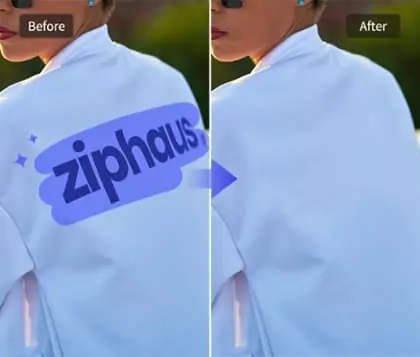
Spot Healing Brush Tool for Instant Photo Imperfection Removal
Effortlessly remove spots from photo with our intuitive brush. Achieve clean, natural outlook and perfect visual results in just seconds, ideal for portraits or dirty images.


By uploading an image or URL you agree to our Terms of Use and Privacy Policy
How to Use Spot Healing Brush to Remove Spots from Photo
Step 1: Upload the Image with Spots
Choose the photo you want to edit and upload it to the spot healing brush tool. Make sure the image clearly shows all spots or blemishes you wish to remove.
Step 2: Use the Brush to Mark Spots
Adjust the picture brush size and gently paint over each spot or imperfection. Ensure all blemishes are highlighted for the spot healing brush tool to detect.
Step 3: Click the Remove Button
Click the remove button to let the spot healing brush tool process your marked areas. The tool will quickly erase all selected blotches for a flawless image.
Step 4: Download the Spot-Free Photo
Preview your spot remover photo results. Once satisfied with the changes, download the spot-free image to your device for instant use or sharing.


Remove Spots from Photo Instantly with Adjustable Picture Brush
With Pokecut, the spots remover feature allows you to quickly eliminate unwanted stains by simply swiping the adjustable picture brush. The brush size can be customized, making it easy to cover large regions or target small, specific spots for precise correction.
It ensures every detail is restored naturally. Images edited with the spot removal tool look cleaner and more appealing. They won’t blur your original image. We maintain high-quality output. If your image is already blurry, use our quality enhancement tool to make it clearer.
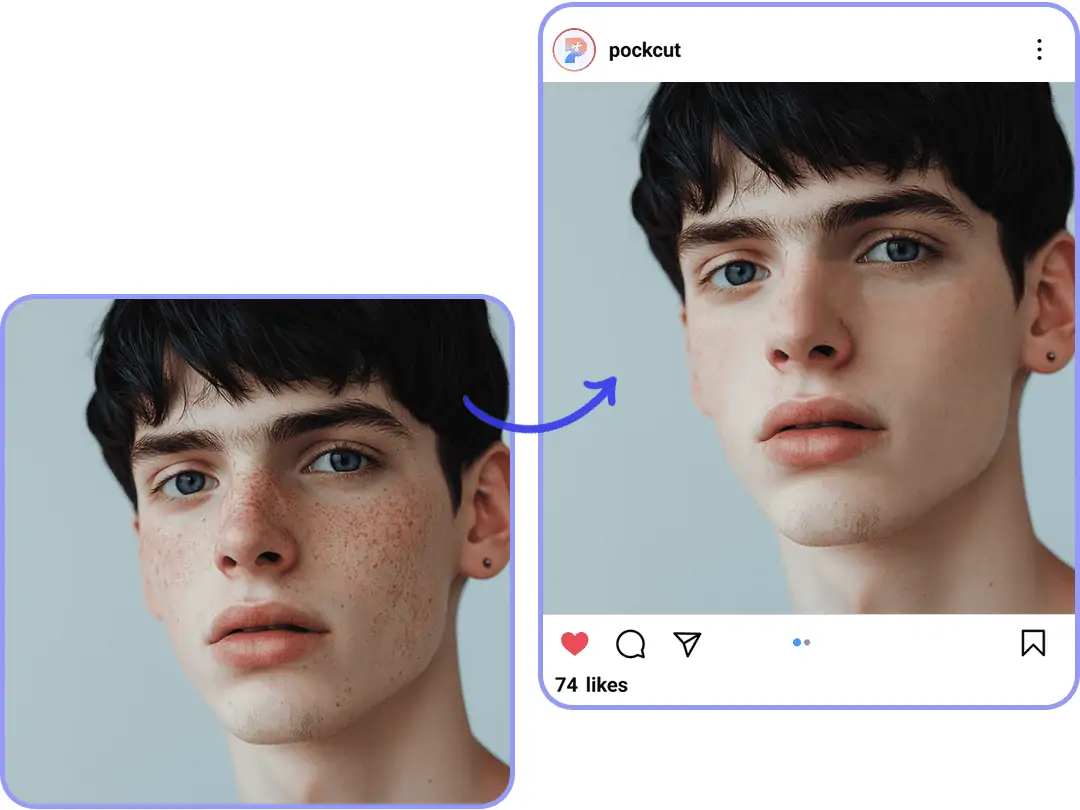
Spots Removal While Preserving Natural Skin Texture
Pokecut’s remove spots from photo online free feature uses advanced texture protection to maintain your skin’s natural pores and fine details while eliminating imperfections. Spot healing brush tool intelligently detects and remove acne from photo. This ensuring the skin retains its real look without artificial smoothing. After using the image healer, explore our aesthetic photo editor helps balance skin tone and create a natural glow.

AI Spot Remover on Photo Makes Backgrounds Distraction-Free
Erase dusty spots, small unwanted objects, and messy elements in your scene using our AI spot remover on photo. The advanced spot healing brush seamlessly blends edges and textures, making backgrounds look cleaner and subjects stand out more.
The spot in the background of the picture will affect how the main subject is displayed. The watermark floating in the background will also interfere with visual communication. You can get rid of them with our watermark removal feature. Pokecut ensures your photos remain focused and professional, enhancing both clarity and visual appeal.

Picture Brush with Dual Modes for Versatile Spot Removal
Pokecut offers a picture brush with two unique modes to meet diverse editing needs. Ultra mode is perfect for removing large marks, such as unwanted people, with high speed and broad coverage. This approach quickly fills in the area for seamless results.
For detailed corrections, precise mode ensures maximum accuracy by focusing on edges and natural textures. You can use it to remove red-eye or delicate spots for a flawless finish. For the best experience, combine both modes to enjoy smooth, high-fidelity spot removal with the spot healing brush.
AI Spot Remover on Photo for Seamless Editing

Remove Spots from Documents
Use the spot picture brush to remove spots from photo documents and graphics. Achieve flawless results, whether you need to remove acne from photo files or clean up scanned images with the ai spot remover on photo.

Erase Foreground Speckles
Erasing foreground speckles targets distracting marks in the foreground of both portrait and landscape shots. It works gently, removing blemishes, dust, and specks without dulling textures or warping lighting. It preserves edges and color accuracy, keeping the scene natural.

Delete Distract Dot on Sketches
Effortlessly remove spots from hand-drawn sketches using the spot healing brush. Prepare your artwork for smooth coloring and print output. The tool works as a reliable image healer and spot remover photo solution for sketch designer.
Frequently Asked Question
What is the easiest way to remove spots from a photo using Pokecut?
With Pokecut, simply upload your photo, use the spot healing brush tool to mark spots, and let the AI image healer erase imperfections. Download your flawless image instantly.
Will using the spot healing brush tool make areas look blurry?
Pokecut's spot healing brush tool uses advanced photo editing AI to preserve natural details. The AI spot remover on photo keeps edges clear and high quality while removing spots or scars.
Will the area look unnatural after using the spot healing brush?
No. Pokecut isn't just about removing spots. Its built-in AI analyzes the surrounding pixels and fills in matching ones automatically. The patch blends with the texture and lighting, so the edit looks natural. You can’t tell there was a blemish on the photo. It works on different areas and textures.
Is it free to use the AI spot remover on photo in Pokecut?
Yes. You don’t need to buy any editor plugin or software package. You can use it for free directly on Pokecut’s web page. Each day you’ll get a set number of free uses, and the quota renews automatically the next day. No installation required.