





AI Gigachad Filter for Chad Face Photos Online Free
Transform selfies into realistic Gigachad portraits with sharper jawlines, stronger facial features and physique enhancements. Perfect for profile pictures, memes, gaming avatars, and sigma-inspired social posts.
✅ Free Templates ✅ Custom Prompts ✅ High-Quality Results
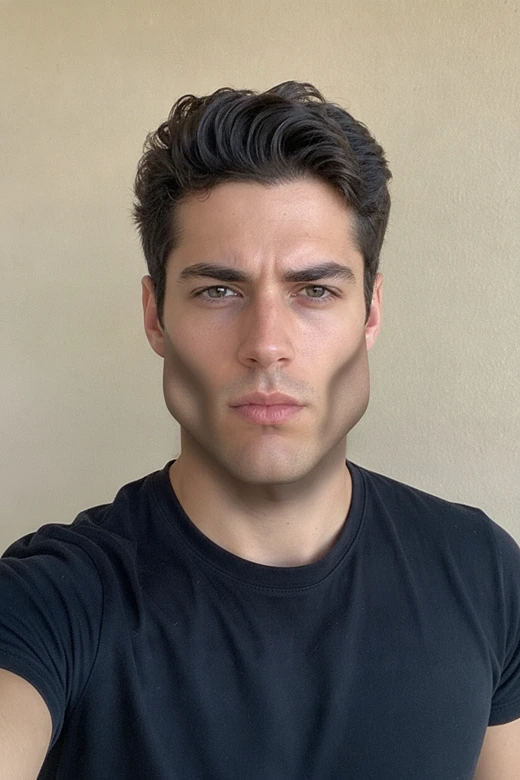
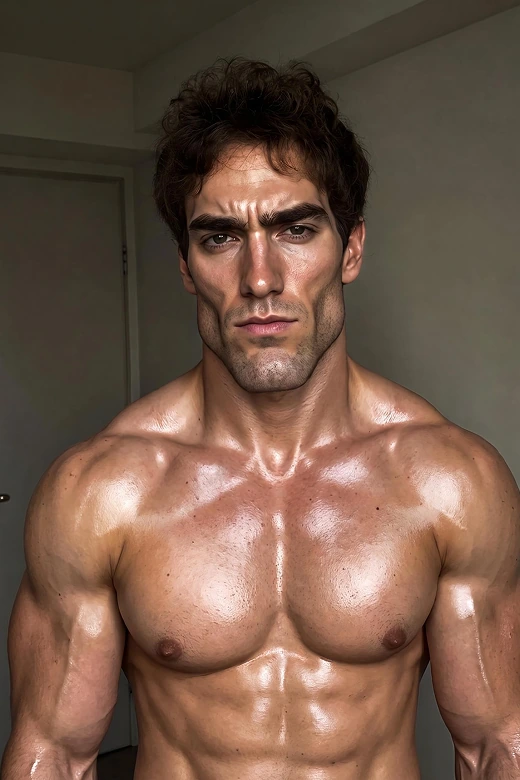
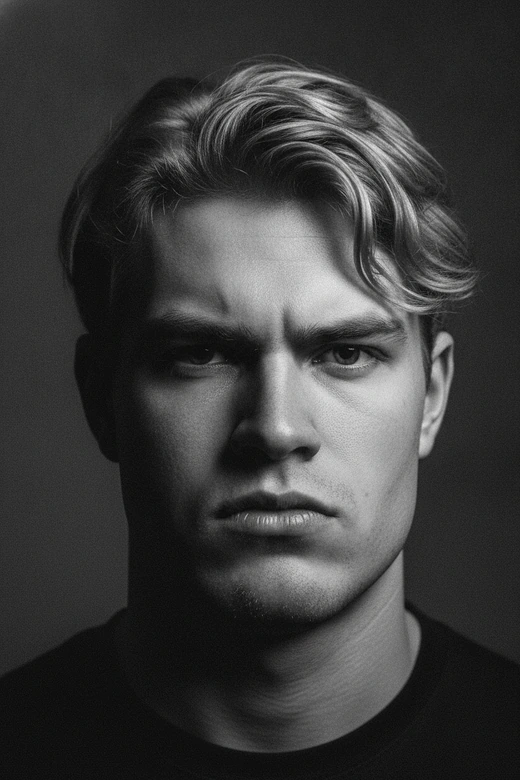
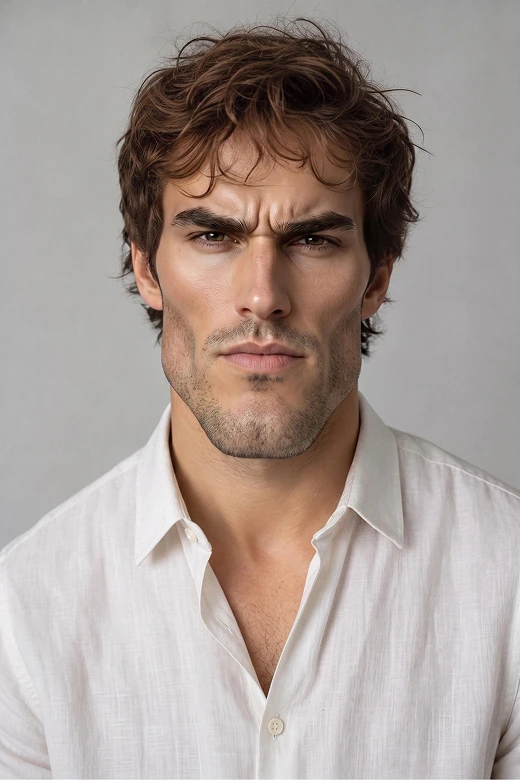
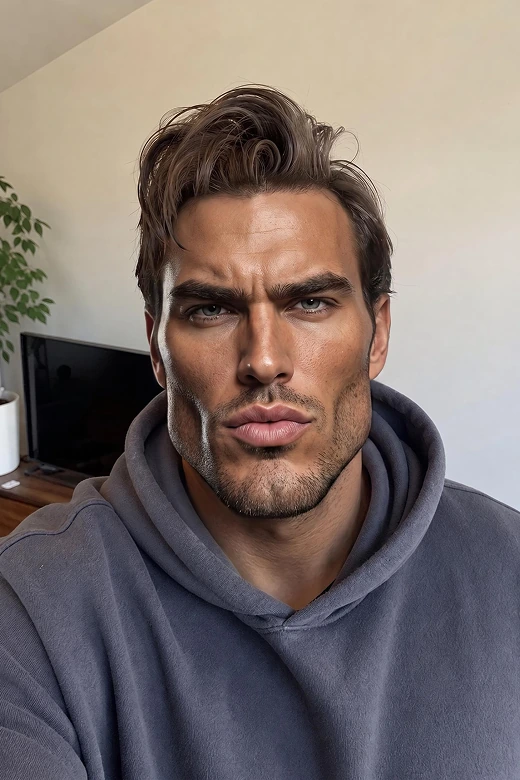
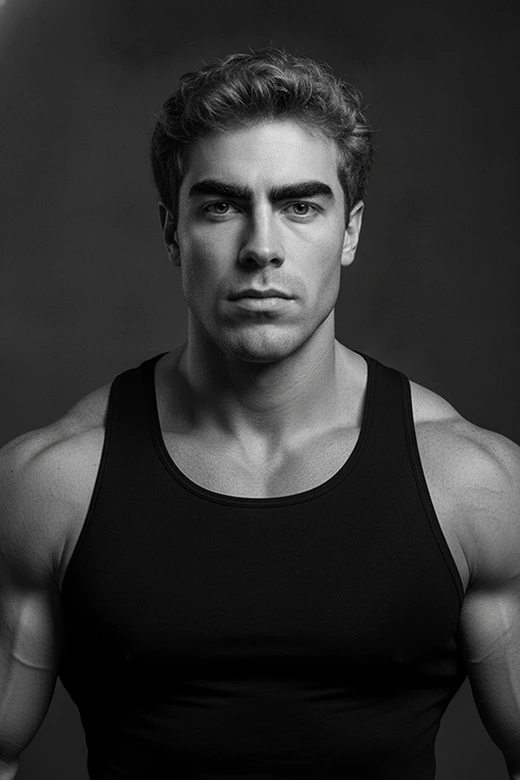
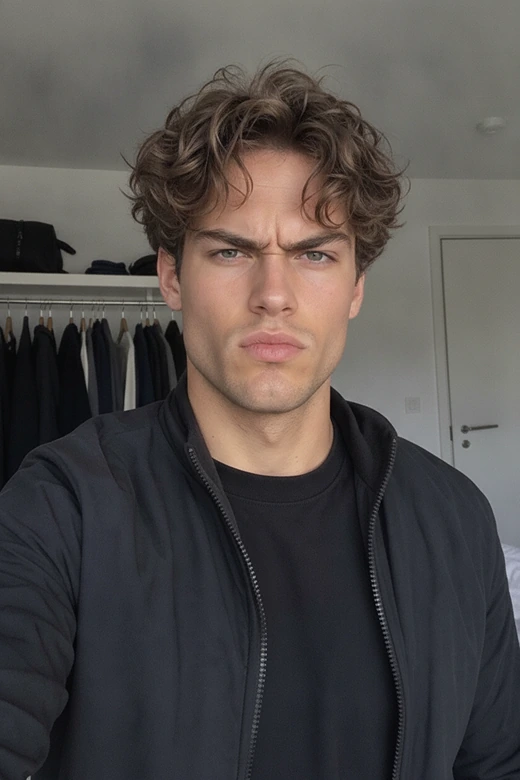
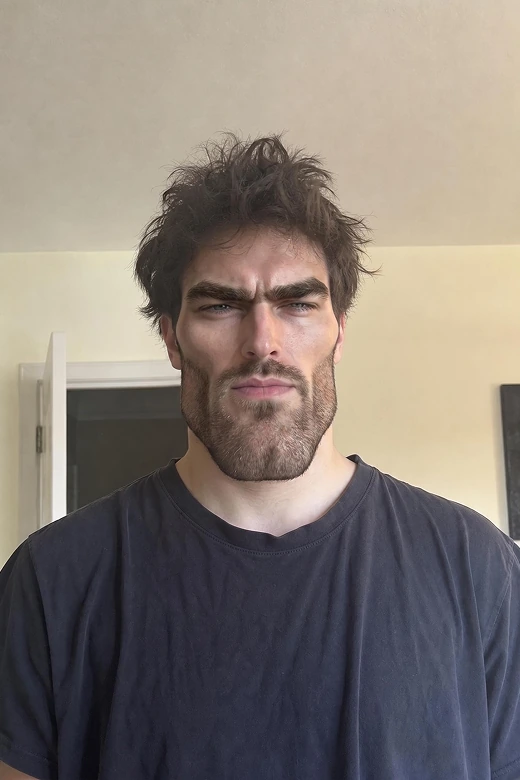


What Makes This Gigachad Filter Better?
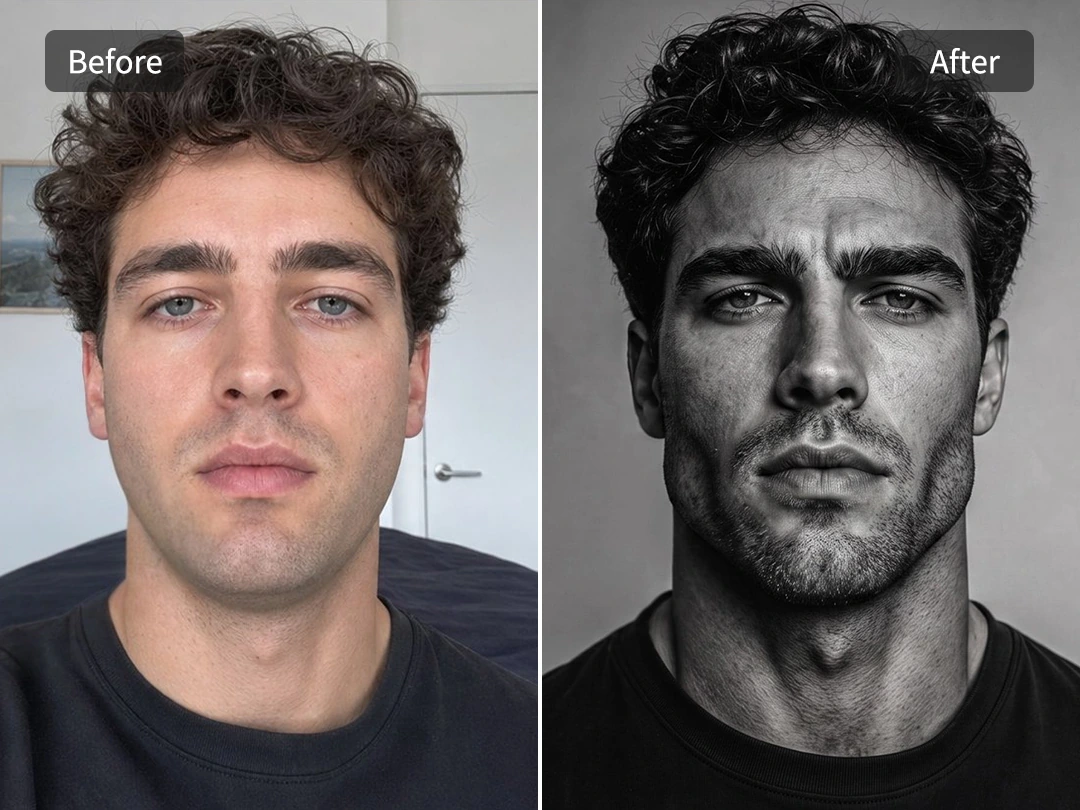
Turn Selfies Into a Strong Chad Face Photo with AI
Upload a clear photo and instantly get a stronger, sharper facial structure in GigaChad-style that still looks like you. Pokecut uses advanced AI to subtly enhance jawline, cheekbones, brow definition, and expression, creating a bold Gigachad aesthetic without losing identity.
This Gigachad filter works best when your selfie feels too ordinary for a profile picture or reaction avatar. It adds a humorous, exaggerated Chad-style upgrade while keeping facial consistency, so the result still feels usable for social profiles.
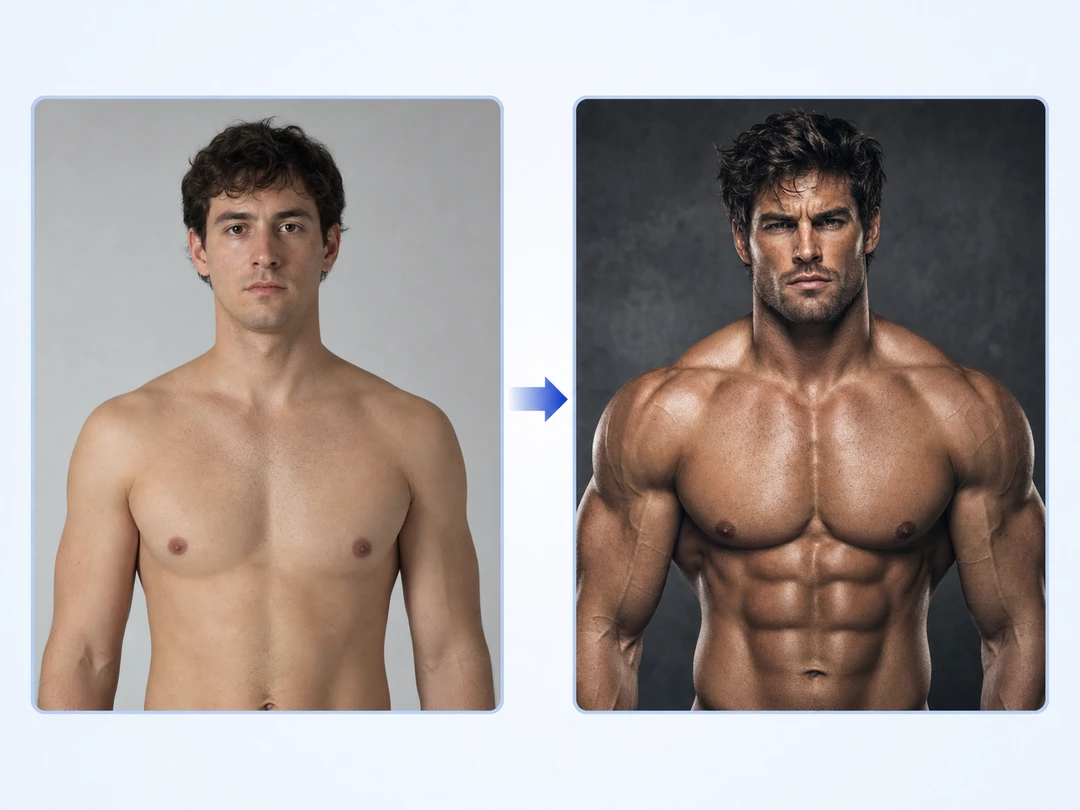
Build a Face and Body Sigma Look Together
Build a complete Gigachad sigma look by enhancing both facial structure and body presence in one click. Pokecut can shape the portrait around a sharper chin, stronger cheek planes, and a calmer sigma expression. Easily extend the transformation beyond the face to support the full GigaChad aesthetic.
Broader shoulders, a more upright posture, and a firmer pose help complete the effect, making the result feel intentional rather than partial. Use AI muscle generator to reinforce the physique and strengthen the overall sigma character look in Pokecut.

Use a Chad Filter Without Chasing Social Lenses
Create a Chad-style result in the browser when a Snapchat or Instagram lens is hard to find. Pokecut gives you a saved image instead of a one-app camera effect, so the same gigachad filter online result can move into TikTok, Discord, or a profile page without recording it again.
This works well when you want control instead of a fleeting AR lens. Upload the photo, pick the direction, and download the finished edit. The workflow stays simple on desktop or mobile, and the final image is easier to reuse than a filter locked inside one social platform.
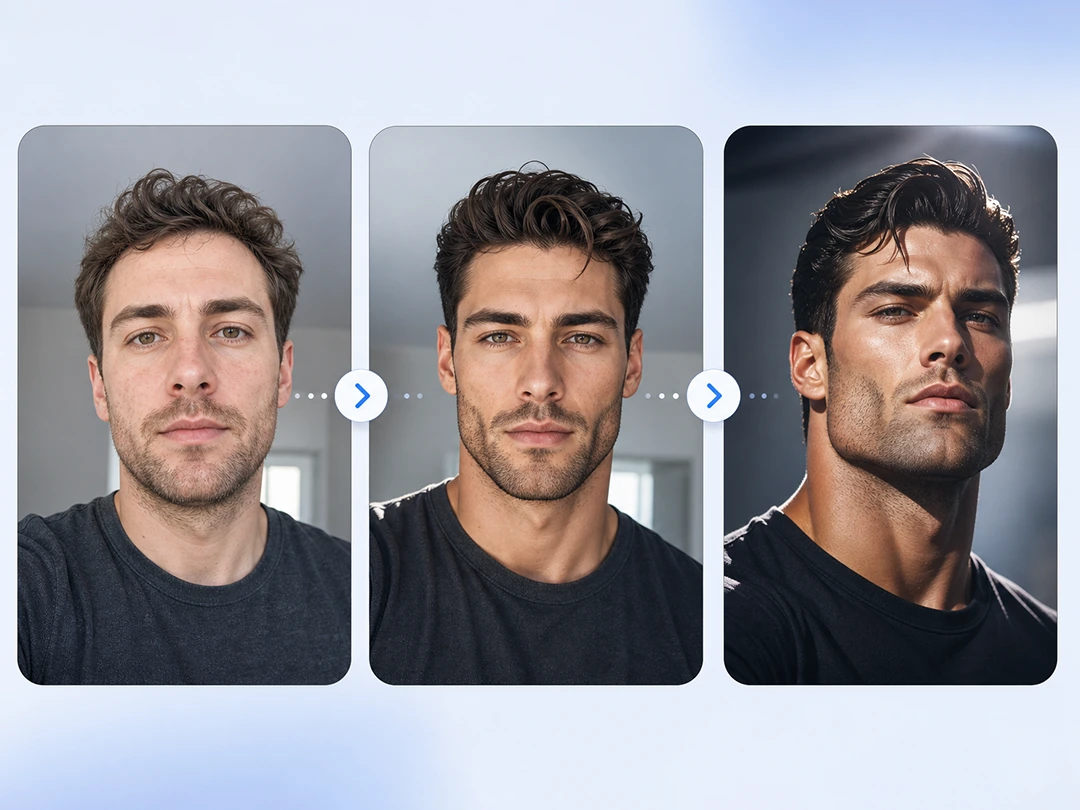
Tune the Gigachad Effect From Clean to Extreme
Adjust the Gigachad effect with flexible image-to-image control, from subtle enhancement to extreme meme transformation. Instead of a fixed filter, Pokecut lets you guide the gigachad selfie filter result through prompt-based adjustments or by selecting different preset templates.
That range helps when one photo has different jobs. A creator avatar may need a cleaner face edit, while a friend prank can handle a louder result. Pokecut keeps the effect focused on the photo goal, so the edit does not drift into a generic AI portrait that misses the Chad reference.
Where Can You Use a Gigachad Face Filter?
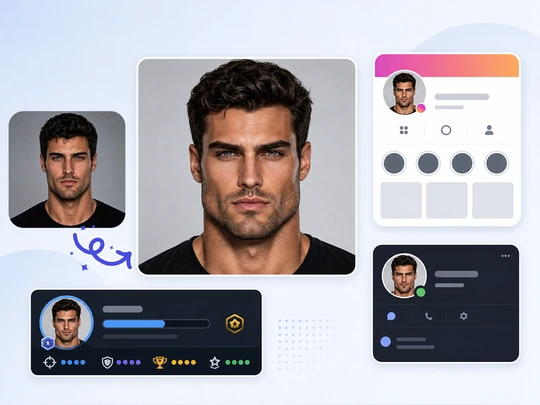
Gigachad Selfie Avatars
A stronger, more defined selfie avatar helps your profile stand out and communicate identity faster. Use the gigachad avatar style to enhance facial structure, then create a polished profile picture that fits Discord, Instagram, gaming profiles, or any online bio.
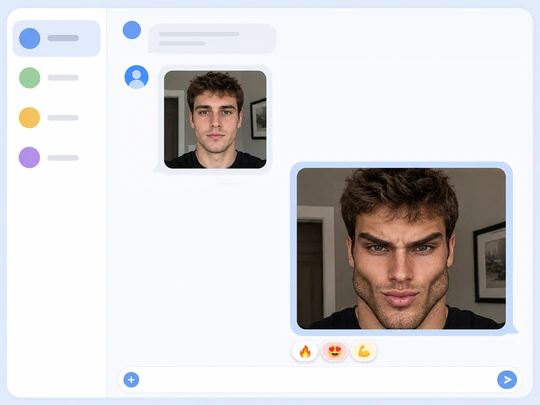
Pranks and Group Chat Memes
Friend photos get funnier when the Chad change is obvious but still recognizable. A chad filter meme works best when jawline definition, brow intensity, and expression are amplified just enough for the joke to land fast in chats, comments, or group threads.
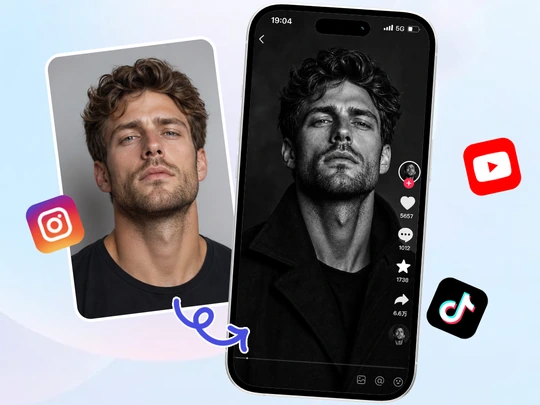
Social Sigma Style Edits
Short-form posts need a face that sells the bit fast. You can add beard to photo details and adjust lighting contrast to build a sigma male-style portrait effect, ideal for cover images, reaction posts, or bold profile updates that stand out in feeds.
How to Use the Giga Chad Filter Online
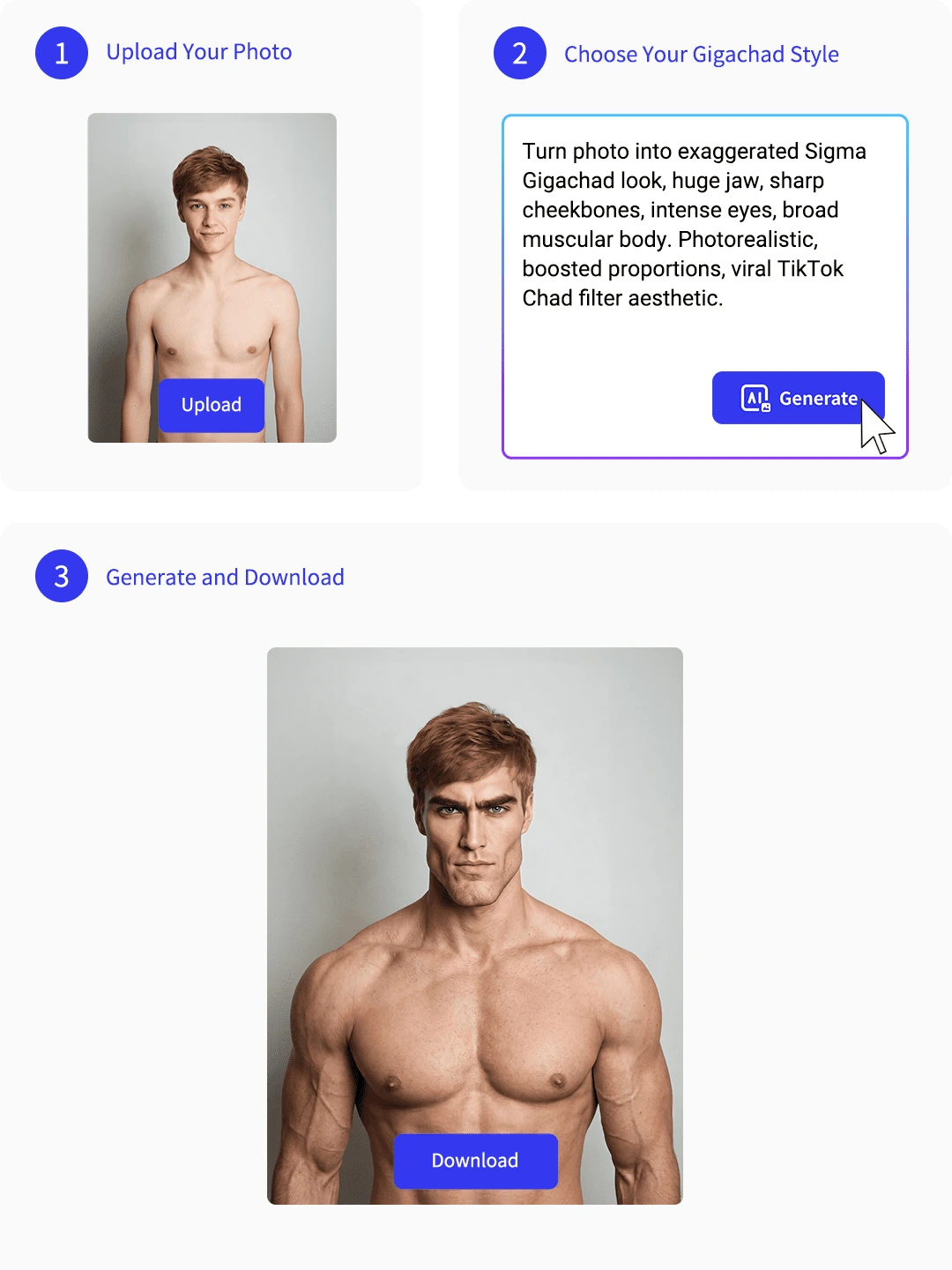
Step 1: Upload Your Photo
Choose a clear selfie or full-body photo. A front-facing portrait delivers the best Gigachad face filter results, while visible shoulders and upper body help create a more complete Chad-style transformation.
Step 2: Choose Your Gigachad Style
Pick a Gigachad template that matches the look you want, or describe your own style with a custom prompt. Whether you prefer a subtle Chad jawline enhancement or an over-the-top meme transformation, you can easily customize the final effect before generating.
Step 3: Generate and Download
Generate your Gigachad edit in seconds, review the result, and download the finished image. Your AI-generated Chad portrait is ready to use for profile pictures, memes, reaction posts, or social media avatars.

Pokecut vs Social AR Lenses
Social AR lenses are great for quick camera effects, but they're often limited to a single app and temporary use. Compare the differences below to see why Pokecut gives you more creative control, reusable downloads, and customizable Gigachad transformations.
What Users Say About the Gigachad Filter
Users like the clear face change, reusable downloads, and simple browser workflow.


Daniel F.

"I used it for a group chat joke, and the face change was clear right away. The jawline looked stronger, but the photo still felt like me."
Mark O.
"The online workflow was easy to follow. I uploaded a selfie, picked the Chad look, and had a profile-ready image without opening a heavy editor."
Jason L.
"The result worked well for meme posts because the expression changed enough to make the joke obvious. It still looked clean enough to share."
Ethan R.
"I liked making the style more dramatic. One version looked like a black-and-white sigma avatar, and another worked as a funny reaction image."
Chris M.
"The filter saved me from trying to reshape the face by hand. It gave my selfie a stronger Chad look without making the whole image feel broken."
Ryan T.
"I wanted something that worked outside Snapchat or Instagram. The downloaded image was easy to reuse on Discord and TikTok."
Daniel F.
"I used it for a group chat joke, and the face change was clear right away. The jawline looked stronger, but the photo still felt like me."
Mark O.
"The online workflow was easy to follow. I uploaded a selfie, picked the Chad look, and had a profile-ready image without opening a heavy editor."
Jason L.
"The result worked well for meme posts because the expression changed enough to make the joke obvious. It still looked clean enough to share."
Ethan R.
"I liked making the style more dramatic. One version looked like a black-and-white sigma avatar, and another worked as a funny reaction image."
Chris M.
"The filter saved me from trying to reshape the face by hand. It gave my selfie a stronger Chad look without making the whole image feel broken."
Ryan T.
"I wanted something that worked outside Snapchat or Instagram. The downloaded image was easy to reuse on Discord and TikTok."
Daniel F.
"I used it for a group chat joke, and the face change was clear right away. The jawline looked stronger, but the photo still felt like me."
Mark O.
"The online workflow was easy to follow. I uploaded a selfie, picked the Chad look, and had a profile-ready image without opening a heavy editor."
Jason L.
"The result worked well for meme posts because the expression changed enough to make the joke obvious. It still looked clean enough to share."
Ethan R.
"I liked making the style more dramatic. One version looked like a black-and-white sigma avatar, and another worked as a funny reaction image."
Chris M.
"The filter saved me from trying to reshape the face by hand. It gave my selfie a stronger Chad look without making the whole image feel broken."
Ryan T.
"I wanted something that worked outside Snapchat or Instagram. The downloaded image was easy to reuse on Discord and TikTok."
Daniel F.
"I used it for a group chat joke, and the face change was clear right away. The jawline looked stronger, but the photo still felt like me."
Mark O.
"The online workflow was easy to follow. I uploaded a selfie, picked the Chad look, and had a profile-ready image without opening a heavy editor."
Jason L.
"The result worked well for meme posts because the expression changed enough to make the joke obvious. It still looked clean enough to share."
Ethan R.
"I liked making the style more dramatic. One version looked like a black-and-white sigma avatar, and another worked as a funny reaction image."
Chris M.
"The filter saved me from trying to reshape the face by hand. It gave my selfie a stronger Chad look without making the whole image feel broken."
Ryan T.
"I wanted something that worked outside Snapchat or Instagram. The downloaded image was easy to reuse on Discord and TikTok."
Daniel F.
"I used it for a group chat joke, and the face change was clear right away. The jawline looked stronger, but the photo still felt like me."
Mark O.
"The online workflow was easy to follow. I uploaded a selfie, picked the Chad look, and had a profile-ready image without opening a heavy editor."
Jason L.
"The result worked well for meme posts because the expression changed enough to make the joke obvious. It still looked clean enough to share."
Ethan R.
"I liked making the style more dramatic. One version looked like a black-and-white sigma avatar, and another worked as a funny reaction image."
Chris M.
"The filter saved me from trying to reshape the face by hand. It gave my selfie a stronger Chad look without making the whole image feel broken."
Ryan T.
"I wanted something that worked outside Snapchat or Instagram. The downloaded image was easy to reuse on Discord and TikTok."
Ethan R.
"I liked making the style more dramatic. One version looked like a black-and-white sigma avatar, and another worked as a funny reaction image."
Chris M.
"The filter saved me from trying to reshape the face by hand. It gave my selfie a stronger Chad look without making the whole image feel broken."
Ryan T.
"I wanted something that worked outside Snapchat or Instagram. The downloaded image was easy to reuse on Discord and TikTok."
Daniel F.
"I used it for a group chat joke, and the face change was clear right away. The jawline looked stronger, but the photo still felt like me."
Mark O.
"The online workflow was easy to follow. I uploaded a selfie, picked the Chad look, and had a profile-ready image without opening a heavy editor."
Jason L.
"The result worked well for meme posts because the expression changed enough to make the joke obvious. It still looked clean enough to share."
Ethan R.
"I liked making the style more dramatic. One version looked like a black-and-white sigma avatar, and another worked as a funny reaction image."
Chris M.
"The filter saved me from trying to reshape the face by hand. It gave my selfie a stronger Chad look without making the whole image feel broken."
Ryan T.
"I wanted something that worked outside Snapchat or Instagram. The downloaded image was easy to reuse on Discord and TikTok."
Daniel F.
"I used it for a group chat joke, and the face change was clear right away. The jawline looked stronger, but the photo still felt like me."
Mark O.
"The online workflow was easy to follow. I uploaded a selfie, picked the Chad look, and had a profile-ready image without opening a heavy editor."
Jason L.
"The result worked well for meme posts because the expression changed enough to make the joke obvious. It still looked clean enough to share."
Ethan R.
"I liked making the style more dramatic. One version looked like a black-and-white sigma avatar, and another worked as a funny reaction image."
Chris M.
"The filter saved me from trying to reshape the face by hand. It gave my selfie a stronger Chad look without making the whole image feel broken."
Ryan T.
"I wanted something that worked outside Snapchat or Instagram. The downloaded image was easy to reuse on Discord and TikTok."
Daniel F.
"I used it for a group chat joke, and the face change was clear right away. The jawline looked stronger, but the photo still felt like me."
Mark O.
"The online workflow was easy to follow. I uploaded a selfie, picked the Chad look, and had a profile-ready image without opening a heavy editor."
Jason L.
"The result worked well for meme posts because the expression changed enough to make the joke obvious. It still looked clean enough to share."
Ethan R.
"I liked making the style more dramatic. One version looked like a black-and-white sigma avatar, and another worked as a funny reaction image."
Chris M.
"The filter saved me from trying to reshape the face by hand. It gave my selfie a stronger Chad look without making the whole image feel broken."
Ryan T.
"I wanted something that worked outside Snapchat or Instagram. The downloaded image was easy to reuse on Discord and TikTok."
Daniel F.
"I used it for a group chat joke, and the face change was clear right away. The jawline looked stronger, but the photo still felt like me."
Mark O.
"The online workflow was easy to follow. I uploaded a selfie, picked the Chad look, and had a profile-ready image without opening a heavy editor."
Jason L.
"The result worked well for meme posts because the expression changed enough to make the joke obvious. It still looked clean enough to share."
Ethan R.
"I liked making the style more dramatic. One version looked like a black-and-white sigma avatar, and another worked as a funny reaction image."
Chris M.
"The filter saved me from trying to reshape the face by hand. It gave my selfie a stronger Chad look without making the whole image feel broken."
Ryan T.
"I wanted something that worked outside Snapchat or Instagram. The downloaded image was easy to reuse on Discord and TikTok."
Daniel F.
"I used it for a group chat joke, and the face change was clear right away. The jawline looked stronger, but the photo still felt like me."
Mark O.
"The online workflow was easy to follow. I uploaded a selfie, picked the Chad look, and had a profile-ready image without opening a heavy editor."
Jason L.
"The result worked well for meme posts because the expression changed enough to make the joke obvious. It still looked clean enough to share."
Reviews from: Reddit, Product Hunt, G2, TrustRadius, Google Play, App Store, and more.
Why Creators and Brands Trust Pokecut

1M+ Users Worldwide
Pokecut generates over 500,000 images every day

#2 on Product Hunt
Pokecut was voted #2 Product of the Day on launch

Professional Privacy Protection
Ensure 100% data privacy for every photo

Trusted by Well-Known Brands
Apple, Google, PayPal, Stripe, Product Hunt, G2, TrustRadius
FAQs About Pokecut's Gigachad Filter
What is a Gigachad filter?
A Gigachad filter turns a normal photo into a stronger Chad-style portrait. Pokecut can shape the jawline, expression, and overall sigma mood while keeping the person readable.
Can I apply a Gigachad filter online for free?
Yes. Pokecut provides free credits, so you can try a gigachad filter online for free in your browser. Upload a photo, generate the Chad-style result, then follow the current download rules.
What photo works best for a Chad face filter?
A clear front-facing selfie works best for a Chad face filter. Good light helps Pokecut read the jawline, cheeks, chin, and expression before building the final look.
Can Pokecut replace an Instagram or Snapchat Chad filter?
Yes. Pokecut works as a browser-based alternative to a gigachad Snapchat filter or Instagram lens. The finished image can be reused across your social accounts.
Can I control how extreme the Gigachad effect looks?
Yes. Pick a clean portrait style for a lighter edit, or push the gigachad meme maker direction harder for a louder joke. Pokecut keeps the result tied to your photo.
Do I need photo editing skills to use the Gigachad filter?
No. Pokecut handles the hard face and style edits for you. Upload a photo, choose the look, and create a gigachad photo filter result without Photoshop skills.





