Free Online ID Photo Maker: No Sign-up Needed
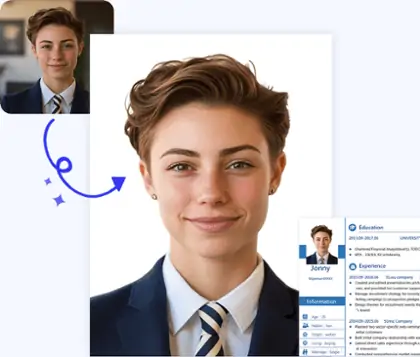
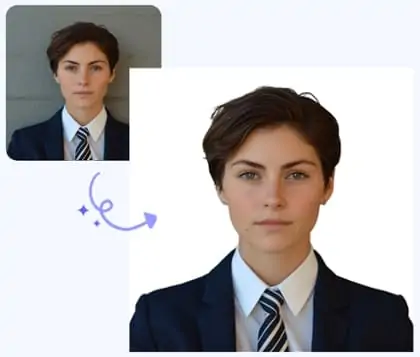
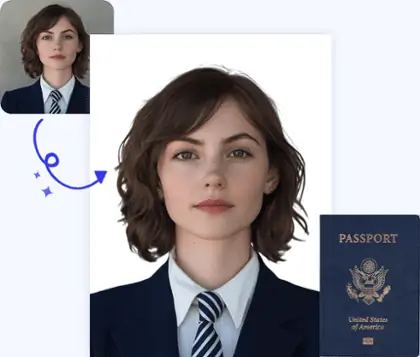
Easily convert any photo into a professional passport or ID photo in seconds with our AI passport photo maker.





By uploading an image or URL you agree to our Terms of Use and Privacy Policy
How to Make Professional Passport Photo Step by Step
Step1
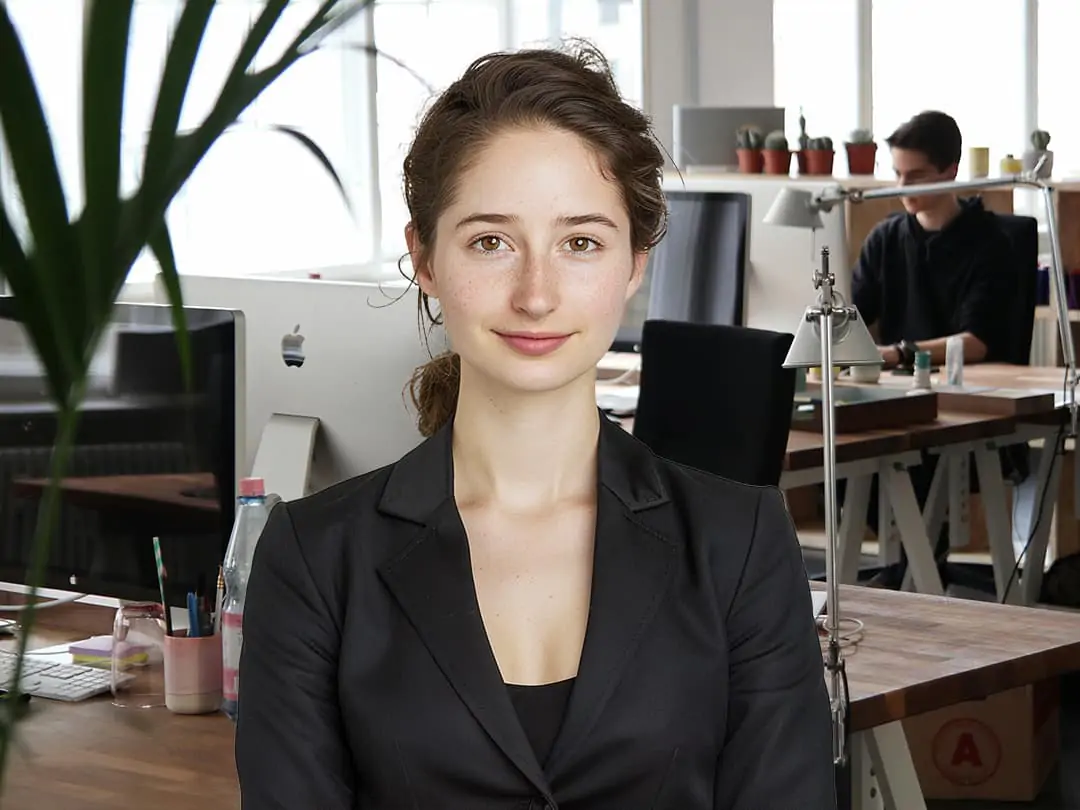
Upload Your Photo
Upload a clear frontal portrait of the person. The Pokecut AI Passport Photo Maker will will prepare it for you.
Step2
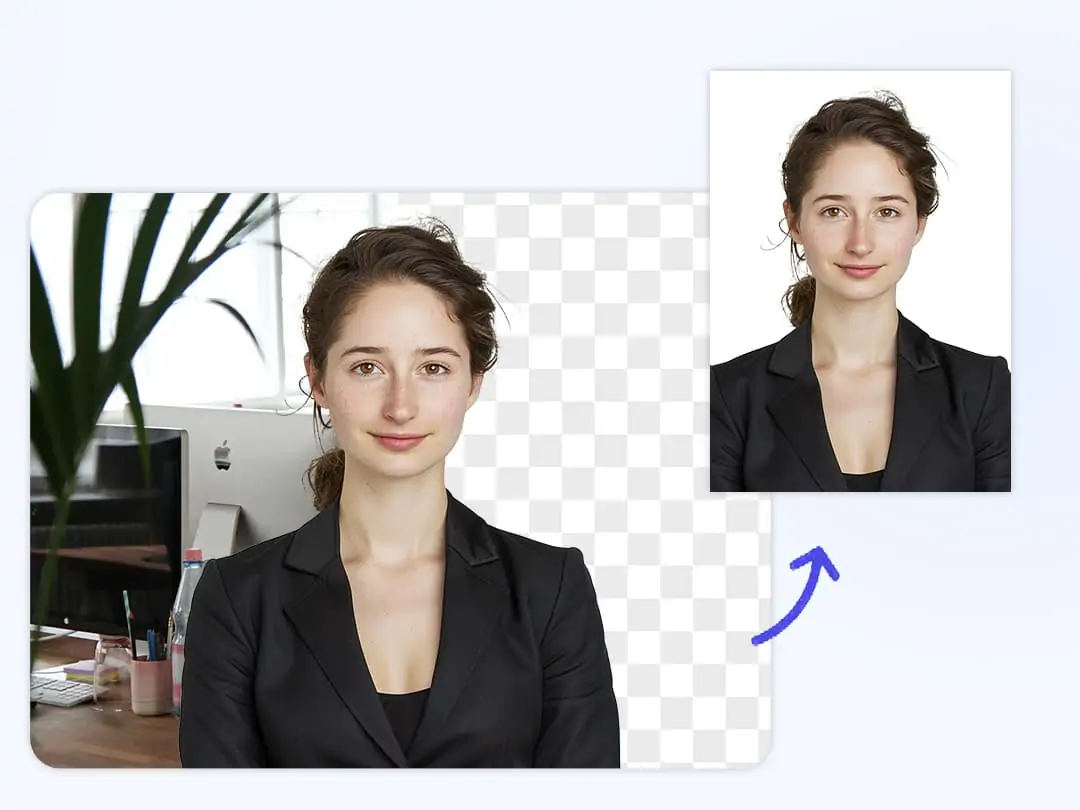
Adjust the Background and Size
Use Pokecut's passport-size photo editor to crop and adjust your image according to the official ID or passport requirements. Easily change or remove background, apply white or blue colors, and edit passport photo brightness for compliance.
Step3
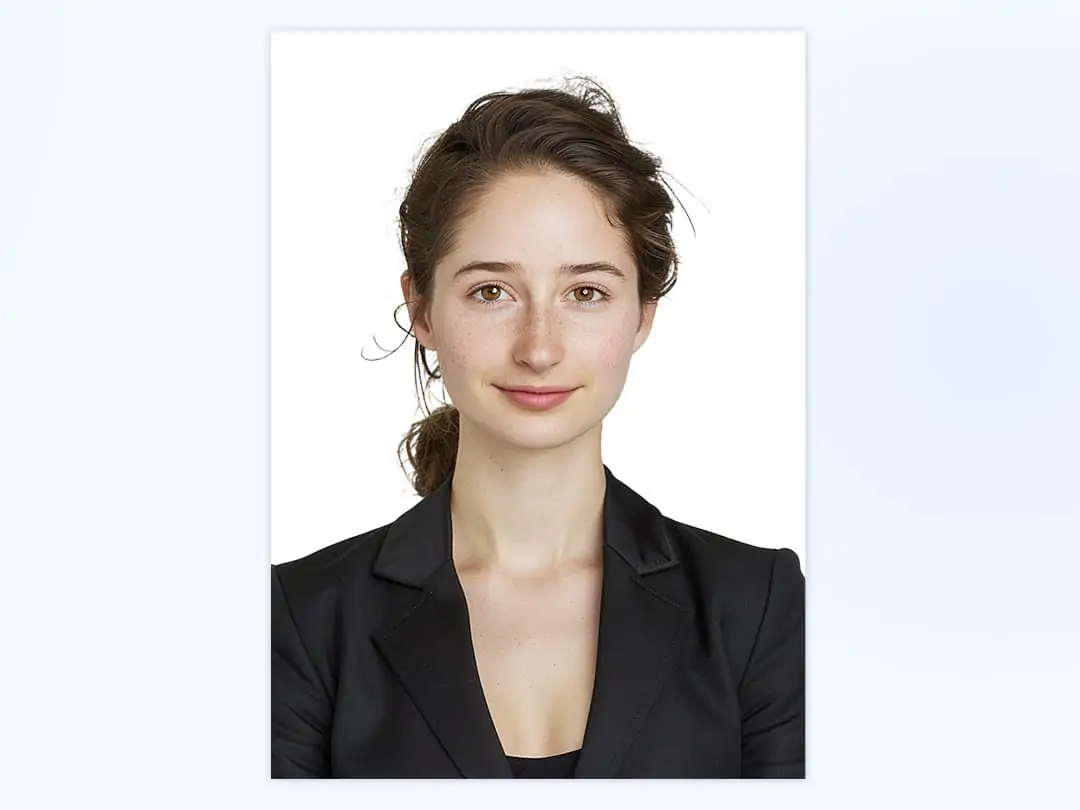
Save Your Photo
Save your professionally formatted passport or ID photo, ready for use in seconds!

Powerful ID Photo Editor for Flawless Background Extraction
Pokecut features a powerful AI id photo editor to simplify your document preparation. Our tool uses advanced vision algorithms to deliver precise, hair-level cutouts. You get professional results instantly without any manual editing or uneven backgrounds.
Scale up your efficiency with the dedicated bulk background remover, capable of clearing up to 50 images at once. Select your preferred id photo size and instantly replace the background with a standard blue, white, or red color for official documents. Make id photo creation simple and accurate with our innovative AI background remover.

Versatile ID Picture Editor with Extensive Global Size Presets
Creating the perfect picture for official applications has never been easier. This advanced id photo editor features hundreds of templates for global passports, visas, and green cards. You only need to select the right size. The smart technology will automatically align and crop your image to meet strict standards.
Eliminate the hassle of manual resizing and formatting. The passport photo editor ensures your photo matches the precise requirements of each country, helping you submit compliant documents with confidence.

Make ID Photo Online for Instant Professional Quality
Skip the long queues and expensive studio visits. It is incredibly easy to make an id photo online. The AI passport photo maker automatically crops your image to the official passport photo size. A dedicated formal attire editor even lets you swap casual clothes for professional outfits.
Pokecut's advanced image enhancement adjusts lighting and sharpness to deliver a crisp, professional id photo creator experience. Create premium identification photos for any official requirement without leaving the house.

Export 4K ID Photo with ID Photo Card Maker
Create and export high resolution ID photos with our id maker online. The advanced id editor removes pixelation and blurry edges, preserving every detail for a sharp, professional finish. Enhance your image to 4k quality with the AI photo enhancer, ensuring your image looks perfectly crisp and meets all official rules.
No matter if you print at home or at a professional lab, Pokecut delivers results that comply with industry standards. Every facial feature is maintained for clear, high-quality ID photos ready for any official use.
How to Prep Images for Our Passport Size Photo Maker?
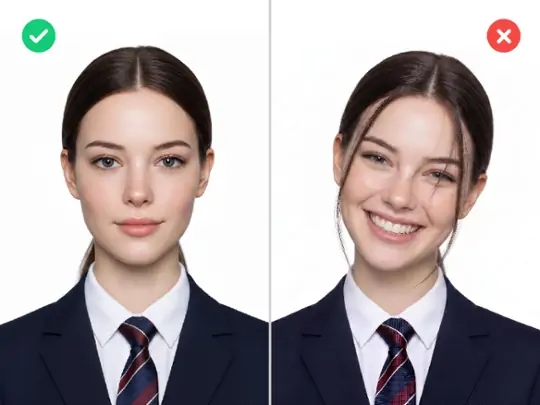
Look Straight with a Neutral Expression
Face the camera directly with your mouth closed and shoulders level. Applications often reject photos with tilted heads or smiles. Our free passport photo maker automatically aligns your face for instant compliance.
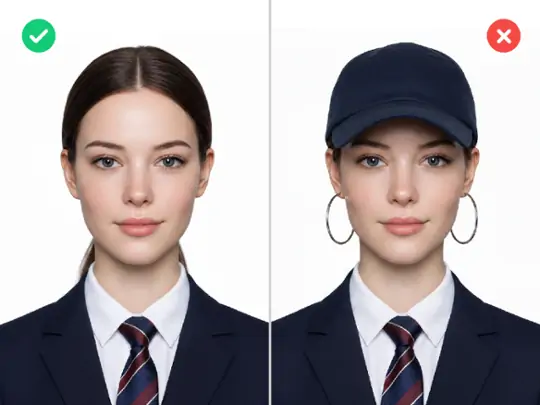
Capture a Clear Face and Remove Headwear
Use a rear camera to shoot a crisp face without hats or accessories. Stand in an evenly lit area and tuck your hair back. Shadows cause application rejections, but our tool flawlessly processes your clear uploads.
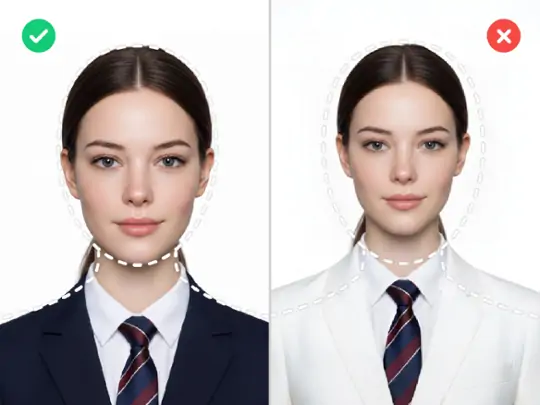
Wear Dark Clothes and Show Your Upper Body
Put on a dark shirt to contrast the background and show your upper body. Light outfits easily blend into plain backdrops. Scale your portrait to our dotted lines and get a perfect ID photo crop instantly.
More Than Just an ID Photo Maker


Why Choose Pokecut's ID Photo Maker

Smart Cropping
Pokecut's ID passport photo maker features advanced AI that automatically detects your face and adjusts the ID photo size. It also lets you edit passport photo backgrounds, replacing them with white, blue, or red to meet international ID requirements quickly and accurately.

Meet Global Standards
Pokecut's passport size photo maker ensures every image fits the exact specifications for passports, visas, green cards, and student IDs. This photo ID creator adapts to worldwide requirements, giving you professional results suitable for official government submissions.

HD Quality
Unlike many free tools, Pokecut's passport picture maker delivers high-resolution files. Whether printed or used online, the output remains sharp and clear. You can create a passport photo online for free while keeping every detail intact, ensuring acceptance for professional or official documents.
Free & Online
With Pokecut's free passport photo maker, you don't need to download software or register accounts. Simply upload your picture for ID, crop, and download within seconds. This ID maker online works on both mobile and desktop, making it fast and convenient anywhere.
What Users Are Saying About Pokecut's ID Photo Maker?


Linda P.

"This tool saved me when I needed a last minute visa photo. It handled the size requirements perfectly and corrected my messy lighting in seconds."
James T.
"The background removal is so precise. It managed to clear the wall behind me without messing up my hair, which most apps fail at."
Sophia L.
"There are so many id card templates to choose from. I got my green card photo and student ID done at home in less than five minutes."
David K.
"Finally a tool that keeps my skin looking natural. It removed my tired eyes and wrinkles without making me look like a plastic doll."
Sarah J.
"Flawless background removal even with my white shirt against a light wall. The results are much better than the other free editors I tried before."
Markus V.
"A total game changer for travelers. It had the exact size preset I needed for a digital nomad visa, saving me an expensive trip to a studio."
Linda P.
"This tool saved me when I needed a last minute visa photo. It handled the size requirements perfectly and corrected my messy lighting in seconds."
James T.
"The background removal is so precise. It managed to clear the wall behind me without messing up my hair, which most apps fail at."
Sophia L.
"There are so many id card templates to choose from. I got my green card photo and student ID done at home in less than five minutes."
David K.
"Finally a tool that keeps my skin looking natural. It removed my tired eyes and wrinkles without making me look like a plastic doll."
Sarah J.
"Flawless background removal even with my white shirt against a light wall. The results are much better than the other free editors I tried before."
Markus V.
"A total game changer for travelers. It had the exact size preset I needed for a digital nomad visa, saving me an expensive trip to a studio."
Linda P.
"This tool saved me when I needed a last minute visa photo. It handled the size requirements perfectly and corrected my messy lighting in seconds."
James T.
"The background removal is so precise. It managed to clear the wall behind me without messing up my hair, which most apps fail at."
Sophia L.
"There are so many id card templates to choose from. I got my green card photo and student ID done at home in less than five minutes."
David K.
"Finally a tool that keeps my skin looking natural. It removed my tired eyes and wrinkles without making me look like a plastic doll."
Sarah J.
"Flawless background removal even with my white shirt against a light wall. The results are much better than the other free editors I tried before."
Markus V.
"A total game changer for travelers. It had the exact size preset I needed for a digital nomad visa, saving me an expensive trip to a studio."
Linda P.
"This tool saved me when I needed a last minute visa photo. It handled the size requirements perfectly and corrected my messy lighting in seconds."
James T.
"The background removal is so precise. It managed to clear the wall behind me without messing up my hair, which most apps fail at."
Sophia L.
"There are so many id card templates to choose from. I got my green card photo and student ID done at home in less than five minutes."
David K.
"Finally a tool that keeps my skin looking natural. It removed my tired eyes and wrinkles without making me look like a plastic doll."
Sarah J.
"Flawless background removal even with my white shirt against a light wall. The results are much better than the other free editors I tried before."
Markus V.
"A total game changer for travelers. It had the exact size preset I needed for a digital nomad visa, saving me an expensive trip to a studio."
Linda P.
"This tool saved me when I needed a last minute visa photo. It handled the size requirements perfectly and corrected my messy lighting in seconds."
James T.
"The background removal is so precise. It managed to clear the wall behind me without messing up my hair, which most apps fail at."
Sophia L.
"There are so many id card templates to choose from. I got my green card photo and student ID done at home in less than five minutes."
David K.
"Finally a tool that keeps my skin looking natural. It removed my tired eyes and wrinkles without making me look like a plastic doll."
Sarah J.
"Flawless background removal even with my white shirt against a light wall. The results are much better than the other free editors I tried before."
Markus V.
"A total game changer for travelers. It had the exact size preset I needed for a digital nomad visa, saving me an expensive trip to a studio."
David K.
"Finally a tool that keeps my skin looking natural. It removed my tired eyes and wrinkles without making me look like a plastic doll."
Sarah J.
"Flawless background removal even with my white shirt against a light wall. The results are much better than the other free editors I tried before."
Markus V.
"A total game changer for travelers. It had the exact size preset I needed for a digital nomad visa, saving me an expensive trip to a studio."
Linda P.
"This tool saved me when I needed a last minute visa photo. It handled the size requirements perfectly and corrected my messy lighting in seconds."
James T.
"The background removal is so precise. It managed to clear the wall behind me without messing up my hair, which most apps fail at."
Sophia L.
"There are so many id card templates to choose from. I got my green card photo and student ID done at home in less than five minutes."
David K.
"Finally a tool that keeps my skin looking natural. It removed my tired eyes and wrinkles without making me look like a plastic doll."
Sarah J.
"Flawless background removal even with my white shirt against a light wall. The results are much better than the other free editors I tried before."
Markus V.
"A total game changer for travelers. It had the exact size preset I needed for a digital nomad visa, saving me an expensive trip to a studio."
Linda P.
"This tool saved me when I needed a last minute visa photo. It handled the size requirements perfectly and corrected my messy lighting in seconds."
James T.
"The background removal is so precise. It managed to clear the wall behind me without messing up my hair, which most apps fail at."
Sophia L.
"There are so many id card templates to choose from. I got my green card photo and student ID done at home in less than five minutes."
David K.
"Finally a tool that keeps my skin looking natural. It removed my tired eyes and wrinkles without making me look like a plastic doll."
Sarah J.
"Flawless background removal even with my white shirt against a light wall. The results are much better than the other free editors I tried before."
Markus V.
"A total game changer for travelers. It had the exact size preset I needed for a digital nomad visa, saving me an expensive trip to a studio."
Linda P.
"This tool saved me when I needed a last minute visa photo. It handled the size requirements perfectly and corrected my messy lighting in seconds."
James T.
"The background removal is so precise. It managed to clear the wall behind me without messing up my hair, which most apps fail at."
Sophia L.
"There are so many id card templates to choose from. I got my green card photo and student ID done at home in less than five minutes."
David K.
"Finally a tool that keeps my skin looking natural. It removed my tired eyes and wrinkles without making me look like a plastic doll."
Sarah J.
"Flawless background removal even with my white shirt against a light wall. The results are much better than the other free editors I tried before."
Markus V.
"A total game changer for travelers. It had the exact size preset I needed for a digital nomad visa, saving me an expensive trip to a studio."
Linda P.
"This tool saved me when I needed a last minute visa photo. It handled the size requirements perfectly and corrected my messy lighting in seconds."
James T.
"The background removal is so precise. It managed to clear the wall behind me without messing up my hair, which most apps fail at."
Sophia L.
"There are so many id card templates to choose from. I got my green card photo and student ID done at home in less than five minutes."
David K.
"Finally a tool that keeps my skin looking natural. It removed my tired eyes and wrinkles without making me look like a plastic doll."
Sarah J.
"Flawless background removal even with my white shirt against a light wall. The results are much better than the other free editors I tried before."
Markus V.
"A total game changer for travelers. It had the exact size preset I needed for a digital nomad visa, saving me an expensive trip to a studio."
Linda P.
"This tool saved me when I needed a last minute visa photo. It handled the size requirements perfectly and corrected my messy lighting in seconds."
James T.
"The background removal is so precise. It managed to clear the wall behind me without messing up my hair, which most apps fail at."
Sophia L.
"There are so many id card templates to choose from. I got my green card photo and student ID done at home in less than five minutes."
Reviews from: Reddit, Product Hunt, G2, TrustRadius, Google Play, App Store, and more.
FAQs About Pokecut's ID Photo Maker
What sizes are supported for ID pictures?
Pokecut's tool supports all common ID photo size formats, including 2x2 inches, 35x45mm, and more. Whether it's for ID cards, visas, or passports, Pokecut provides accurate dimensions.
Do I need special software to make passport pictures?
No software is needed. Pokecut is an ID maker online, so you can make passport picture online directly from your phone or computer in a web browser. The whole process is fast and convenient.
Is Pokecut's ID photo maker free to use?
Yes, Pokecut's ID Photo Maker is free to use daily, thanks to generous free-credit access and no sign-up requirement. If you want to go beyond the free tier, upgrading to a paid plan unlocks full functionality.
Can I edit an ID photo background?
Pokecut passport size photo editor allows you to remove and replace backgrounds with white, blue, or red. This ensures your photo meets specific embassy or ID requirements.
Pokecut's ID Photo Maker Trusted by Professionals and Users

1M+ Users Worldwide
Pokecut generates over 500,000 images every day

#2 on Product Hunt
Pokecut was voted #2 Product of the Day on launch

Professional Privacy Protection
Ensure 100% data privacy for every photo

Trusted by Well-Known Brands
Apple, Google, PayPal, Stripe, Product Hunt, G2, TrustRadius