





Online Collage Maker for Creative Photo Stories
With Pokecut's photo collage maker, you can combine multiple photos into stylish layouts online. Whether you're creating a family album, a travel diary, or a social media post, Pokecut makes it easy to customize your collage with backgrounds, text, and frames.


By uploading an image you agree to our Terms of Use and Privacy Policy
How to Make a Collage Online for Free
Step 1: Upload Your Photos
Click "Upload" to import images from your device. The online photo collage maker supports all common image formats, including JPEG, JPG, PNG, WebP, BMP, and more.
Step 2: Choose a Layout
Select your preferred layout from the left panel, then upload your images. Pokecut's collage photo frame offers various grid and freestyle options.
Step 3: Customize Your Collage
Adjust collage spacing, margins, and corner radius. Edit images to achieve optimal size, orientation, and effects. Change backgrounds and patterns, add titles, and include stickers with this photo collage maker.
Step 4: Download and Share
Click the "Download" button to save your photo collage as PNG or JPG. For best results, we recommend high-resolution PNG. You can also share it directly on social media.


Collage Maker with Ready-to-Use Templates
Pokecut makes it effortless to create unique photo collages in seconds. Instead of struggling with complicated software, like Photoshop, Canva, etc., you simply choose from a wide range of pre-designed templates that fit any mood or occasion. Whether you're working on a family photo set, a romantic collage, or a stylish Instagram story, these templates provide the perfect starting point. With dozens of styles and arrangements available, this photo collage maker helps you experiment with different looks without wasting time.

Make a Collage with Customized Layouts
Pokecut's free collage maker online gives you full control over layout design. You can decide how many grids to include, whether you want a simple 3-grid arrangement, a creative 4X5 layout, or even 30+ grids for complex designs. With adjustable spacing, margins, corner radius, and background colors, this image collage maker adapts perfectly to your vision.
How Can a Photo Collage Maker Help You?


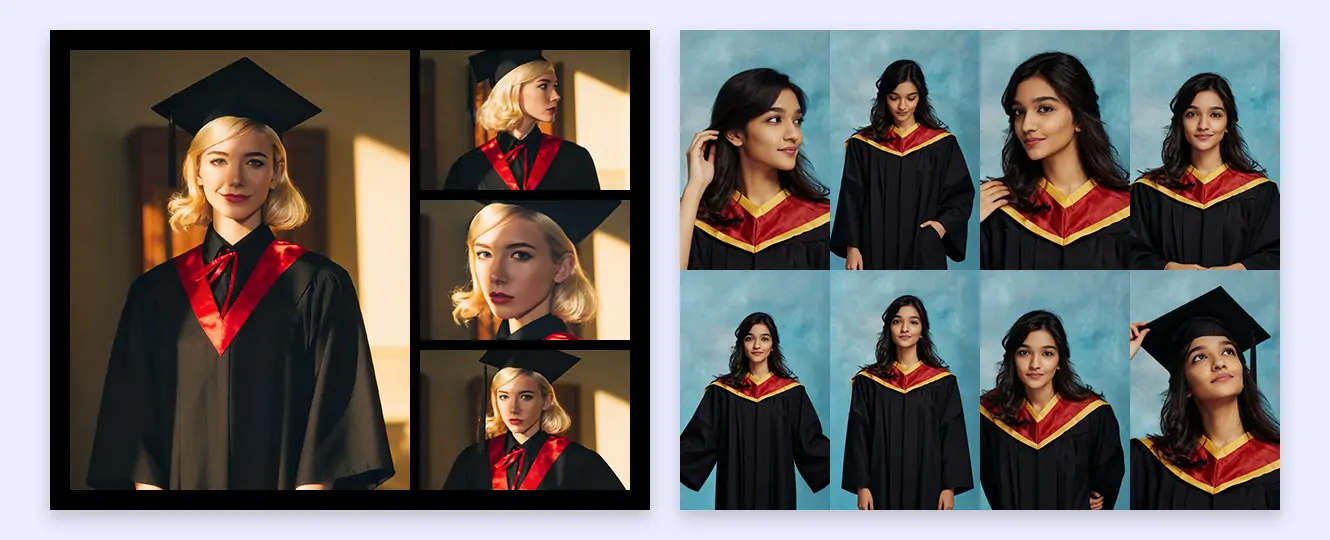

Create Unique Social Media Collages to Boost Appeal
An effective social media collage can turn a scattered set of images into a cohesive story for Instagram or Facebook. You can experiment with layouts, filters, and frames, ensuring each post is both original and visually cohesive. Whether you're highlighting events, products, or personal moments, collages make your content more dynamic and shareable. Use the Instagram collage maker to tell a story, promote campaigns, or simply add variety to your posts, making your social media presence more memorable and engaging for your audience.

Show Your Products Better With a Simple Collage for Your Shop
Boost your e-commerce sales by showing items with a professional collage picture maker. A single, flat image often isn't enough for customers to make a purchase decision. A detailed collage allows you to present a product from various angles. You can highlight close-up details, show it in use, and even display color or size variations simultaneously. This comprehensive visual approach builds consumer confidence and reduces potential doubts, effectively mimicking the tactile experience of an in-store visit.
What Grid Styles Can You Create with a Collage Photo Maker?

Grid
Classic grids let you make a collage with balance and clarity. Arrange multiple photos neatly side by side, ensuring clean edges and an organized look ideal for albums or professional presentations.

Side-by-Side
Use Pokecut to effortlessly design side-by-side collages using two or more photos. This tool is ideal for visual comparisons, demonstrating transformations, or tracking development stages. It enables you to clearly emphasize contrasts and relationships between your images.

Square
Square layouts fit seamlessly into social media platforms. With Pokecut's image collage maker, you can create 1:1 ratio collages that are optimized for Instagram and Facebook.

Customize Your Collage with Stickers, Text, and Backgrounds
Creating a personalized photo collage is easier than ever with Pokecut's collage maker. You can add meaningful text to highlight the story behind each picture, whether it's a family memory, a travel adventure, or a celebration. This picture montage creator allows you to experiment with stylish fonts, alignments, and text effects to make your collage stand out.
Beyond text, Pokecut provides an extensive collection of stickers, clip art, and doodles to bring a playful or artistic touch to your collage. You can switch between different backgrounds, from simple solid colors to creative patterns that reflect your style. This makes it easy to make a picture collage that truly represents your vision.

Make a Photo Collage and Edit Images Directly
Pokecut's collage maker online free integrates a powerful photo editor, allowing you to refine each image within your collage. You can crop, resize, or replace photos instantly without leaving the canvas. Adjust brightness, contrast, and saturation to achieve the perfect balance, or modify transparency for creative overlays.
Pokecut's picture collage maker free goes beyond simple placement by offering filters, effects, and AI-powered enhancements. Whether you're improving clarity, fixing lighting, or applying artistic styles, you have complete control over every element. With one click, you can ensure that every picture in your collage looks polished, consistent, and ready to share.
Why Choose Pokecut's Free Photo Collage Maker Online?

Easy Use
Pokecut is designed for everyone. Even beginners can create collages in minutes with drag-and-drop tools. The collage picture maker eliminates complicated steps.

Preset Templates
Choose from dozens of stylish templates. With the online pic collage maker, you can match layouts to your theme, from minimal grids to creative frames.

HD Outputs
Export in high-resolution PNG or JPG. Pokecut ensures that every collage project is print-ready and looks sharp on digital platforms.

Free Edits
Unlike many tools, Pokecut is a truly free tool. You can enjoy advanced features at no cost, making it both practical and budget-friendly.
FAQ
What's the best free collage maker?
Pokecut is one of the best free collage makers online, offering five free credits daily to create stunning collages without signing up. You can explore ready-made templates, add text, stickers, and backgrounds, and even edit with AI tools as you like.
Is Pokecut's collage maker free to use?
Yes, Pokecut is free to use with 5 free credits provided every day, so you can try out core tools without cost. To enjoy more credits and unlock the full functionality, you'll need to upgrade to the Pro Version.
Can I use Pokecut's photo collage maker without signing up?
Yes! Pokecut is a fully online tool that you can use without signing up. Simply access the website, upload your photos, and start creating collages instantly.
Can I make a wallpaper collage with Pokecut?
Definitely. Pokkecut's wallpaper collage maker helps you turn photos into desktop or mobile wallpapers. Create custom backgrounds in just minutes.
Can I download my collage in high resolution?
Yes, once your collage is complete, you can download it in HD. Pokecut's photo editor ensures print-ready quality for personal or business use.
Pokecut's Collage Maker Trusted by Professionals and Users

1M+ Users Worldwide
Pokecut generates over 500,000 images every day

#2 on Product Hunt
Pokecut was voted #2 Product of the Day on launch

Professional Privacy Protection
Ensure 100% data privacy for every photo

Trusted by Well-Known Brands
Apple, Google, PayPal, Stripe, Product Hunt, G2, TrustRadius







