Halloween Photo Editor: Create Halloween Images Online Free
Use Pokecut's halloween photo editor to add creepy backgrounds, apply horror effects, and decorate your pictures with halloween stickers or scary text for social media or party invitations.


By uploading an image or URL you agree to our Terms of Use and Privacy Policy
How to Use the Halloween Photo Editor for Spooky Creations
Step 1: Upload Your Photo
Start by uploading your favorite image to the halloween photo editor. Choose from your device or drag and drop. Get ready to transform it with spooky effects.
Step 2: Change Background to Halloween Style
Replace your original photo background with spooky Halloween scenes such as haunted houses, pumpkin fields, or ghostly night skies.
Step 3: Add Stickers, Filters, and Text
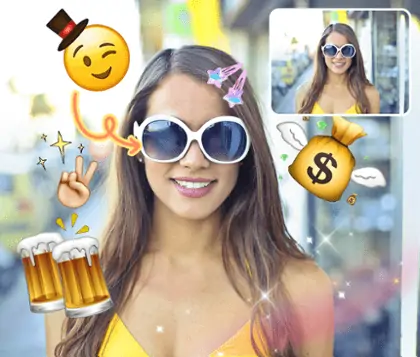
Add halloween stickers, scary filters, or spooky text using the halloween stickers photo editor. Mix elements for extra fun. Personalize your photo for a unique look.
Step 4: Download or Share Your Halloween Creation
Download your halloween profile picture or share it directly to social media. Show off your halloween photo editor creation and join the festive fun with friends.


Scary Photo Editor for Custom Halloween Backgrounds
Change the mood of your pictures with Pokecut's Halloween photo editor. Effortlessly upload your own halloween background to change the original background image.
You can also use Pokecut's AI background tool to generate a personalized halloween photo background by simply entering your creative prompt. Create unique halloween images that stand out on social media or party invitations. Explore endless spooky possibilities with just a click.

Halloween Image Editor for Unique Stickers and Spooky Fonts
Bring your photos to life with the halloween photo editor by adding halloween stickers and scary text fonts. Choose from a vast library of ghostly, pumpkin, and bat stickers, then customize your text with creepy halloween-inspired typefaces for extra fright.
Pokecut makes it simple to personalize your scary picture editor experience by mixing halloween mask photo editor tools with easy drag-and-drop stickers. Perfect for creating halloween profile pic, party invites, or festive social posts.

Halloween Photo Editor Offers Versatile Halloween Templates
Explore a wide range of halloween frames for photos and creative layouts with the horror picture editor. Instantly select from professionally-designed halloween photo maker templates perfect for product promotions or festive announcements.
Pokecut gives you access to halloween photo editor online free options, including unique halloween frames and themed backgrounds. Save time and boost your seasonal marketing with ready-to-use halloween profile picture designs and promotional page templates.

Scary Photo Editor with One-Click Halloween Filters
Transform your images instantly with the scary photo editor and apply a range of halloween filter effects. Choose from eerie overlays and free ghost filter options to bring out the true spirit of halloween.
Pokecut enables you to create a chilling ambiance using the photo editor for halloween, perfect for horror-themed visuals and social media. Enhance your halloween photo editor experience by experimenting with unique spooky filters and creepy effects.
Horror Picture Editor for All Halloween Styles


Unlock More Creative Power with Pokecut

Generate Halloween Images with AI
Use Pokecut's AI iamge generator to turn text prompts into unique Halloween images. From haunted houses to ghostly pumpkins, Pokecut helps you create scary visuals instantly without needing any design experience.

Try On Halloween Costumes Instantly
With Pokecut's AI clother changer, you can also try on different spooky outfits virtually. Experiment with witch hats, vampire cloaks, or zombie looks, and find the perfect Halloween style to share online.

Make Halloween Profile Pictures Easily
Transform your pictures into a Halloween profile pic using themed frames and templates. Add ghost effects, pumpkin borders, or scary fonts to make your Halloween profile picture stand out on social media.
Frequently Asked Questions
What is the best Halloween photo editor?
The best Halloween photo editor is one that offers spooky filters, Halloween stickers, and scary backgrounds while remaining easy to use. Pokecut's Halloween Photo Editor lets you add costumes, ghost effects, and frames online for free, making it perfect for parties, social media, or fun photo creations.
How to edit images to look scary?
You can edit images to look scary by adding dark filters, ghost effects, and creepy backgrounds. Use a scary photo editor like Pokecut to apply Halloween stickers, masks, and horror-style text. Adjust shadows, contrast, and colors to create an eerie atmosphere perfect for Halloween photos.
Can I add a Halloween background to a photo?
Yes! You can easily add a Halloween background to a photo using a Halloween photo editor like Pokecut. Simply upload your image, choose from spooky backgrounds such as haunted houses, graveyards, or pumpkin fields, and apply it instantly. It's perfect for creating Halloween party invites or social media posts.
Is it possible to use halloween photo editor online free on Pokecut?
Yes, Pokecut offers a Halloween photo editor online free. You can upload your photos, change backgrounds, add Halloween stickers, scary filters, and creepy text without downloading any software. The free version lets you create festive edits easily, while the Pro upgrade gives you more advanced tools and extra usage.