





Sharpen Image Online Free with an AI Image Sharpener
Sharpen image with AI to recover details and improve clarity, bring your photos to life.




By uploading an image or URL you agree to our Terms of Use and Privacy Policy
Why Choose Pokecut's AI Image Sharpener?
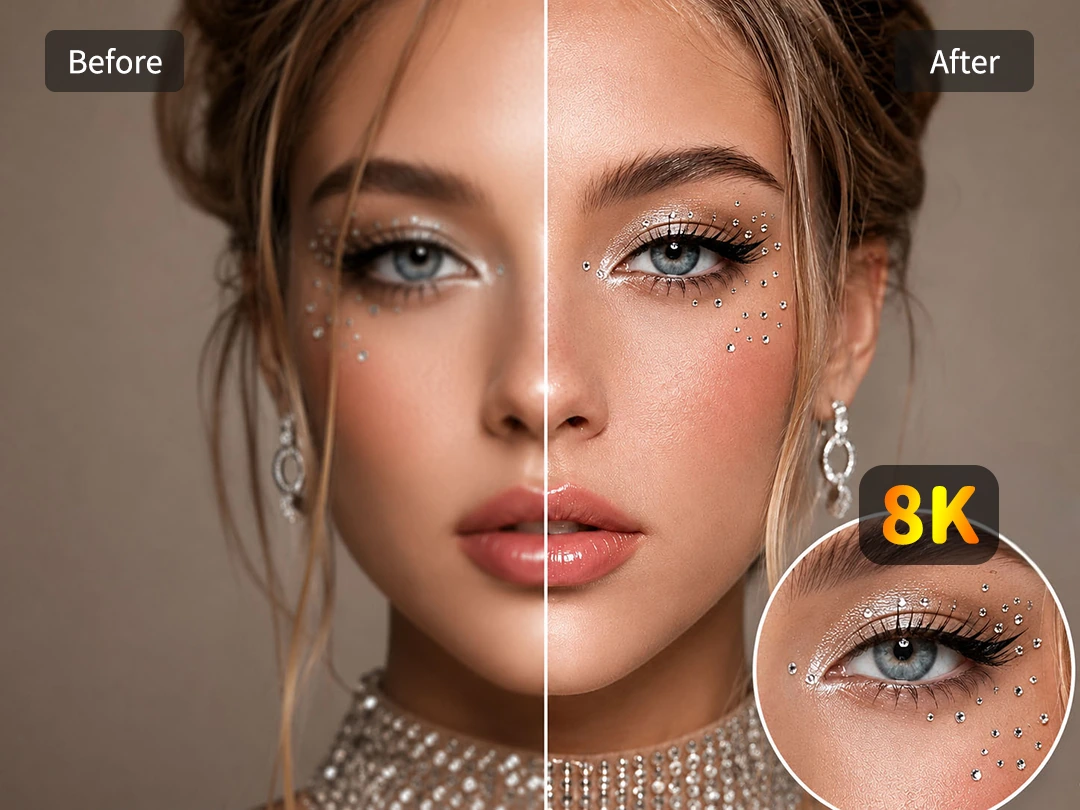
Restore Face Detail Without Waxy Skin
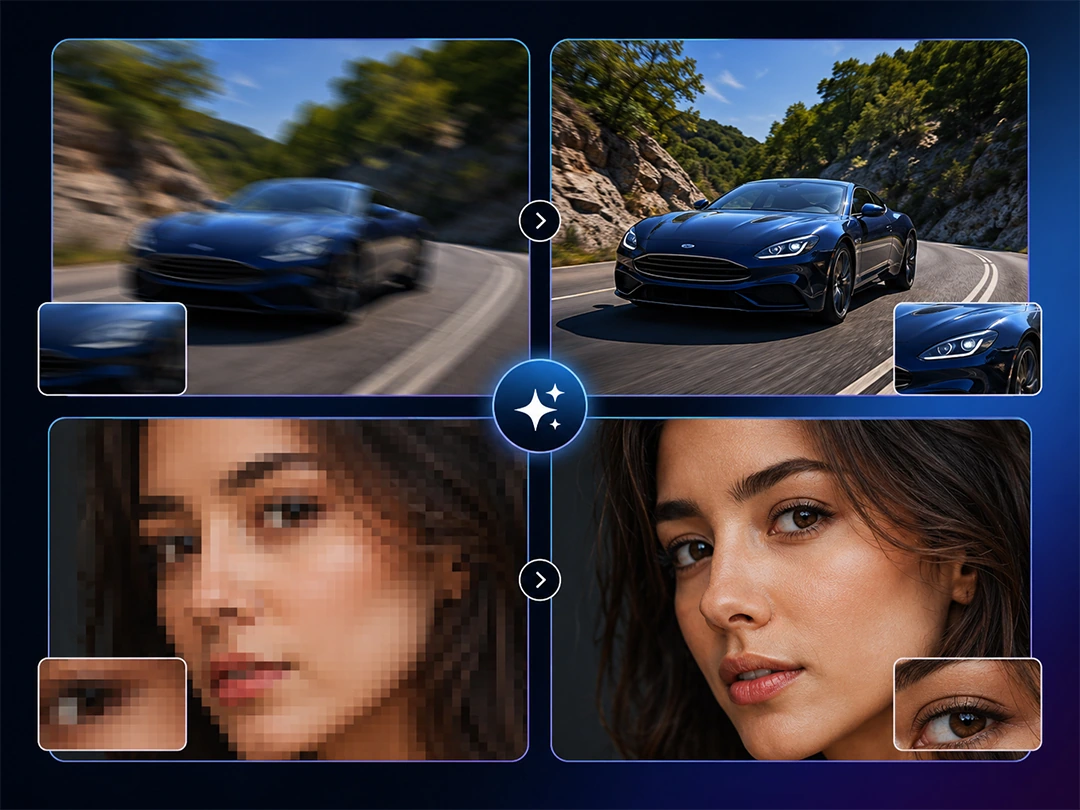
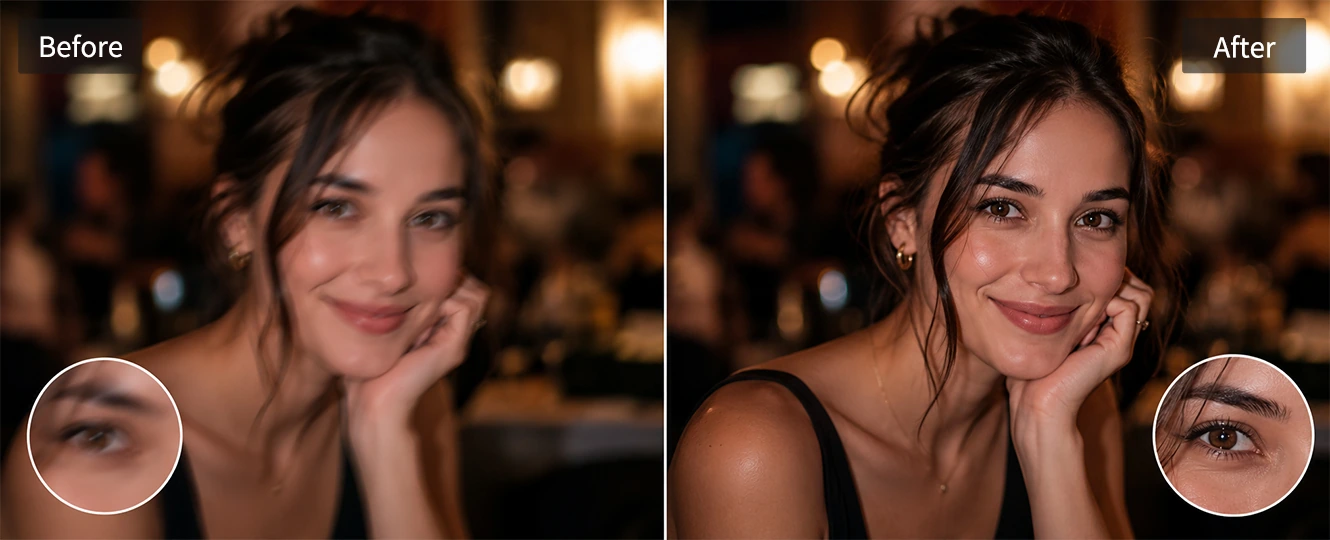
Many tools make faces look stiff when they sharpen image details. Skin turns rough, eyes look harsh, and a soft portrait can become harder to use. Pokecut reads the face area first, then rebuilds key details where blur hides them.
Use it to rescue a profile photo, a family portrait, or a shot that missed focus. The AI image sharpener brings back eye clarity and facial outlines while keeping natural skin texture, so the result looks cleaner instead of over-edited.
Fix Blur and Pixel Blocks in One Tool
Blur and pixelation come from different problems. A shaky camera or bad focus leaves ghosted edges. A tiny downloaded image breaks into square blocks when it is enlarged. Pokecut checks which problem appears in the photo before it repairs the image.
The AI sharpener smooths hard pixel edges and reduces motion blur without treating both issues the same way. Use it when you need to fix a pixelated image or clean up a soft photo for sharing or product pages.
Get 8K High-quality Output with AI Photo Sharpening
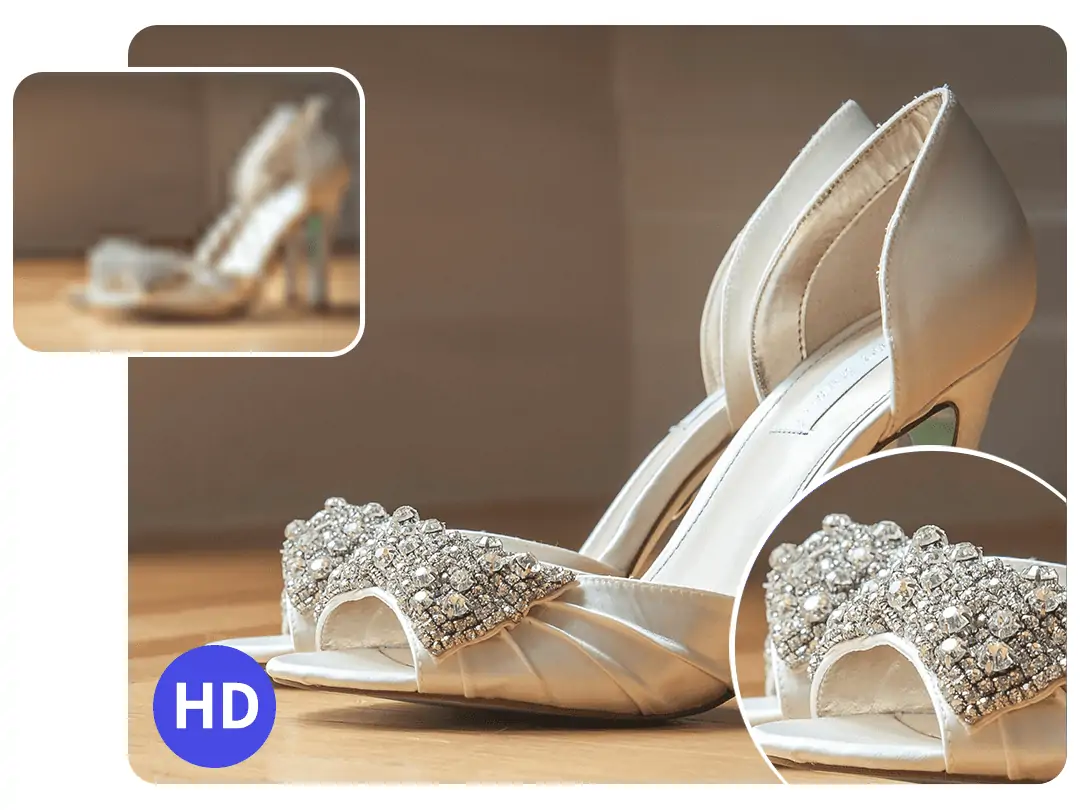
Pokecut's AI photo sharpening boosts clarity while preserving natural color and detail. Unlike some tools, Pokecut's technology avoids distortion and unwanted noise. The sharpening is realistic and subtle.
This tools can not only sharpen the image, but also increase the image resolution, which upscale to 8keffortlessly. This means it is perfect for online sharing, portfolios, or printing with high quality.
AI Smart Noise Removal and Detail Sharpening
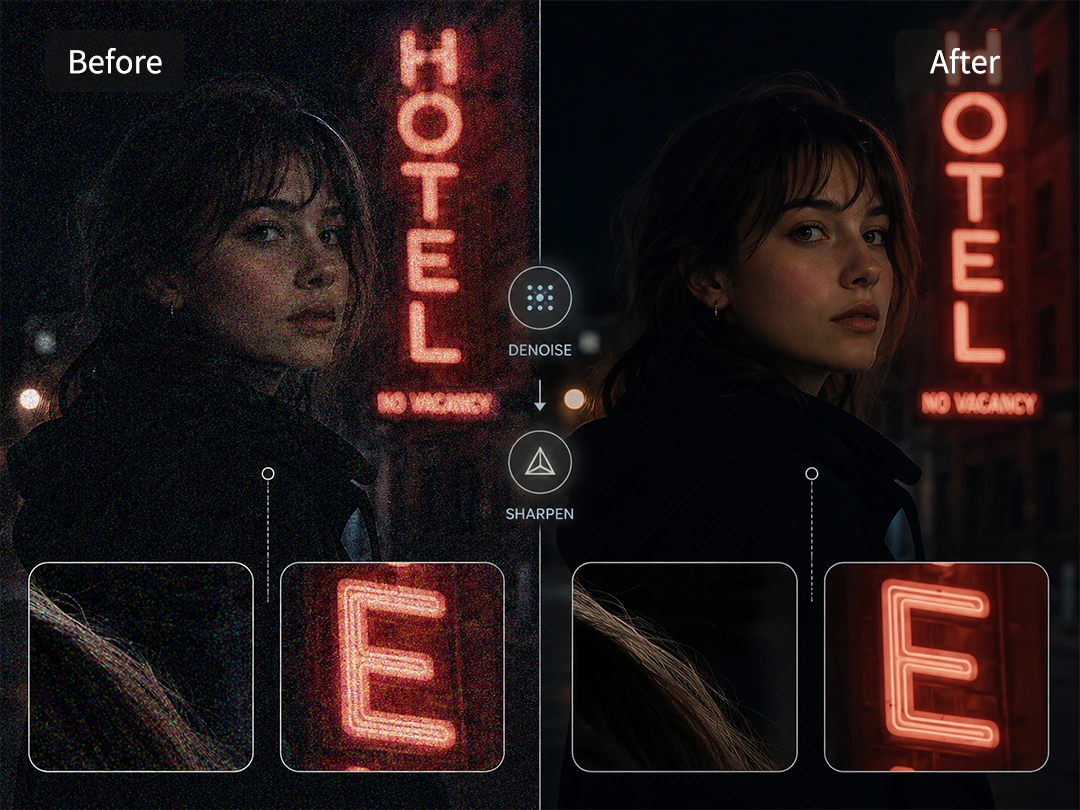
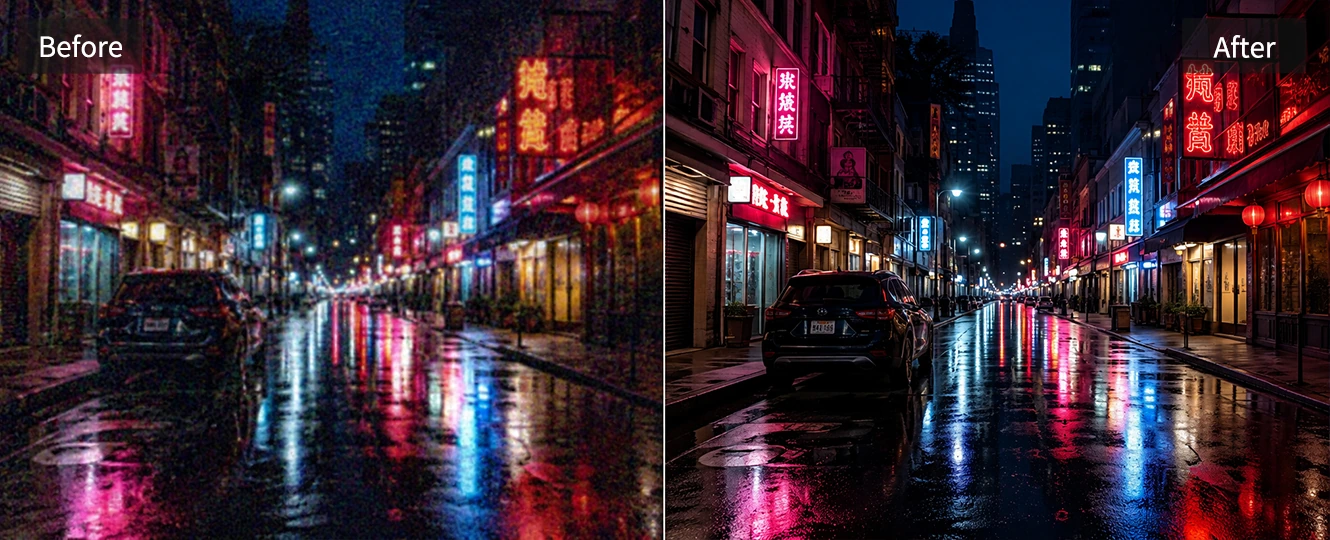
Pokecut changes how you sharpen images online. Most old tools simply raise contrast, which causes ugly halos, jagged edges, and digital grain around faces or text. Pokecut provide a cleaner path to high-resolution results by letting you remove noise from photo.
This advanced workflow easily keeps text readable while ensuring your dark areas stay perfectly smooth. Whether you are fixing heavy grain or fine details, Pokecut gives you a flawless base every time.
When Can You Use AI Image Sharpener to Elevate Photo?


Discover More Advantages of Pokecut's AI Photo Sharpener

Four Enhancer Modes
Pokecut's versatile online image sharpener provides four tailored modes for text, portrait, Ultra, and standard to ensure pristine, natural-looking details.

Batch Processing
Boost your workflow by uploading multiple 50 files at once. Pokecut's AI picture sharpener instantly clears up blurry batches in seconds.

No Watermark Export
Enjoy a completely transparent editing experience. You can sharpen image online free and download high-resolution results with no messy watermarks.

One-Click Operation
Skip the complicated settings. This smart AI photo clearer fixes your pixelated graphics and fuzzy photos with just a single click.
How to Make a Blurry Picture Clear?
Step 1

Upload Your Image
Select your blurry photo and upload it to image sharpener.
Step 2
AI Sharpen Your Image
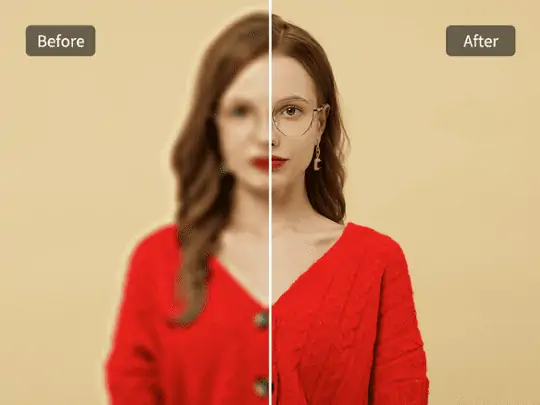
AI image sharpener analyzes and sharpens your photo. See the improvement in seconds.
Step 3

Download Your Clear Image
Review the result with the before-after preview. Satisfied? Download your clear, sharp image instantly.

What Do Users Say About Pokecut's AI Photo Sharpener?
See how thousands of everyday users are saving their shaky smartphone shots, cleaning up blurry product listings, and turning pixelated text into crystal-clear assets instantly.


Brandon W.

"I used it on a blurry product photo from my supplier. The label became readable enough for my store page, and I did not need to arrange another shoot."
Sophia J.
"My profile photo was slightly out of focus. Pokecut sharpened the eyes and face without making my skin look fake, which is exactly what I needed."
Mia V.
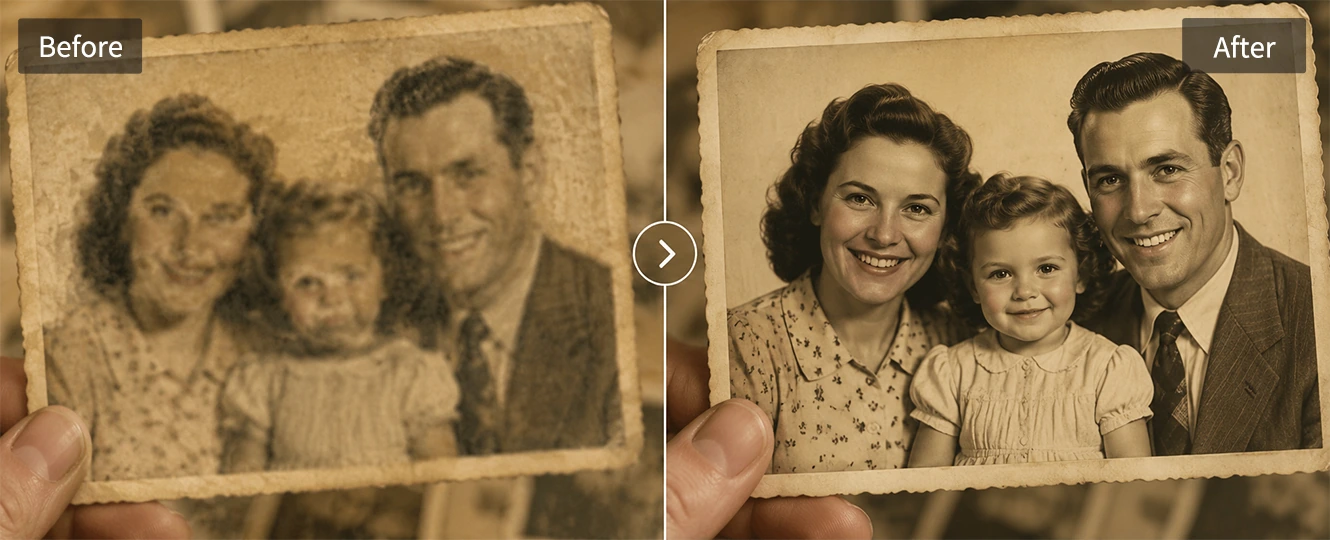
"Old family photos copied from my phone looked rough before. This made the faces clearer and still kept the warm old-photo feeling."
Charlotte O.
"I pulled a frame from a dance video for a cover image. The motion blur was much cleaner after using Pokecut, and the thumbnail looked usable."
Amelia Y.
"The before-after preview helped me avoid over-sharpening. I could stop when the picture looked clear but still natural."
Harper I.
"Night shots from my phone had a lot of grain. Pokecut cleaned the noise first, then sharpened the signs and building edges nicely."
Brandon W.
"I used it on a blurry product photo from my supplier. The label became readable enough for my store page, and I did not need to arrange another shoot."
Sophia J.
"My profile photo was slightly out of focus. Pokecut sharpened the eyes and face without making my skin look fake, which is exactly what I needed."
Mia V.
"Old family photos copied from my phone looked rough before. This made the faces clearer and still kept the warm old-photo feeling."
Charlotte O.
"I pulled a frame from a dance video for a cover image. The motion blur was much cleaner after using Pokecut, and the thumbnail looked usable."
Amelia Y.
"The before-after preview helped me avoid over-sharpening. I could stop when the picture looked clear but still natural."
Harper I.
"Night shots from my phone had a lot of grain. Pokecut cleaned the noise first, then sharpened the signs and building edges nicely."
Brandon W.
"I used it on a blurry product photo from my supplier. The label became readable enough for my store page, and I did not need to arrange another shoot."
Sophia J.
"My profile photo was slightly out of focus. Pokecut sharpened the eyes and face without making my skin look fake, which is exactly what I needed."
Mia V.
"Old family photos copied from my phone looked rough before. This made the faces clearer and still kept the warm old-photo feeling."
Charlotte O.
"I pulled a frame from a dance video for a cover image. The motion blur was much cleaner after using Pokecut, and the thumbnail looked usable."
Amelia Y.
"The before-after preview helped me avoid over-sharpening. I could stop when the picture looked clear but still natural."
Harper I.
"Night shots from my phone had a lot of grain. Pokecut cleaned the noise first, then sharpened the signs and building edges nicely."
Brandon W.
"I used it on a blurry product photo from my supplier. The label became readable enough for my store page, and I did not need to arrange another shoot."
Sophia J.
"My profile photo was slightly out of focus. Pokecut sharpened the eyes and face without making my skin look fake, which is exactly what I needed."
Mia V.
"Old family photos copied from my phone looked rough before. This made the faces clearer and still kept the warm old-photo feeling."
Charlotte O.
"I pulled a frame from a dance video for a cover image. The motion blur was much cleaner after using Pokecut, and the thumbnail looked usable."
Amelia Y.
"The before-after preview helped me avoid over-sharpening. I could stop when the picture looked clear but still natural."
Harper I.
"Night shots from my phone had a lot of grain. Pokecut cleaned the noise first, then sharpened the signs and building edges nicely."
Brandon W.
"I used it on a blurry product photo from my supplier. The label became readable enough for my store page, and I did not need to arrange another shoot."
Sophia J.
"My profile photo was slightly out of focus. Pokecut sharpened the eyes and face without making my skin look fake, which is exactly what I needed."
Mia V.
"Old family photos copied from my phone looked rough before. This made the faces clearer and still kept the warm old-photo feeling."
Charlotte O.
"I pulled a frame from a dance video for a cover image. The motion blur was much cleaner after using Pokecut, and the thumbnail looked usable."
Amelia Y.
"The before-after preview helped me avoid over-sharpening. I could stop when the picture looked clear but still natural."
Harper I.
"Night shots from my phone had a lot of grain. Pokecut cleaned the noise first, then sharpened the signs and building edges nicely."
Charlotte O.
"I pulled a frame from a dance video for a cover image. The motion blur was much cleaner after using Pokecut, and the thumbnail looked usable."
Amelia Y.
"The before-after preview helped me avoid over-sharpening. I could stop when the picture looked clear but still natural."
Harper I.
"Night shots from my phone had a lot of grain. Pokecut cleaned the noise first, then sharpened the signs and building edges nicely."
Brandon W.
"I used it on a blurry product photo from my supplier. The label became readable enough for my store page, and I did not need to arrange another shoot."
Sophia J.
"My profile photo was slightly out of focus. Pokecut sharpened the eyes and face without making my skin look fake, which is exactly what I needed."
Mia V.
"Old family photos copied from my phone looked rough before. This made the faces clearer and still kept the warm old-photo feeling."
Charlotte O.
"I pulled a frame from a dance video for a cover image. The motion blur was much cleaner after using Pokecut, and the thumbnail looked usable."
Amelia Y.
"The before-after preview helped me avoid over-sharpening. I could stop when the picture looked clear but still natural."
Harper I.
"Night shots from my phone had a lot of grain. Pokecut cleaned the noise first, then sharpened the signs and building edges nicely."
Brandon W.
"I used it on a blurry product photo from my supplier. The label became readable enough for my store page, and I did not need to arrange another shoot."
Sophia J.
"My profile photo was slightly out of focus. Pokecut sharpened the eyes and face without making my skin look fake, which is exactly what I needed."
Mia V.
"Old family photos copied from my phone looked rough before. This made the faces clearer and still kept the warm old-photo feeling."
Charlotte O.
"I pulled a frame from a dance video for a cover image. The motion blur was much cleaner after using Pokecut, and the thumbnail looked usable."
Amelia Y.
"The before-after preview helped me avoid over-sharpening. I could stop when the picture looked clear but still natural."
Harper I.
"Night shots from my phone had a lot of grain. Pokecut cleaned the noise first, then sharpened the signs and building edges nicely."
Brandon W.
"I used it on a blurry product photo from my supplier. The label became readable enough for my store page, and I did not need to arrange another shoot."
Sophia J.
"My profile photo was slightly out of focus. Pokecut sharpened the eyes and face without making my skin look fake, which is exactly what I needed."
Mia V.
"Old family photos copied from my phone looked rough before. This made the faces clearer and still kept the warm old-photo feeling."
Charlotte O.
"I pulled a frame from a dance video for a cover image. The motion blur was much cleaner after using Pokecut, and the thumbnail looked usable."
Amelia Y.
"The before-after preview helped me avoid over-sharpening. I could stop when the picture looked clear but still natural."
Harper I.
"Night shots from my phone had a lot of grain. Pokecut cleaned the noise first, then sharpened the signs and building edges nicely."
Brandon W.
"I used it on a blurry product photo from my supplier. The label became readable enough for my store page, and I did not need to arrange another shoot."
Sophia J.
"My profile photo was slightly out of focus. Pokecut sharpened the eyes and face without making my skin look fake, which is exactly what I needed."
Mia V.
"Old family photos copied from my phone looked rough before. This made the faces clearer and still kept the warm old-photo feeling."
Charlotte O.
"I pulled a frame from a dance video for a cover image. The motion blur was much cleaner after using Pokecut, and the thumbnail looked usable."
Amelia Y.
"The before-after preview helped me avoid over-sharpening. I could stop when the picture looked clear but still natural."
Harper I.
"Night shots from my phone had a lot of grain. Pokecut cleaned the noise first, then sharpened the signs and building edges nicely."
Brandon W.
"I used it on a blurry product photo from my supplier. The label became readable enough for my store page, and I did not need to arrange another shoot."
Sophia J.
"My profile photo was slightly out of focus. Pokecut sharpened the eyes and face without making my skin look fake, which is exactly what I needed."
Mia V.
"Old family photos copied from my phone looked rough before. This made the faces clearer and still kept the warm old-photo feeling."
Reviews from: Reddit, Product Hunt, G2, TrustRadius, Google Play, App Store, and more.
Pokecut Trusted by Millions of Leaders and Users

1M+ Users Worldwide
Pokecut generates over 500,000 images every day

#2 on Product Hunt
Pokecut launched and won #2 product of the day

Professional Privacy Protection
Ensure 100% data privacy for every photo

Trusted by Well-known Brands
Apple, Google, PayPal, Stripe, Product Hunt, G2, TrustRadius
FAQs About Pokecut AI Photo Sharpener
Can this online tool sharpen text from blurred document screenshots?
Absolutely. Pokecut's AI model features a dedicated text enhancement mode. It removes background noise and sharpens bleeding font strokes from low-res screenshots, scanned PDFs, or blurred invoice photos, making illegible numbers and text instantly sharp and readable.
What makes an AI image sharpener different from a slider?
A basic slider raises contrast across the whole photo. Pokecut's AI image sharpener reads faces, edges, blur, pixel blocks, and noise, then repairs the areas that need clearer detail.
Can Pokecut fix both blurry and pixelated photos online?
Yes. Blur often comes from shake or bad focus, while pixelation comes from a small file being enlarged. Pokecut checks both issues and uses AI clarify image processing to make the result cleaner.
What happens when an image is over-sharpened?
Over-sharpening mistakes background grain for real detail, resulting in a heavily distorted photo covered in ugly white halos, jagged lines, and unnatural skin textures that look like sandpaper.Pokecut uses a denoise-first workflow to separate image noise from actual texture, ensuring your photos regain crisp clarity while keeping skin smooth, lines natural, and dark areas perfectly clean.
What photos work best with online image sharpener?
Use it for portraits, product images, screenshots, old family photos, landscapes, and night shots. Very tiny or badly damaged files may improve, but they may not recover every missing detail.





