





Free Online Green Screen Remover for Images
Remove green screen backgrounds from images online with Pokecut. Use AI to create clean cutouts, replace green backgrounds, and export transparent PNG results for product photos, social posts, presentations, and design projects.
✅ AI-Powered ✅ Zero Watermark ✅ 100% Free





By uploading an image or URL you agree to our Terms of Use and Privacy Policy
Why Use Pokecut Green Screen Remover?

Remove Green Screens with One-Click AI
Upload a green screen image and get a clean cutout without learning chroma key controls. Pokecut's AI automatically reads the subject and removes the green background for you. The first result is ready for a real design, not another round of slider edits.
Many online chroma key tools ask you to pick a color and keep adjusting tolerance before the edges look right. This green screen photo editor keeps the task lighter. Remove the green screen, keep the subject clear, and move on to the final image with less manual cleanup.
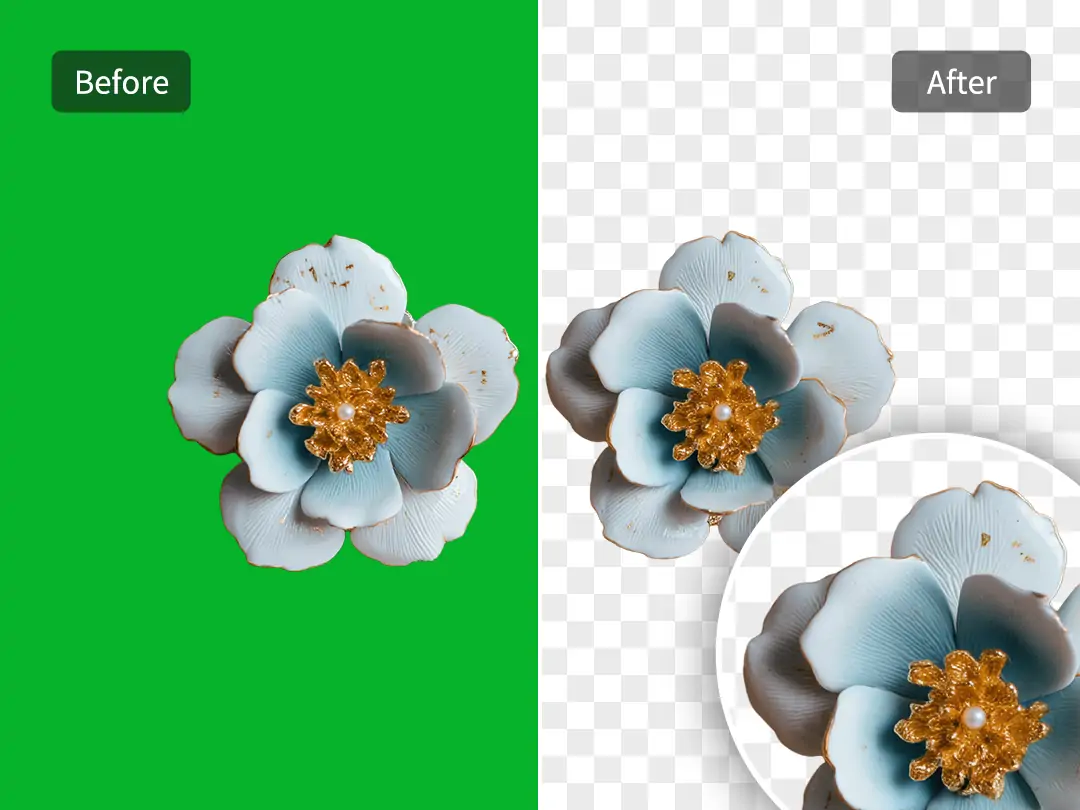
Keep Edges Clean Around Hair and Products
Cleaner edges make green screen removal look finished instead of cut out by hand. Pokecut focuses on the small areas that usually expose a weak result. Hair, product corners, and thin shapes need more than a basic color delete.
Basic color-key tools can leave a green halo because they only remove a selected shade. Pokecut's background remover uses AI separation to read the subject more naturally. The result fits store images and profile visuals where rough borders are easy to notice. That small detail can change the whole image.

Batch Remove Green Screens From 50 Images
Batch green screen removal helps large image sets get ready faster without repeating the same edit by hand. Pokecut can process up to 50 images at once, which is useful when a shoot leaves you with many similar green background files to clean.
Use batch background removal for product sets, campaign images, or thumbnail groups that need the same clean cutout style. The value is not just speed. A shared batch process also keeps results more consistent, so the final images feel like they belong in one project.
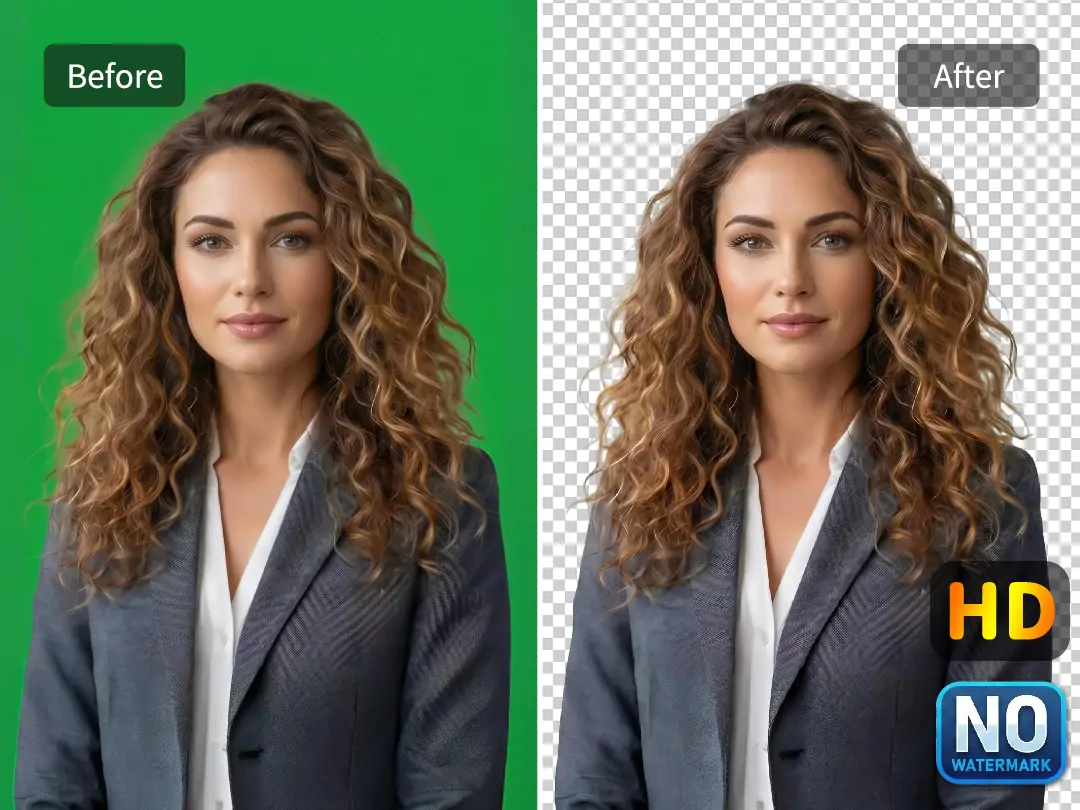
Export Transparent PNGs Without Watermark
Pokecut removes the green background and prepares a reusable subject that can sit on a new design without a colored box or leftover green edge. You can download your images as transparent PNG files with no watermarks for advanced editing.
Use Pokecut as an auto PNG maker when the final image needs to stay sharp, editable, and free from watermarks. This matters for product pages, client visuals, and social graphics where the download should be ready to use. The cutout stays flexible, so your edited images can support more designs.
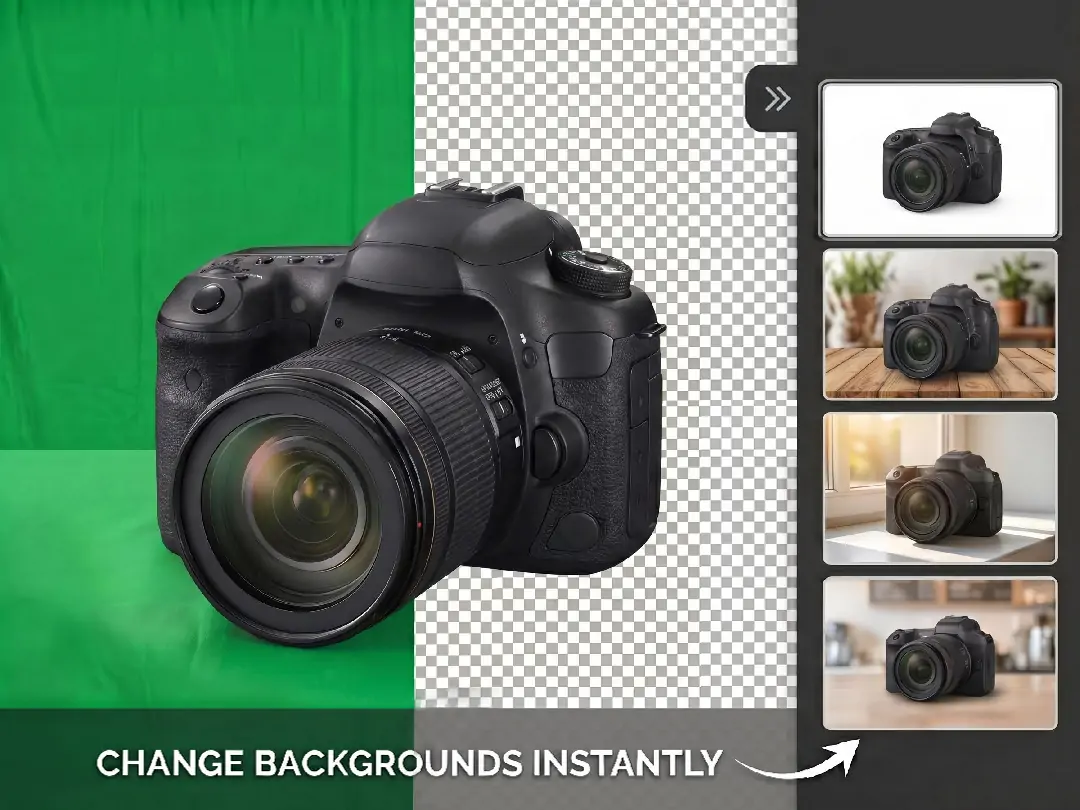
Replace Green Backgrounds After Removal
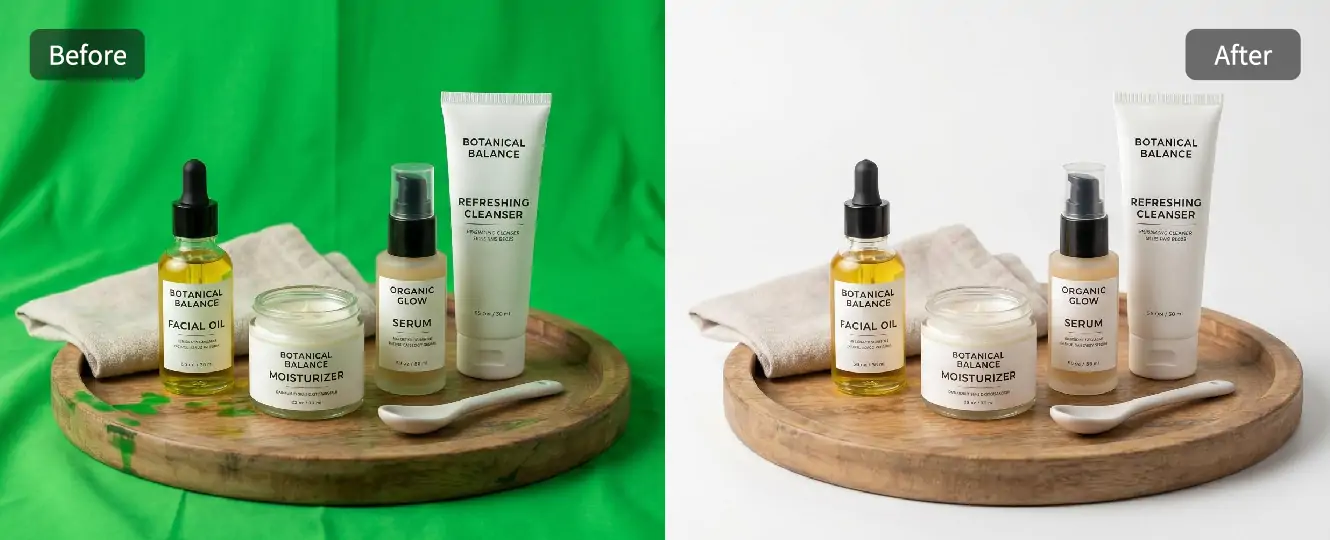
Remove the green background and seamlessly replace it with a better scene using Pokecut's background changer in the same edit. After cutting out the subject, you can use the result on a clean white background, a simple product setting, or a visual style that matches the image's purpose.
This is useful when a transparent cutout is not the final goal. Product photos can move from a green backdrop to a cleaner sales image. Portraits can look less like studio material and more like ready-to-use content.
Where to Use a Green Screen Remover?





What Users Say About Pokecut Green Screen Remover
Hear it straight from the community: the Pokecut Green Screen Remover delivers Hollywood-quality chroma keying in seconds. Users love the flawless subject separation that makes creating immersive visual effects a breeze.


Emily R.

"I use Pokecut mostly for product photos, and removing green backgrounds is super easy here. I just upload the image and it works right away. The edges look clean, even around small details. It honestly saves me a lot of time compared to manual editing."
Jason M.
"I'm not a designer at all, but this tool is really beginner-friendly. I needed to remove a green screen for a presentation image, and Pokecut did it in seconds. No confusing steps, no extra setup. Just upload, wait, and download."
Sofia L.
"What I like most is that the results look natural. Hair and shadows don't get messed up like with some other tools I tried. I use it for social media visuals, and the images look polished without me having to tweak anything."
Daniel K.
"I tried Pokecut when I needed a transparent background fast. The green screen removal worked better than I expected, especially for free usage. I didn't see any watermark, which is a big plus when you want to use the image professionally."
Mia T.
"I often shoot photos with a green backdrop at home, and Pokecut makes cleanup simple. I don't need Photoshop anymore for basic edits. The process feels smooth, and the final image quality is good enough for online stores."
Alex P.
"This tool is great when you just want things done quickly. I uploaded a green screen image, and the background was gone almost instantly. It's perfect for quick mockups or thumbnails when you don't want to overthink editing."
Hannah W.
"I've tested a few green screen tools, and Pokecut feels very reliable. It keeps the main subject sharp and doesn't blur the edges. I use it for both work and personal projects, and it's been consistent every time."
Emily R.
"I use Pokecut mostly for product photos, and removing green backgrounds is super easy here. I just upload the image and it works right away. The edges look clean, even around small details. It honestly saves me a lot of time compared to manual editing."
Jason M.
"I'm not a designer at all, but this tool is really beginner-friendly. I needed to remove a green screen for a presentation image, and Pokecut did it in seconds. No confusing steps, no extra setup. Just upload, wait, and download."
Sofia L.
"What I like most is that the results look natural. Hair and shadows don't get messed up like with some other tools I tried. I use it for social media visuals, and the images look polished without me having to tweak anything."
Daniel K.
"I tried Pokecut when I needed a transparent background fast. The green screen removal worked better than I expected, especially for free usage. I didn't see any watermark, which is a big plus when you want to use the image professionally."
Mia T.
"I often shoot photos with a green backdrop at home, and Pokecut makes cleanup simple. I don't need Photoshop anymore for basic edits. The process feels smooth, and the final image quality is good enough for online stores."
Alex P.
"This tool is great when you just want things done quickly. I uploaded a green screen image, and the background was gone almost instantly. It's perfect for quick mockups or thumbnails when you don't want to overthink editing."
Hannah W.
"I've tested a few green screen tools, and Pokecut feels very reliable. It keeps the main subject sharp and doesn't blur the edges. I use it for both work and personal projects, and it's been consistent every time."
Emily R.
"I use Pokecut mostly for product photos, and removing green backgrounds is super easy here. I just upload the image and it works right away. The edges look clean, even around small details. It honestly saves me a lot of time compared to manual editing."
Jason M.
"I'm not a designer at all, but this tool is really beginner-friendly. I needed to remove a green screen for a presentation image, and Pokecut did it in seconds. No confusing steps, no extra setup. Just upload, wait, and download."
Sofia L.
"What I like most is that the results look natural. Hair and shadows don't get messed up like with some other tools I tried. I use it for social media visuals, and the images look polished without me having to tweak anything."
Daniel K.
"I tried Pokecut when I needed a transparent background fast. The green screen removal worked better than I expected, especially for free usage. I didn't see any watermark, which is a big plus when you want to use the image professionally."
Mia T.
"I often shoot photos with a green backdrop at home, and Pokecut makes cleanup simple. I don't need Photoshop anymore for basic edits. The process feels smooth, and the final image quality is good enough for online stores."
Alex P.
"This tool is great when you just want things done quickly. I uploaded a green screen image, and the background was gone almost instantly. It's perfect for quick mockups or thumbnails when you don't want to overthink editing."
Hannah W.
"I've tested a few green screen tools, and Pokecut feels very reliable. It keeps the main subject sharp and doesn't blur the edges. I use it for both work and personal projects, and it's been consistent every time."
Emily R.
"I use Pokecut mostly for product photos, and removing green backgrounds is super easy here. I just upload the image and it works right away. The edges look clean, even around small details. It honestly saves me a lot of time compared to manual editing."
Jason M.
"I'm not a designer at all, but this tool is really beginner-friendly. I needed to remove a green screen for a presentation image, and Pokecut did it in seconds. No confusing steps, no extra setup. Just upload, wait, and download."
Sofia L.
"What I like most is that the results look natural. Hair and shadows don't get messed up like with some other tools I tried. I use it for social media visuals, and the images look polished without me having to tweak anything."
Daniel K.
"I tried Pokecut when I needed a transparent background fast. The green screen removal worked better than I expected, especially for free usage. I didn't see any watermark, which is a big plus when you want to use the image professionally."
Mia T.
"I often shoot photos with a green backdrop at home, and Pokecut makes cleanup simple. I don't need Photoshop anymore for basic edits. The process feels smooth, and the final image quality is good enough for online stores."
Alex P.
"This tool is great when you just want things done quickly. I uploaded a green screen image, and the background was gone almost instantly. It's perfect for quick mockups or thumbnails when you don't want to overthink editing."
Hannah W.
"I've tested a few green screen tools, and Pokecut feels very reliable. It keeps the main subject sharp and doesn't blur the edges. I use it for both work and personal projects, and it's been consistent every time."
Emily R.
"I use Pokecut mostly for product photos, and removing green backgrounds is super easy here. I just upload the image and it works right away. The edges look clean, even around small details. It honestly saves me a lot of time compared to manual editing."
Jason M.
"I'm not a designer at all, but this tool is really beginner-friendly. I needed to remove a green screen for a presentation image, and Pokecut did it in seconds. No confusing steps, no extra setup. Just upload, wait, and download."
Sofia L.
"What I like most is that the results look natural. Hair and shadows don't get messed up like with some other tools I tried. I use it for social media visuals, and the images look polished without me having to tweak anything."
Daniel K.
"I tried Pokecut when I needed a transparent background fast. The green screen removal worked better than I expected, especially for free usage. I didn't see any watermark, which is a big plus when you want to use the image professionally."
Mia T.
"I often shoot photos with a green backdrop at home, and Pokecut makes cleanup simple. I don't need Photoshop anymore for basic edits. The process feels smooth, and the final image quality is good enough for online stores."
Alex P.
"This tool is great when you just want things done quickly. I uploaded a green screen image, and the background was gone almost instantly. It's perfect for quick mockups or thumbnails when you don't want to overthink editing."
Hannah W.
"I've tested a few green screen tools, and Pokecut feels very reliable. It keeps the main subject sharp and doesn't blur the edges. I use it for both work and personal projects, and it's been consistent every time."
Daniel K.
"I tried Pokecut when I needed a transparent background fast. The green screen removal worked better than I expected, especially for free usage. I didn't see any watermark, which is a big plus when you want to use the image professionally."
Mia T.
"I often shoot photos with a green backdrop at home, and Pokecut makes cleanup simple. I don't need Photoshop anymore for basic edits. The process feels smooth, and the final image quality is good enough for online stores."
Alex P.
"This tool is great when you just want things done quickly. I uploaded a green screen image, and the background was gone almost instantly. It's perfect for quick mockups or thumbnails when you don't want to overthink editing."
Hannah W.
"I've tested a few green screen tools, and Pokecut feels very reliable. It keeps the main subject sharp and doesn't blur the edges. I use it for both work and personal projects, and it's been consistent every time."
Emily R.
"I use Pokecut mostly for product photos, and removing green backgrounds is super easy here. I just upload the image and it works right away. The edges look clean, even around small details. It honestly saves me a lot of time compared to manual editing."
Jason M.
"I'm not a designer at all, but this tool is really beginner-friendly. I needed to remove a green screen for a presentation image, and Pokecut did it in seconds. No confusing steps, no extra setup. Just upload, wait, and download."
Sofia L.
"What I like most is that the results look natural. Hair and shadows don't get messed up like with some other tools I tried. I use it for social media visuals, and the images look polished without me having to tweak anything."
Daniel K.
"I tried Pokecut when I needed a transparent background fast. The green screen removal worked better than I expected, especially for free usage. I didn't see any watermark, which is a big plus when you want to use the image professionally."
Mia T.
"I often shoot photos with a green backdrop at home, and Pokecut makes cleanup simple. I don't need Photoshop anymore for basic edits. The process feels smooth, and the final image quality is good enough for online stores."
Alex P.
"This tool is great when you just want things done quickly. I uploaded a green screen image, and the background was gone almost instantly. It's perfect for quick mockups or thumbnails when you don't want to overthink editing."
Hannah W.
"I've tested a few green screen tools, and Pokecut feels very reliable. It keeps the main subject sharp and doesn't blur the edges. I use it for both work and personal projects, and it's been consistent every time."
Emily R.
"I use Pokecut mostly for product photos, and removing green backgrounds is super easy here. I just upload the image and it works right away. The edges look clean, even around small details. It honestly saves me a lot of time compared to manual editing."
Jason M.
"I'm not a designer at all, but this tool is really beginner-friendly. I needed to remove a green screen for a presentation image, and Pokecut did it in seconds. No confusing steps, no extra setup. Just upload, wait, and download."
Sofia L.
"What I like most is that the results look natural. Hair and shadows don't get messed up like with some other tools I tried. I use it for social media visuals, and the images look polished without me having to tweak anything."
Daniel K.
"I tried Pokecut when I needed a transparent background fast. The green screen removal worked better than I expected, especially for free usage. I didn't see any watermark, which is a big plus when you want to use the image professionally."
Mia T.
"I often shoot photos with a green backdrop at home, and Pokecut makes cleanup simple. I don't need Photoshop anymore for basic edits. The process feels smooth, and the final image quality is good enough for online stores."
Alex P.
"This tool is great when you just want things done quickly. I uploaded a green screen image, and the background was gone almost instantly. It's perfect for quick mockups or thumbnails when you don't want to overthink editing."
Hannah W.
"I've tested a few green screen tools, and Pokecut feels very reliable. It keeps the main subject sharp and doesn't blur the edges. I use it for both work and personal projects, and it's been consistent every time."
Emily R.
"I use Pokecut mostly for product photos, and removing green backgrounds is super easy here. I just upload the image and it works right away. The edges look clean, even around small details. It honestly saves me a lot of time compared to manual editing."
Jason M.
"I'm not a designer at all, but this tool is really beginner-friendly. I needed to remove a green screen for a presentation image, and Pokecut did it in seconds. No confusing steps, no extra setup. Just upload, wait, and download."
Sofia L.
"What I like most is that the results look natural. Hair and shadows don't get messed up like with some other tools I tried. I use it for social media visuals, and the images look polished without me having to tweak anything."
Daniel K.
"I tried Pokecut when I needed a transparent background fast. The green screen removal worked better than I expected, especially for free usage. I didn't see any watermark, which is a big plus when you want to use the image professionally."
Mia T.
"I often shoot photos with a green backdrop at home, and Pokecut makes cleanup simple. I don't need Photoshop anymore for basic edits. The process feels smooth, and the final image quality is good enough for online stores."
Alex P.
"This tool is great when you just want things done quickly. I uploaded a green screen image, and the background was gone almost instantly. It's perfect for quick mockups or thumbnails when you don't want to overthink editing."
Hannah W.
"I've tested a few green screen tools, and Pokecut feels very reliable. It keeps the main subject sharp and doesn't blur the edges. I use it for both work and personal projects, and it's been consistent every time."
Emily R.
"I use Pokecut mostly for product photos, and removing green backgrounds is super easy here. I just upload the image and it works right away. The edges look clean, even around small details. It honestly saves me a lot of time compared to manual editing."
Jason M.
"I'm not a designer at all, but this tool is really beginner-friendly. I needed to remove a green screen for a presentation image, and Pokecut did it in seconds. No confusing steps, no extra setup. Just upload, wait, and download."
Sofia L.
"What I like most is that the results look natural. Hair and shadows don't get messed up like with some other tools I tried. I use it for social media visuals, and the images look polished without me having to tweak anything."
Daniel K.
"I tried Pokecut when I needed a transparent background fast. The green screen removal worked better than I expected, especially for free usage. I didn't see any watermark, which is a big plus when you want to use the image professionally."
Mia T.
"I often shoot photos with a green backdrop at home, and Pokecut makes cleanup simple. I don't need Photoshop anymore for basic edits. The process feels smooth, and the final image quality is good enough for online stores."
Alex P.
"This tool is great when you just want things done quickly. I uploaded a green screen image, and the background was gone almost instantly. It's perfect for quick mockups or thumbnails when you don't want to overthink editing."
Hannah W.
"I've tested a few green screen tools, and Pokecut feels very reliable. It keeps the main subject sharp and doesn't blur the edges. I use it for both work and personal projects, and it's been consistent every time."
Emily R.
"I use Pokecut mostly for product photos, and removing green backgrounds is super easy here. I just upload the image and it works right away. The edges look clean, even around small details. It honestly saves me a lot of time compared to manual editing."
Jason M.
"I'm not a designer at all, but this tool is really beginner-friendly. I needed to remove a green screen for a presentation image, and Pokecut did it in seconds. No confusing steps, no extra setup. Just upload, wait, and download."
Sofia L.
"What I like most is that the results look natural. Hair and shadows don't get messed up like with some other tools I tried. I use it for social media visuals, and the images look polished without me having to tweak anything."
Reviews from: Reddit, Product Hunt, G2, TrustRadius, Google Play, App Store, and more.
FAQs
How does Pokecut's Green Background Remover outperform chroma key?
Pokecut's Green Background Remover uses AI to automatically detect and remove green backgrounds with no manual setup. You simply upload an image and get instant results. Unlike traditional chroma key tools that often only support PNG files, Pokecut works with JPEG, JPG, PNG, WebP, and BMP formats.
What's the difference between green screen in video and in image?
When using a green screen in video, each frame requires consistent lighting and removal, which can be complex. In contrast, removing a green screen from an image is a single, static process. Pokecut simplifies image background removal, providing precise results without the need for constant adjustments found in video editing.
How does Pokecut handle complex edges in green screen removal?
Pokecut excels at managing complex edges like hair or intricate designs during green screen removal. Using advanced AI algorithms, it accurately detects and isolates these details, ensuring a clean separation from the background. This results in high-quality images without manual editing, perfect for professional use or personal projects.
Can Pokecut change a green screen to any background?
Yes, with Pokecut you can replace a green screen with any background you choose. This flexibility allows for creative control, whether you want to use a solid color, a transparent background, or a custom image. The process is seamless and efficient, making it ideal for various creative projects and professional needs.
Is Pokecut suitable for beginners in background removal?
Yes, Pokecut is crafted to be user-friendly, ideal for beginners in background removal. Its intuitive interface and AI-driven features enable users to act as a green screen replacer effortlessly. With no need for advanced skills, you can swiftly change green screen to white background, achieving professional results and enhancing your images with ease.
Pokecut's Green Screen Remover Trusted by Users

1M+ Users Worldwide
Pokecut generates over 500,000 images every day

#2 on Product Hunt
Pokecut was voted #2 Product of the Day on launch

Professional Privacy Protection
Ensure 100% data privacy for every photo

Trusted by Well-Known Brands
Apple, Google, PayPal, Stripe, Product Hunt, G2, TrustRadius





