Online Auto PNG Tool – Use AI to Turn Image into Transparent Background PNG
Remove the image background and convert jpg, webp and other image formats to png format


By uploading an image or URL you agree to our Terms of Use and Privacy Policy
Why Choose Pokecut's Auto PNG Tool?

Make Png Edges Transparent with Precision
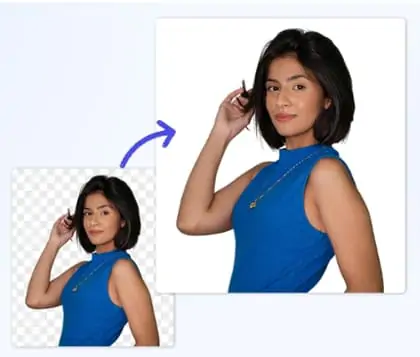
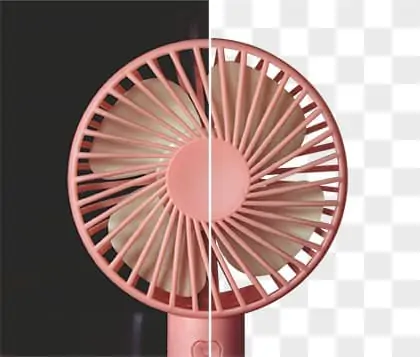
Pokecut is built with a specially trained AI background eraser model designed for high precision edge detection. Whether you are working with any quality images, this AI to png solution accurately separates the subject from the background and generates clean, sharp PNG results. Even fine details such as hair strands are preserved with pixel-level accuracy.
Need better quality from images? Use Pokecut’s AI photo enhancer to upscale your image to 4K before exporting. Then easily make a png transparent with clear edges and professional detail. From product photos to portraits, Pokecut ensures every transparent PNG looks crisp, natural, and ready for export.

Transparent PNG Creator for One-Click Results
Tired of complex image editing steps and manual selections? Pokecut’s transparent png creator simplifies the entire workflow and delivers a faster, smoother editing experience. There is no need to outline edges with magic brushes. You don't need to worry about losing details due to inaccurate manual work. Simply upload your image and let the AI handle the process automatically.
Within seconds, the auto png AI accurately detects the subject and removes the background with high precision. Use this png maker to effortlessly create transparent PNGs without technical skills or extra adjustments.

Transparent PNG Maker for Batch Background Removal
Stop converting images to transparent PNG files one by one. Pokecut’s bulk background remover supports batch processing of up to 50 images at once, helping you save time and eliminate repetitive work. Upload multiple images in one step and let the transparent png maker process them efficiently. Each file receives consistent and accurate background removal.
Use this clear png maker to make png transparent at scale without sacrificing quality. Each image is processed with the same precision, delivering clean edges and reliable results. Whether you are an e-commerce seller, a graphic designer, or a content creator, speed up your workflow and experience a significant boost in productivity.
Various Forms of Transparent Png Images

Create Transparent PNGs for Portrait Photos
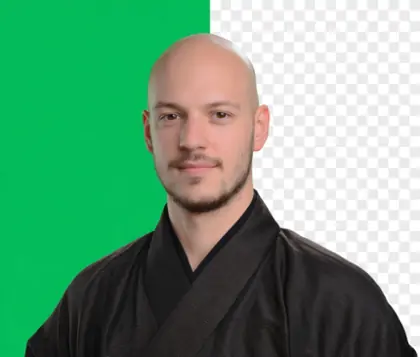
Turn portrait photos into clean, transparent PNG files with ease. Remove backgrounds while preserving fine details such as hair and facial contours. Use the transparent portrait PNG for profile images, presentations, or design projects.

Make Logo Images Transparent for Any Platform
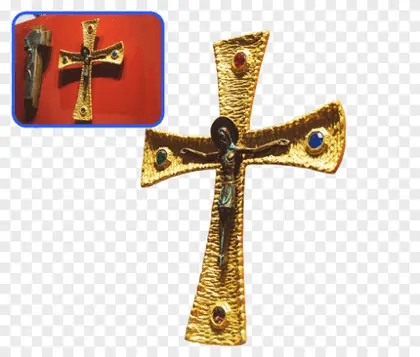
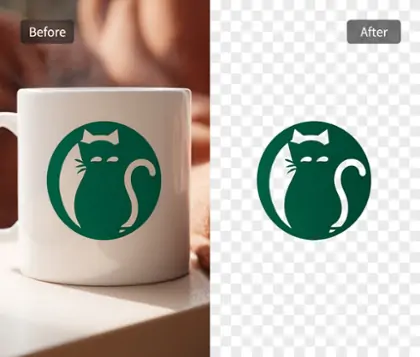
Convert logo images into transparent PNG files for flexible use across platforms. Easily cut out logo backgrounds while keeping edges sharp and clean. Use transparent logos for websites, e-commerce listings, branding materials, or marketing visuals. Ensure your brand stays consistent and professional everywhere.

Convert Signatures into Transparent PNG Files
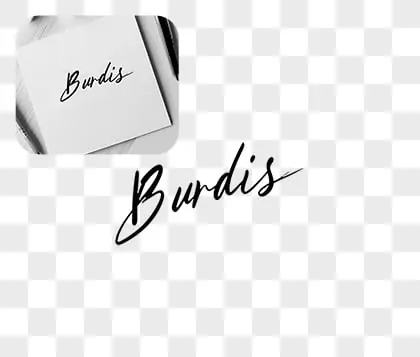
Transform handwritten or scanned signatures into transparent PNG images effortlessly with an AI signature extractor. Remove paper backgrounds while preserving every stroke and detail. Apply your signature to documents, contracts, or digital designs without extra editing. Save time and maintain a polished, professional look.
How Users Experience Pokecut's Transparent Png Maker
Check out real user reviews of Pokecut's AI-powered PNG transparency feature.


Jake R.

"AI to png transparent saved my project! Really easy to use and pretty quick. It took a huge weight off my shoulders for a deadline. Totally recommend for work!"
Emily T.
"Needed transparent PNGs for my Etsy shop, and this was way faster than any other tools I've tried. Super convenient interface, and it actually gets the tricky edges right. Will definitely keep using it!"
Ivan S.
"I use this mainly to prep images for my portfolio website. The tool delivers clean transparent PNGs without any fuss. Love how it keeps things simple and doesn't mess up the colors. Life-saver!"
Lauren F.
"Had a rush project and needed PNGs with transparent backgrounds on the go. This tool did the job without installing software or fiddling with settings. Honestly gave me peace of mind for my freelance gig."
Daniel M.
"Never thought AI could do background removal this well! The images worked perfectly for my social media banners. It’s free of the hassle I get with other tools. Will definitely share it with my team."
Marcus B.
"I’ve tried other tools but always got jagged edges. This one nails it! Used for a last-minute client delivery and the quality was spot on. Glad I stumbled across it just in time. Highly recommended."
Jake R.
"AI to png transparent saved my project! Really easy to use and pretty quick. It took a huge weight off my shoulders for a deadline. Totally recommend for work!"
Emily T.
"Needed transparent PNGs for my Etsy shop, and this was way faster than any other tools I've tried. Super convenient interface, and it actually gets the tricky edges right. Will definitely keep using it!"
Ivan S.
"I use this mainly to prep images for my portfolio website. The tool delivers clean transparent PNGs without any fuss. Love how it keeps things simple and doesn't mess up the colors. Life-saver!"
Lauren F.
"Had a rush project and needed PNGs with transparent backgrounds on the go. This tool did the job without installing software or fiddling with settings. Honestly gave me peace of mind for my freelance gig."
Daniel M.
"Never thought AI could do background removal this well! The images worked perfectly for my social media banners. It’s free of the hassle I get with other tools. Will definitely share it with my team."
Marcus B.
"I’ve tried other tools but always got jagged edges. This one nails it! Used for a last-minute client delivery and the quality was spot on. Glad I stumbled across it just in time. Highly recommended."
Jake R.
"AI to png transparent saved my project! Really easy to use and pretty quick. It took a huge weight off my shoulders for a deadline. Totally recommend for work!"
Emily T.
"Needed transparent PNGs for my Etsy shop, and this was way faster than any other tools I've tried. Super convenient interface, and it actually gets the tricky edges right. Will definitely keep using it!"
Ivan S.
"I use this mainly to prep images for my portfolio website. The tool delivers clean transparent PNGs without any fuss. Love how it keeps things simple and doesn't mess up the colors. Life-saver!"
Lauren F.
"Had a rush project and needed PNGs with transparent backgrounds on the go. This tool did the job without installing software or fiddling with settings. Honestly gave me peace of mind for my freelance gig."
Daniel M.
"Never thought AI could do background removal this well! The images worked perfectly for my social media banners. It’s free of the hassle I get with other tools. Will definitely share it with my team."
Marcus B.
"I’ve tried other tools but always got jagged edges. This one nails it! Used for a last-minute client delivery and the quality was spot on. Glad I stumbled across it just in time. Highly recommended."
Jake R.
"AI to png transparent saved my project! Really easy to use and pretty quick. It took a huge weight off my shoulders for a deadline. Totally recommend for work!"
Emily T.
"Needed transparent PNGs for my Etsy shop, and this was way faster than any other tools I've tried. Super convenient interface, and it actually gets the tricky edges right. Will definitely keep using it!"
Ivan S.
"I use this mainly to prep images for my portfolio website. The tool delivers clean transparent PNGs without any fuss. Love how it keeps things simple and doesn't mess up the colors. Life-saver!"
Lauren F.
"Had a rush project and needed PNGs with transparent backgrounds on the go. This tool did the job without installing software or fiddling with settings. Honestly gave me peace of mind for my freelance gig."
Daniel M.
"Never thought AI could do background removal this well! The images worked perfectly for my social media banners. It’s free of the hassle I get with other tools. Will definitely share it with my team."
Marcus B.
"I’ve tried other tools but always got jagged edges. This one nails it! Used for a last-minute client delivery and the quality was spot on. Glad I stumbled across it just in time. Highly recommended."
Jake R.
"AI to png transparent saved my project! Really easy to use and pretty quick. It took a huge weight off my shoulders for a deadline. Totally recommend for work!"
Emily T.
"Needed transparent PNGs for my Etsy shop, and this was way faster than any other tools I've tried. Super convenient interface, and it actually gets the tricky edges right. Will definitely keep using it!"
Ivan S.
"I use this mainly to prep images for my portfolio website. The tool delivers clean transparent PNGs without any fuss. Love how it keeps things simple and doesn't mess up the colors. Life-saver!"
Lauren F.
"Had a rush project and needed PNGs with transparent backgrounds on the go. This tool did the job without installing software or fiddling with settings. Honestly gave me peace of mind for my freelance gig."
Daniel M.
"Never thought AI could do background removal this well! The images worked perfectly for my social media banners. It’s free of the hassle I get with other tools. Will definitely share it with my team."
Marcus B.
"I’ve tried other tools but always got jagged edges. This one nails it! Used for a last-minute client delivery and the quality was spot on. Glad I stumbled across it just in time. Highly recommended."
Lauren F.
"Had a rush project and needed PNGs with transparent backgrounds on the go. This tool did the job without installing software or fiddling with settings. Honestly gave me peace of mind for my freelance gig."
Daniel M.
"Never thought AI could do background removal this well! The images worked perfectly for my social media banners. It’s free of the hassle I get with other tools. Will definitely share it with my team."
Marcus B.
"I’ve tried other tools but always got jagged edges. This one nails it! Used for a last-minute client delivery and the quality was spot on. Glad I stumbled across it just in time. Highly recommended."
Jake R.
"AI to png transparent saved my project! Really easy to use and pretty quick. It took a huge weight off my shoulders for a deadline. Totally recommend for work!"
Emily T.
"Needed transparent PNGs for my Etsy shop, and this was way faster than any other tools I've tried. Super convenient interface, and it actually gets the tricky edges right. Will definitely keep using it!"
Ivan S.
"I use this mainly to prep images for my portfolio website. The tool delivers clean transparent PNGs without any fuss. Love how it keeps things simple and doesn't mess up the colors. Life-saver!"
Lauren F.
"Had a rush project and needed PNGs with transparent backgrounds on the go. This tool did the job without installing software or fiddling with settings. Honestly gave me peace of mind for my freelance gig."
Daniel M.
"Never thought AI could do background removal this well! The images worked perfectly for my social media banners. It’s free of the hassle I get with other tools. Will definitely share it with my team."
Marcus B.
"I’ve tried other tools but always got jagged edges. This one nails it! Used for a last-minute client delivery and the quality was spot on. Glad I stumbled across it just in time. Highly recommended."
Jake R.
"AI to png transparent saved my project! Really easy to use and pretty quick. It took a huge weight off my shoulders for a deadline. Totally recommend for work!"
Emily T.
"Needed transparent PNGs for my Etsy shop, and this was way faster than any other tools I've tried. Super convenient interface, and it actually gets the tricky edges right. Will definitely keep using it!"
Ivan S.
"I use this mainly to prep images for my portfolio website. The tool delivers clean transparent PNGs without any fuss. Love how it keeps things simple and doesn't mess up the colors. Life-saver!"
Lauren F.
"Had a rush project and needed PNGs with transparent backgrounds on the go. This tool did the job without installing software or fiddling with settings. Honestly gave me peace of mind for my freelance gig."
Daniel M.
"Never thought AI could do background removal this well! The images worked perfectly for my social media banners. It’s free of the hassle I get with other tools. Will definitely share it with my team."
Marcus B.
"I’ve tried other tools but always got jagged edges. This one nails it! Used for a last-minute client delivery and the quality was spot on. Glad I stumbled across it just in time. Highly recommended."
Jake R.
"AI to png transparent saved my project! Really easy to use and pretty quick. It took a huge weight off my shoulders for a deadline. Totally recommend for work!"
Emily T.
"Needed transparent PNGs for my Etsy shop, and this was way faster than any other tools I've tried. Super convenient interface, and it actually gets the tricky edges right. Will definitely keep using it!"
Ivan S.
"I use this mainly to prep images for my portfolio website. The tool delivers clean transparent PNGs without any fuss. Love how it keeps things simple and doesn't mess up the colors. Life-saver!"
Lauren F.
"Had a rush project and needed PNGs with transparent backgrounds on the go. This tool did the job without installing software or fiddling with settings. Honestly gave me peace of mind for my freelance gig."
Daniel M.
"Never thought AI could do background removal this well! The images worked perfectly for my social media banners. It’s free of the hassle I get with other tools. Will definitely share it with my team."
Marcus B.
"I’ve tried other tools but always got jagged edges. This one nails it! Used for a last-minute client delivery and the quality was spot on. Glad I stumbled across it just in time. Highly recommended."
Jake R.
"AI to png transparent saved my project! Really easy to use and pretty quick. It took a huge weight off my shoulders for a deadline. Totally recommend for work!"
Emily T.
"Needed transparent PNGs for my Etsy shop, and this was way faster than any other tools I've tried. Super convenient interface, and it actually gets the tricky edges right. Will definitely keep using it!"
Ivan S.
"I use this mainly to prep images for my portfolio website. The tool delivers clean transparent PNGs without any fuss. Love how it keeps things simple and doesn't mess up the colors. Life-saver!"
Lauren F.
"Had a rush project and needed PNGs with transparent backgrounds on the go. This tool did the job without installing software or fiddling with settings. Honestly gave me peace of mind for my freelance gig."
Daniel M.
"Never thought AI could do background removal this well! The images worked perfectly for my social media banners. It’s free of the hassle I get with other tools. Will definitely share it with my team."
Marcus B.
"I’ve tried other tools but always got jagged edges. This one nails it! Used for a last-minute client delivery and the quality was spot on. Glad I stumbled across it just in time. Highly recommended."
Jake R.
"AI to png transparent saved my project! Really easy to use and pretty quick. It took a huge weight off my shoulders for a deadline. Totally recommend for work!"
Emily T.
"Needed transparent PNGs for my Etsy shop, and this was way faster than any other tools I've tried. Super convenient interface, and it actually gets the tricky edges right. Will definitely keep using it!"
Ivan S.
"I use this mainly to prep images for my portfolio website. The tool delivers clean transparent PNGs without any fuss. Love how it keeps things simple and doesn't mess up the colors. Life-saver!"
Reviews from: Reddit, Product Hunt, G2, TrustRadius, Google Play, App Store, and more.
Pokecut's auto png AI Trusted by Millions of Leaders and Users

1M+ Users Worldwide
Pokecut generate over 500,000 images every day

#2 on Product Hunt
Pokecut launched and won #2 product of the day

Professional Privacy Protection
Ensure 100% data privacy for every photo

Trusted by well-known brands
Apple、Google、Paypal、Stripe、Product hunt、G2、TrustRadius
Frequently Asked Questions
Does converting an image into a transparent PNG affect its size or quality?
No, use Pokecut‘s auto png tool to convert an image into a transparent PNG does not alter its size or quality. The process maintains the original image's clarity while adding a transparent background, allowing for seamless integration with any background.
Can I make a JPG transparent?
Yes, you can easily convert a JPG into a transparent PNG using tools like Pokecut's PNG Maker. Simply upload your JPG, and the tool will automatically remove the background, generating a transparent PNG that is ready for download, saving you time and effort.
Is it possible to create transparent PNG images on my mobile phone?
Absolutely! You can create transparent PNG images on your mobile device using apps like Pokecut. Simply download the app, upload your image, and remove the background to generate a transparent PNG, making it convenient to design on the go.
Is Pokecut's image auto png tool free?
Yes. Our png maker is not only free, but also can be used online, without downloading any software and without registering an account.
Can I batch convert images into PNG images with transparent backgrounds?
Yes, Pokecut supports processing up to 50 images at once, ensuring consistent and accurate background removal for each image.