





Unlock Pokecut VIP for just
24
:
00
:
00

Fix Fuzzy Pictures Online with Smart AI Enhancement
Learn how to fix fuzzy pictures in one click. With Pokecut, you can restore lost details, sharpen images, and even make a fuzzy picture clear to revive your favorite shots.


Upload Image
or drop a file here
CTRL+V to paste image or URL
Supported formats: JPEG, JPG, PNG, WebP, BMP


No image? Try one of these


By uploading an image or URL you agree to our Terms of Use and Privacy Policy
How to Fix Fuzzy Pictures by Pokecut in Easy Steps?
Step 1

Upload the Blurry Picture
Select a fuzzy picture from your device to upload for enhancement. You can also paste an image URL or use ctrl+V for fast upload.
Step 2

Wait for the Fuzzy Picture Fixer to Enhance Image Clarity
Once you upload your photo, the AI will automatically fix fuzzy pictures and improve overall quality. Please wait a few seconds to get a clearer result.
Step 3

Download Your Fixed Fuzzy Picture in HD
After your photo is enhanced, download your fixed fuzzy picture in 1080P HD. Save it as JPG or PNG and enjoy sharp, high-quality images.
Fix Fuzzy Pictures in Seconds with Our AI Photo Enhancer
With Pokecut, fixing fuzzy pictures is easy for everyone. Upload your unclear photo, let our AI-powered photo enhancer automatically improve it, and download the result in seconds. No installation or account is needed. Anyone can fix any blurry photo online without technical skills. Try to use Pokecut to make a fuzzy photo clear and boost image quality instantly!

Sharpen Fuzzy Photos and Restore Original Details Online
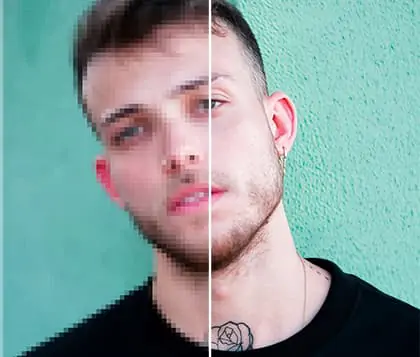
Travel moments and special events are often captured in photos, but sometimes, the details aren’t clear enough. With Pokecut, you can make a blurry photo clear by uploading it from any device and use our online tools to sharpen image details instantly. Clear up fuzzy pictures and reveal fine textures easily. Learn how to fix a fuzzy photo online without downloading software and enjoy every detail of your memories.

Clear Up Fuzzy Photos Instantly Online for Any Subject
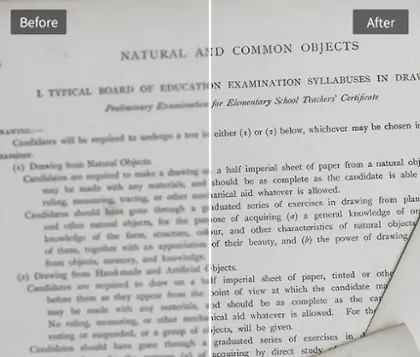
Pokecut allows you to unblur image for portraits, pets, landscapes, and even important documents. With our advanced fuzzy picture fixer, every unclear image becomes sharp and vivid. You can also unblur text to enhance blurry writing and make important documents easy to read. Clear any fuzzy picture and make every detail, from faces to letters, crisp and visible.

Clear Up Fuzzy Pictures in Bulk and Edit Faster
Pokecut empowers you to enhance images in bulk and clear fuzzy pictures with ease. Simply upload all your blurry images and fix them in seconds, no matter how many you have. Our advanced batch processing enhances each photo while keeping high quality. With Pokecut, you can enhance blurry photos and speed up your editing in just one click.
Who can Use Pokecut to Fix Fuzzy Photos?


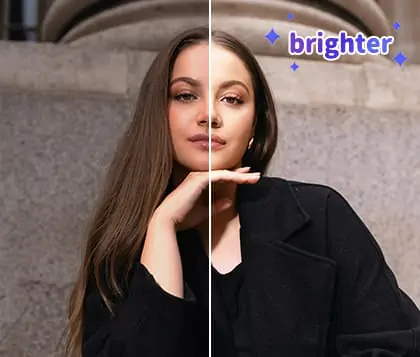
Sometimes blurry pictures happen from shaking your camera or taking photos on the move. Low light or too close shots may cause an unclear photo. If you are not sure how to fix a fuzzy photo, use Pokecut to relight photos and enhance images quality. Effortlessly fix unclear images and make your memories clear again.
FAQs About How to Fix Fuzzy Pictures
What image formats does Pokecut support to fix fuzzy pictures and enhance quality?
Pokecut supports common formats like JPG, JPEG, PNG and WebP. You can upload any blurry photo in these formats. The tool will enhance image quality and make fuzzy pictures clear automatically.
Can Pokecut help improve blurry photos taken in low-light conditions?
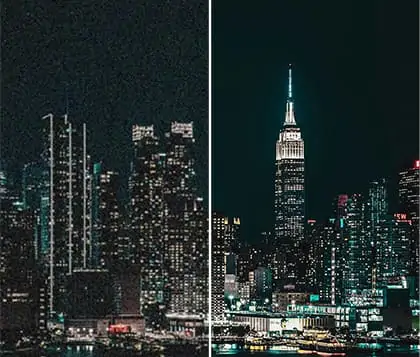
Yes, Pokecut can enhance blurry photos shot in low light. The AI photo enhancer will sharpen fuzzy photos and restore details. Your images will look clearer and more vibrant after processing.
Does Pokecut work for both old photos and new digital images?
Pokecut can restore old photos and improve new digital images. Use the unblur image function to clear up a fuzzy picture. Enhance image quality for any photo regardless of its age or source.
Is there a file size limit when uploading fuzzy pictures to Pokecut?
Pokecut supports most standard photo sizes for fixing fuzzy picture quality. If your blurry picture is too large, try resizing before uploading. The tool will still make it clear and sharp.
Can Pokecut clear up fuzzy pictures with text or handwriting?
Pokecut can enhance blurry images that contain text or handwriting. The AI fuzzy picture fixer will improve readability and sharpen fuzzy photos with writing. Your documents and notes become easier to read.
Discover Free AI Tools Like Fix Fuzzy Photos





 POKECUT




Copyright © 2026 Pokecut All Rights Reserved.