





Unlock Pokecut VIP for just
23
:
59
:
58

Boost Conversions with AI Product Photo Editor Free Online
Easily upload product photos, change backgrounds, add text or stickers, and boost your brand appeal with advanced AI-powered editing tools for product photography.


Upload Image
or drop a file here
CTRL+V to paste image or URL
Supported formats: JPEG, JPG, PNG, WebP, BMP


No image? Try one of these


By uploading an image or URL you agree to our Terms of Use and Privacy Policy
How to Edit Product Images with Pokecut's Product Photo Editor
Step1

Upload Your Product Image
Select your product image and upload it to the AI product photo editor. Ensure the file is clear for best results. Use for product photography editing and easy background changes.
Step2

Change Background and Customize Design
Switch product backgrounds with templates or use AI to create custom ones. Personalize with colors, gradients, or upload your own style.
Step3

Download Product Image
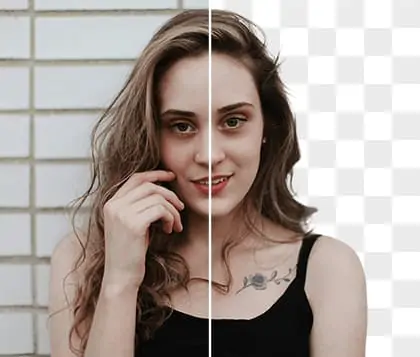
Save your final product photos instantly in high quality. Download with transparent or customized backgrounds for use in online stores, ads, or social media.

Experience Easy-to-Use Product Photo Editing
Pokecut's AI-powered photo editor allows you to effortlessly replace backgrounds and enhance your product images in just a few clicks. Simply upload your photos, and the advanced AI technology takes care of the rest—optimizing lighting, removing imperfections, and ensuring perfect background swaps. Whether you're refreshing images for your e-commerce platform or adding creative elements, the tool adapts to your needs.
With an intuitive user interface, Pokecut simplifies the process of editing product photos, saving you time on manual adjustments. In addition to background replacements, you can enhance color tones, fine-tune details, and apply artistic effects, all in one place. This efficient workflow guarantees that your product visuals will always look polished, professional, and ready to stand out.

Boost Efficiency with AI Product Photo Editor
Pokecut enables batch processing for ecommerce product photos, helping you rapidly upgrade your online store visuals. Use the best AI tool for product photography to adjust multiple images at once, ensuring consistency and quality across your listings. The platform streamlines your workflow, minimizing manual effort and maximizing productivity for large product catalogs.
Effortlessly apply diverse backgrounds for product photos to multiple images in a single click. Pokecut's powerful AI product photo editor supports high-volume editing, making it simple to keep your store looking fresh and professional. Accelerate your ecommerce growth with automated editing and seamless integration.

Customize Product Photos with Background Changer
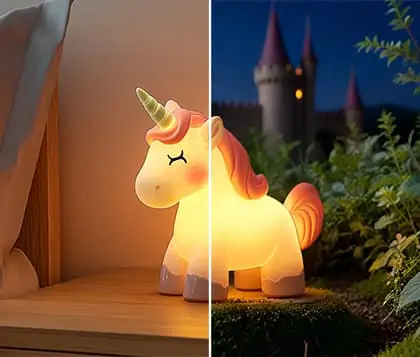
Pokecut makes it easy to enhance your product photos with a variety of background options. Start by choosing from a wide selection of professionally designed templates that match your brand style or marketing campaign.
If the available templates don’t meet your needs, you can use the background changer to apply solid color backgrounds or other image backgrounds. And if you still want something more unique, try the AI background generator to create a custom background from text, giving your product a truly personalized look.

AI Product Photo Editor for Campaign-Ready Images
Pokecut offers a wide range of promotional templates to simplify your product photography editing. Choose from professionally designed layouts and instantly enhance your marketing visuals using AI product photo enhancer for eye-catching results. These templates are perfect for seasonal campaigns, flash sales, and new product launches.
Reduce the stress of busy promotional periods by leveraging AI product photo maker for fast, consistent image creation. Pokecut ensures your ecommerce product photos always look polished, so you can focus on growing your business and driving sales.

Create Stunning Product Photos with AI in Seconds
If you don't have ready-made product images or struggle with traditional photoshoots, utilize Pokecut's AI product photo generator to create stunning visuals. Upload a simple reference, and its AI image generator crafts high-quality, market-ready photos tailored for your brand.
Achieve consistency and creativity in your listings by leveraging AI product photoshoot. With Pokecut, get professional AI-created ecommerce product photos in seconds and elevate your online presence effortlessly.
What Else Can You Do with Pokecut's All-in-One Product Photo Editor
With Pokecut's AI product photo editor, easily add text to your product photos, adjust image sizes, and maintain HD quality. Whether for advertising, branding, or e-commerce platforms, you can quickly optimize your product images, ensuring every detail is crystal clear and enhancing your marketing visuals.
Add Text to Image
Use the AI product photo editor to add text to your product images for advertising or branding purposes. Create eye-catching e-commerce visuals effortlessly, highlight promotions, and enhance your marketing materials with AI-powered retouching for a polished, professional look.

Change Image Size
Change image size in Pokecut's product photography editing tool to fit any e-commerce or social platform. Effortlessly use this AI tool to adjust dimensions, ensuring compatibility and professional presentation.

High-Quality Result
Keep your images sharp and detailed with Pokecut's HD photo converter. Maintain high resolution after editing, so every detail is clear. Perfect for showcasing product detail for consumers.
Frequently Asked Questions
What is an AI product photo editor?
An AI product photo editor uses artificial intelligence to automatically enhance and edit product images, improving lighting, background, and overall quality for e-commerce platforms.
How can I use the AI product photo editor?
Simply upload your product images, and the AI product photo editor will automatically optimize them by adjusting lighting, removing imperfections, and enhancing details.
Can I change backgrounds using Pokecut's AI photo editor?
Yes, Pokecut allows you to replace product backgrounds with customizable templates or solid colors to better suit your branding and marketing needs.
How does Pokecut help with e-commerce product photos?
Pokecut enhances your e-commerce product photos by refining details, adjusting sizes, and ensuring consistency for a professional look across all platforms.
Can I use Pokecut's AI photo editor for free?
Yes, Pokecut offers a free AI product photo editor with basic features for editing and enhancing your product images. For more use, you can go to the store for a pro plan.
Explore More Free Al Tools





 POKECUT




Copyright © 2026 Pokecut All Rights Reserved.