





Free Online AI Mugshot Creator for Funny Fake Mugshot Photos
Try this AI mugshot generator to turn a clear selfie into a fake mugshot in seconds. Customize your crime sign, change clothes to prison uniforms, and share with friends. 100% Free & Secure.


Why Choose Pokecut's Mugshot Creator?
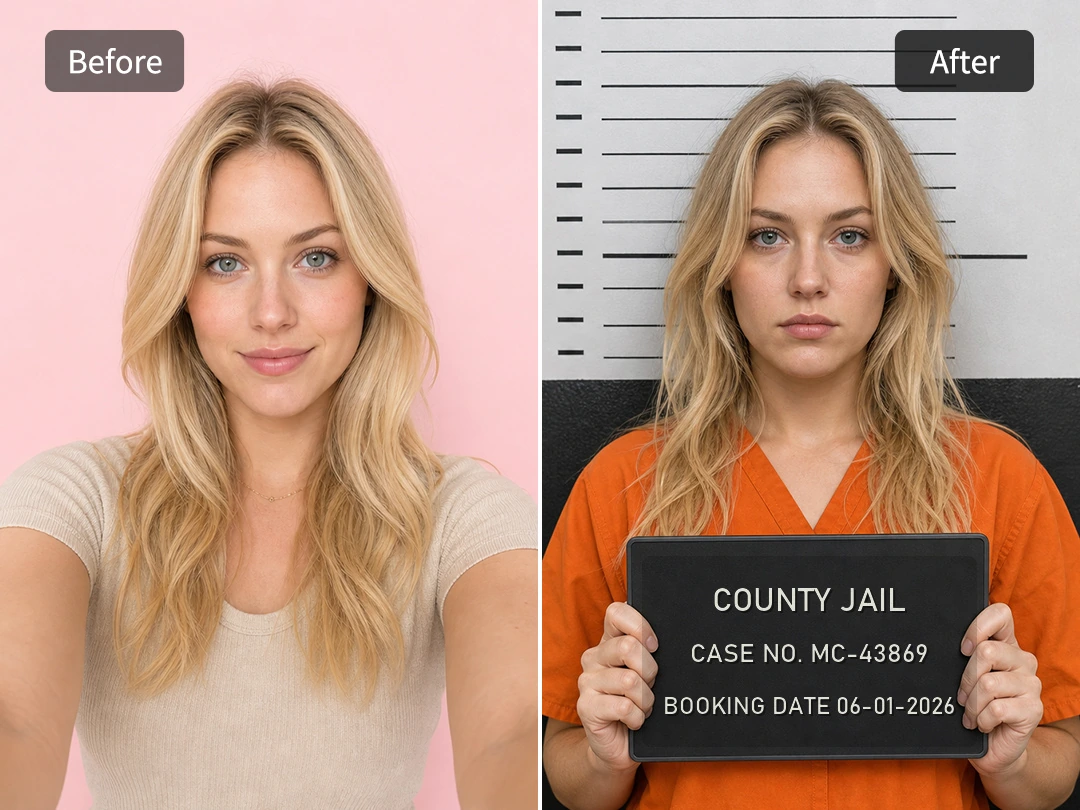
Make Mugshots Online for Free Without Editing Skills
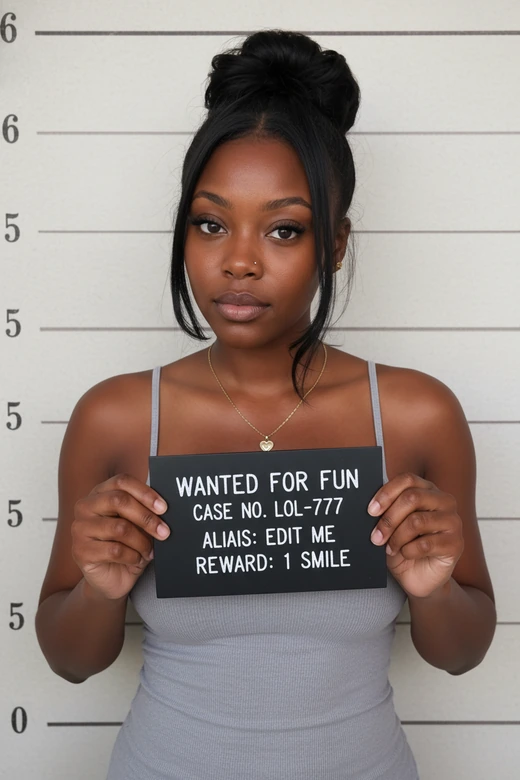
A free mugshot maker should turn a clear portrait into a finished booking-style image without extra software. If you are a meme maker or casual creator trying to post a fast joke, Pokecut helps you make a mugshot in the browser with a height chart, placard, and cleaner police-room setup.
The workflow stays simple because the hard edit is visual, not technical. Upload a face-forward photo, choose a booking style, and create a fake mugshot that looks sharper than a rough face-in-hole template while staying clearly made for fun and easy sharing.
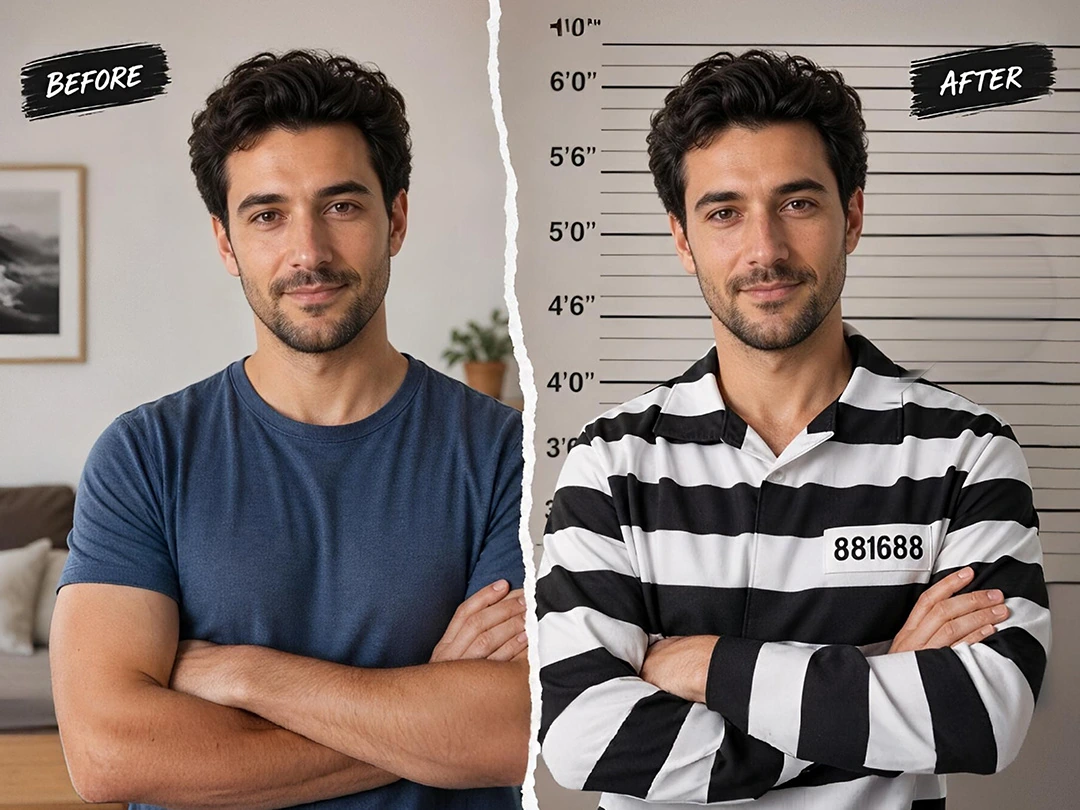
Add Prison Outfits and Precinct Backgrounds in 1-Click
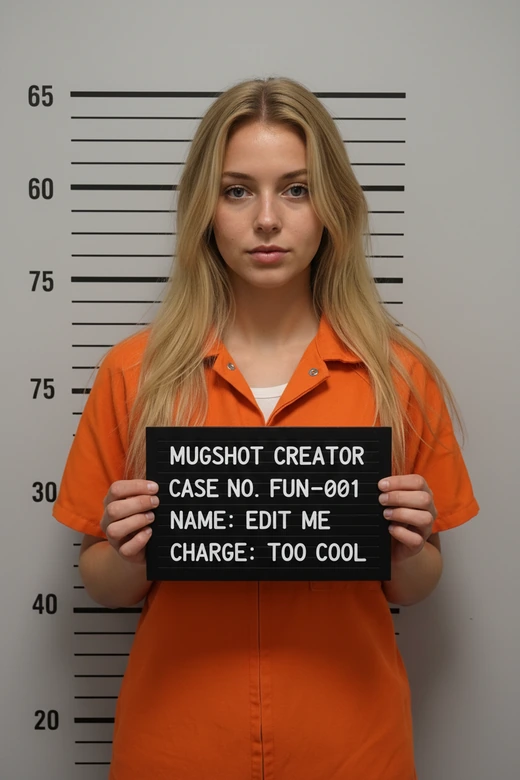
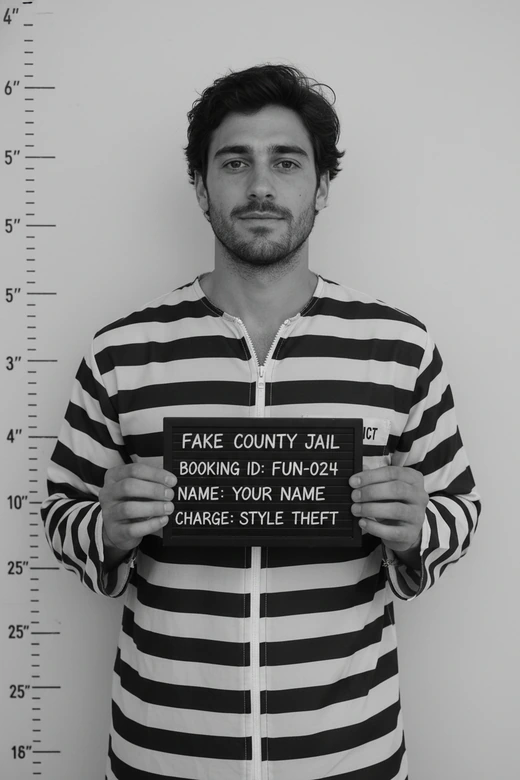
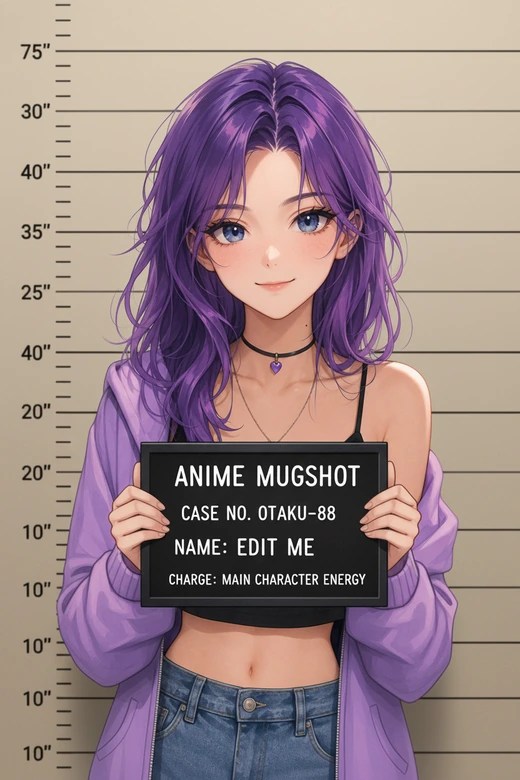
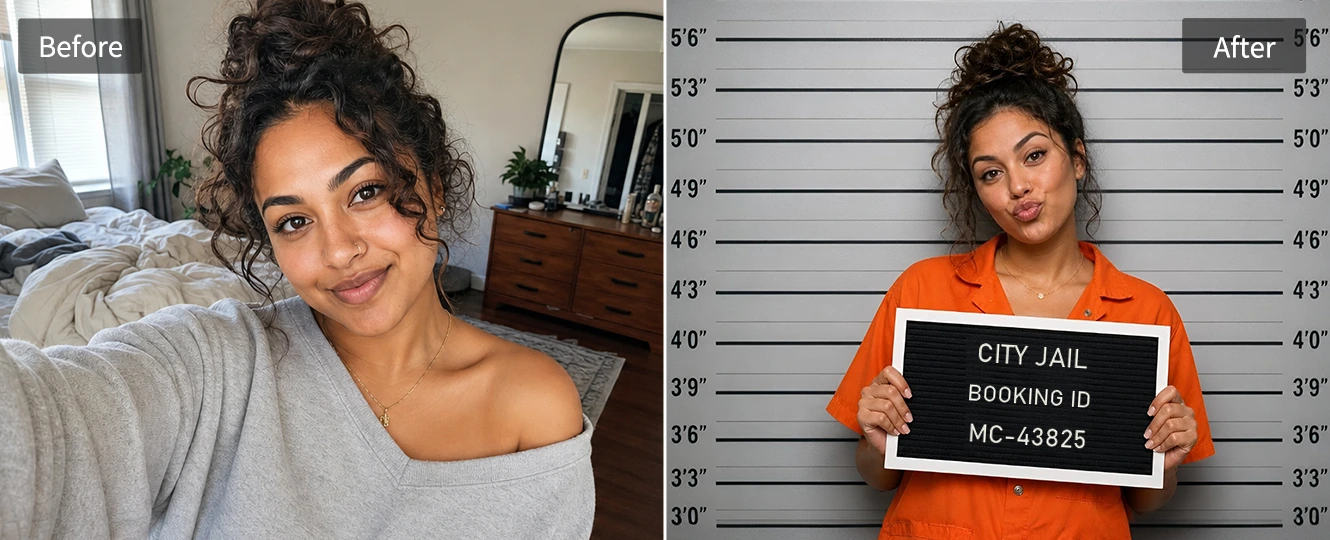
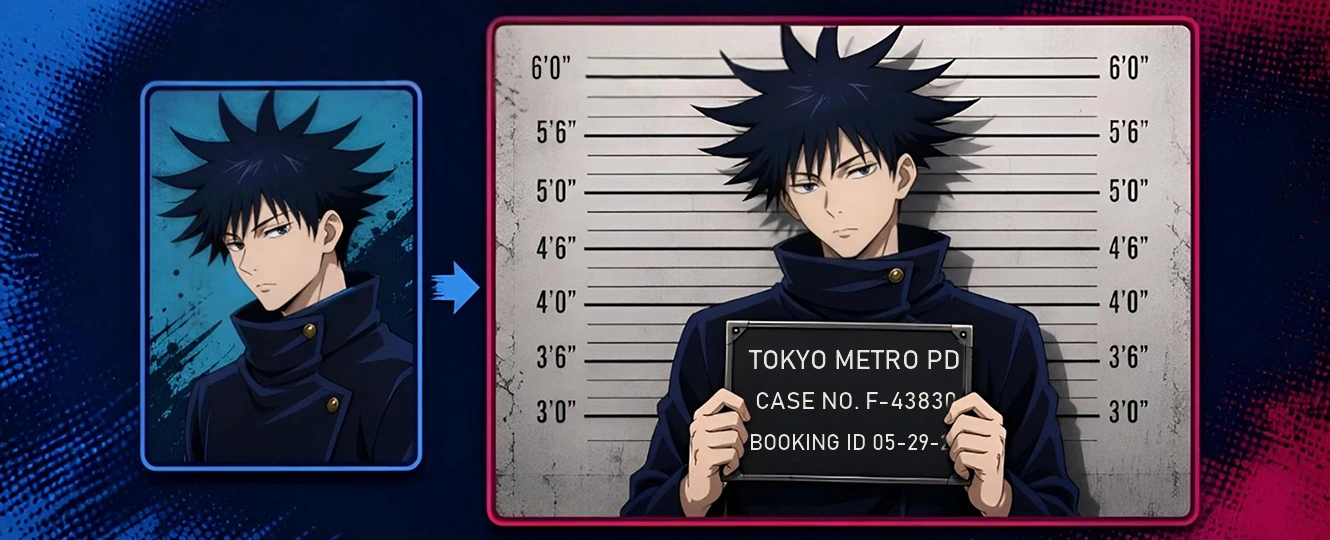
Transform your outfits and background to match the funny mugshot style in one click. Pokecut can place your portrait against an alignment chart, add an orange inmate jumpsuit or striped prison look, and keep the edges from feeling like a pasted sticker. The result is cleaner than a simple costume filter.
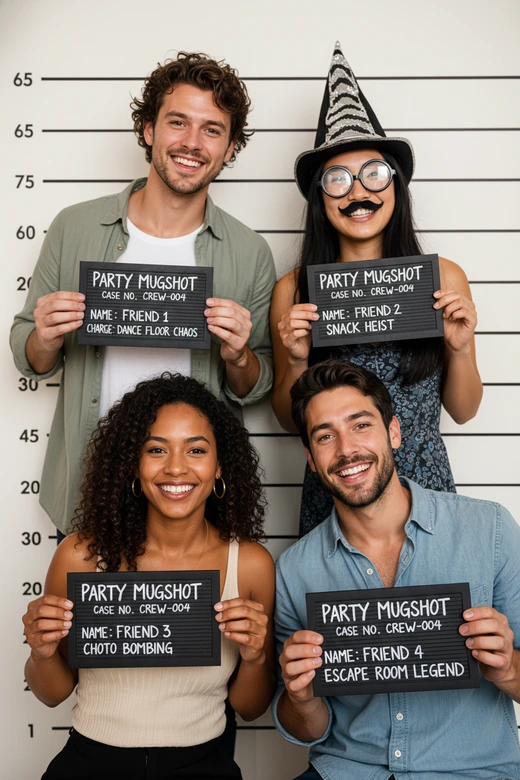
When a party host or social creator needs a themed post, the standard is not just funny. The image should look aligned, readable, and quick to customize. Use this free mugshot generator to customize your prison uniforms and tune the booking room details for the exact joke.
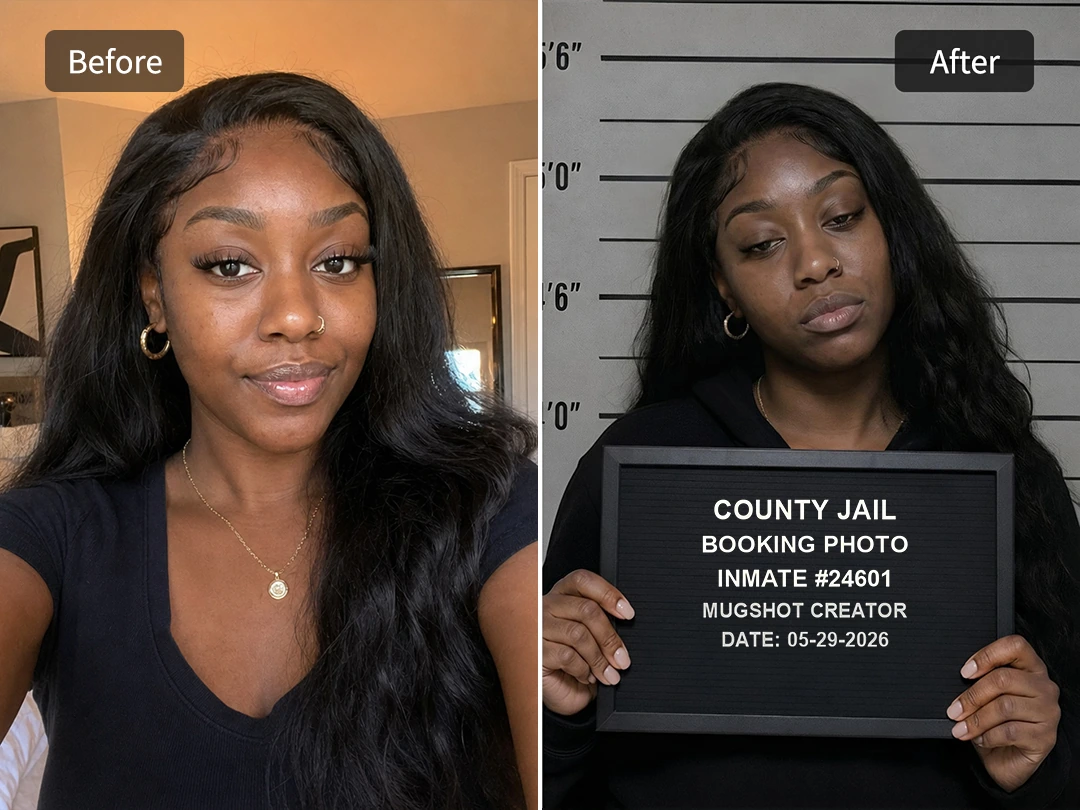
Match Face Angles, Shadows, and Lighting Naturally
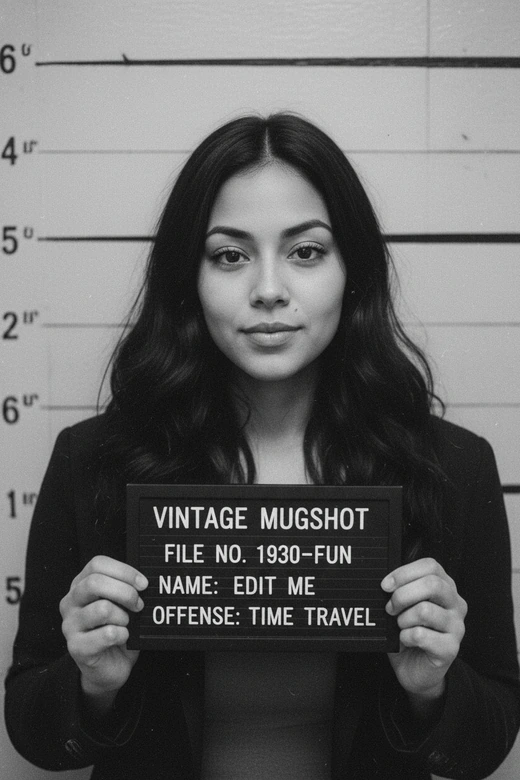
Realism depends on facial alignment and harsh precinct-style lighting. Pokecut balances shadows, face position, and background tone so a normal selfie can become a fake mugshot picture that reads like one scene instead of separate layers. The face should feel placed inside the room, not above it.
For users comparing AI mugshot generators, the weak point is often pose fit. Pokecut can adjust character poses naturally, keeping shoulders squared and the placard placement believable enough for a polished social post. That matters when the image is cropped for mobile feeds.
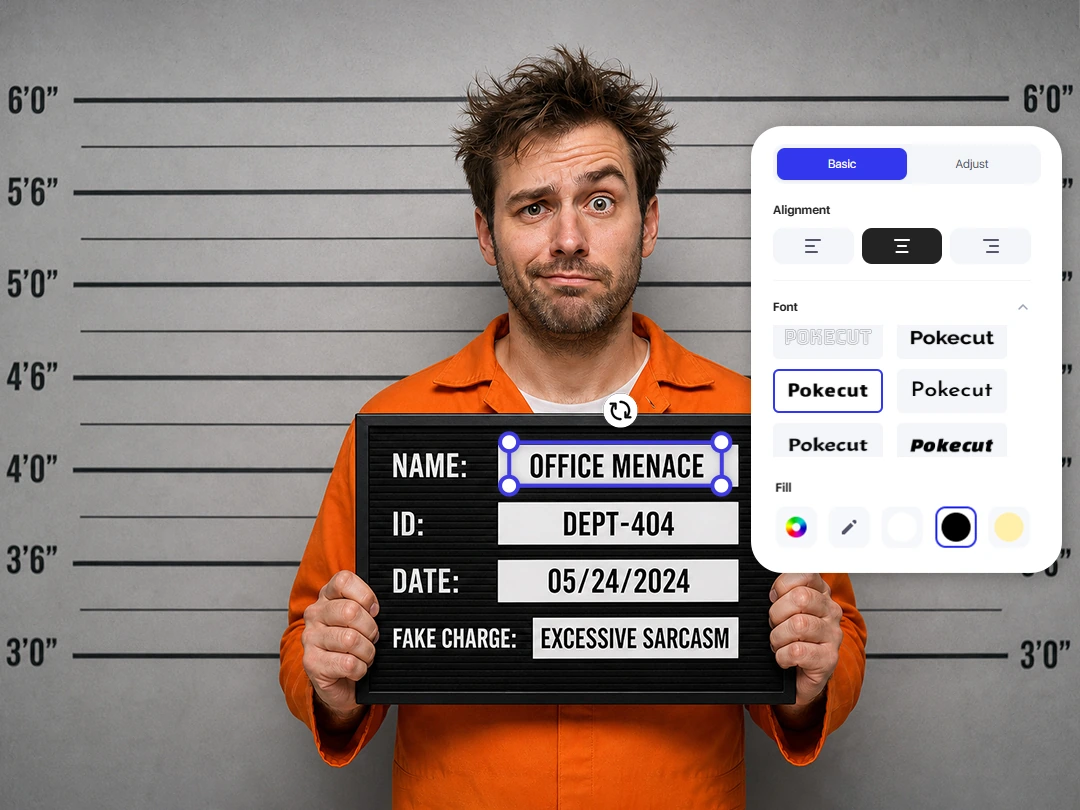
Customize the Placard, ID, and Fake Crime
Pokecut works as a complete mugshot sign generator. Skip the generic placeholder text and fully customize your board. You can easily edit the name, ID, precinct details, date, and fake crime. Turn a harmless habit or party nickname into a hilarious arrest charge.
This feature is perfect for birthday roasts and office memes. Our system ensures the text stays crisp and readable on mobile screens. Just add funny text to let the sign deliver the punchline without cluttering the photo.
Get Custom Mugshots for Any Prank with Pokecut
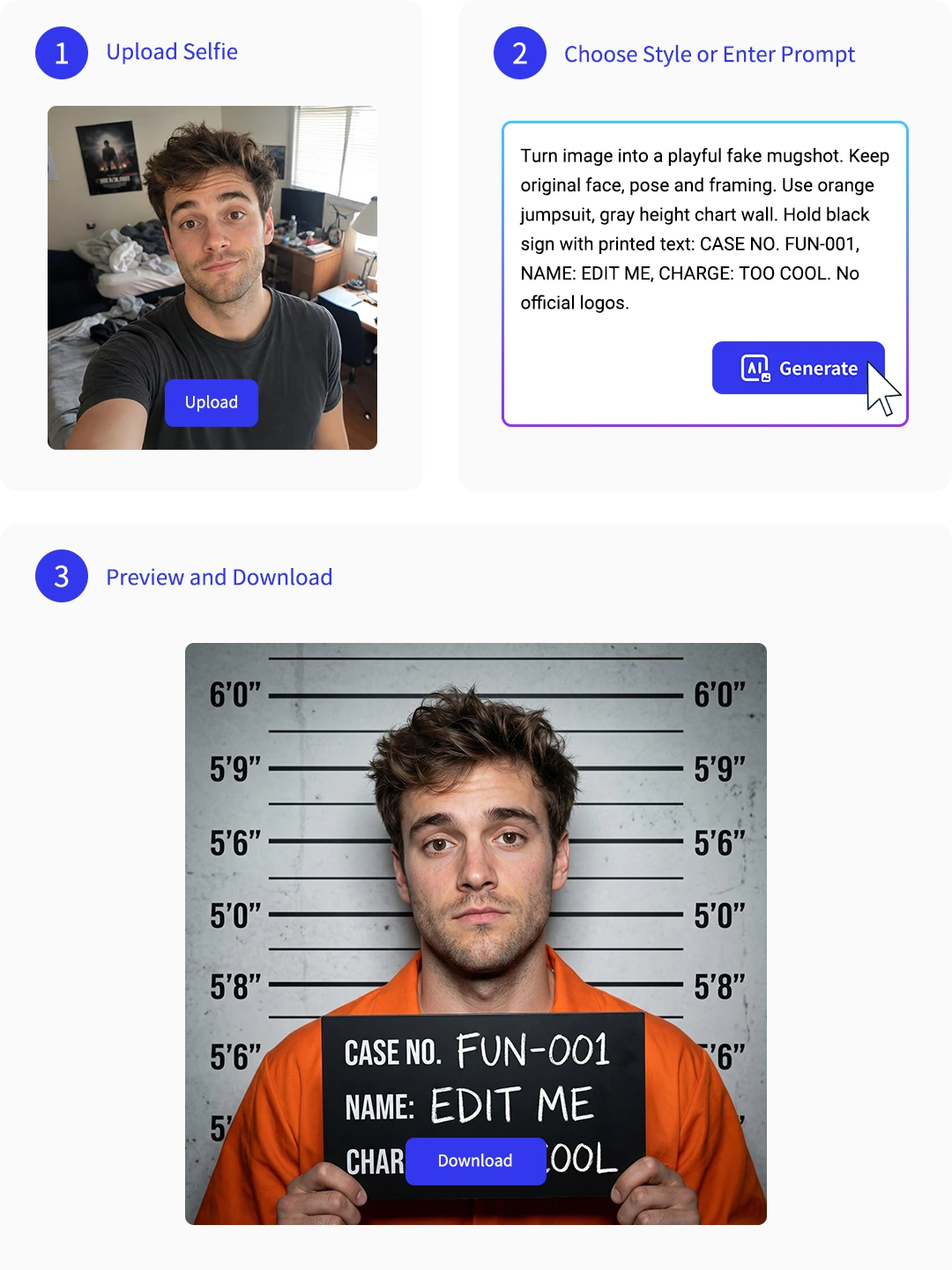
How to Create a Mugshot Online
Step 1: Upload a Clear Portrait
Upload a face-forward selfie with visible shoulders and ears. Clear light helps the AI mugshot generator read the face and build a cleaner booking-photo base.
Step 2: Generate and Edit Details
Choose a booking style with a height chart, inmate outfit, and precinct mood. Then edit the placard name, ID number, date, and fake crime text.
Step 3: Preview and Download
Preview the face angle, shadows, and sign readability before saving. Download the fake mugshot picture and share it only as a harmless joke.
User Reviews About Pokecut Fake Mugshot Generator
Users like the quick setup, editable signs, and believable booking-photo look.


Megan R.

"I made a fake mugshot for my brother's birthday chat, and everyone asked what app I used. The sign editor was the best part because the joke felt personal."
Jason M.
"The background looked much cleaner than my usual cutout edits. I uploaded a simple selfie, changed the charge text, and had a funny post ready fast."
Priya S.
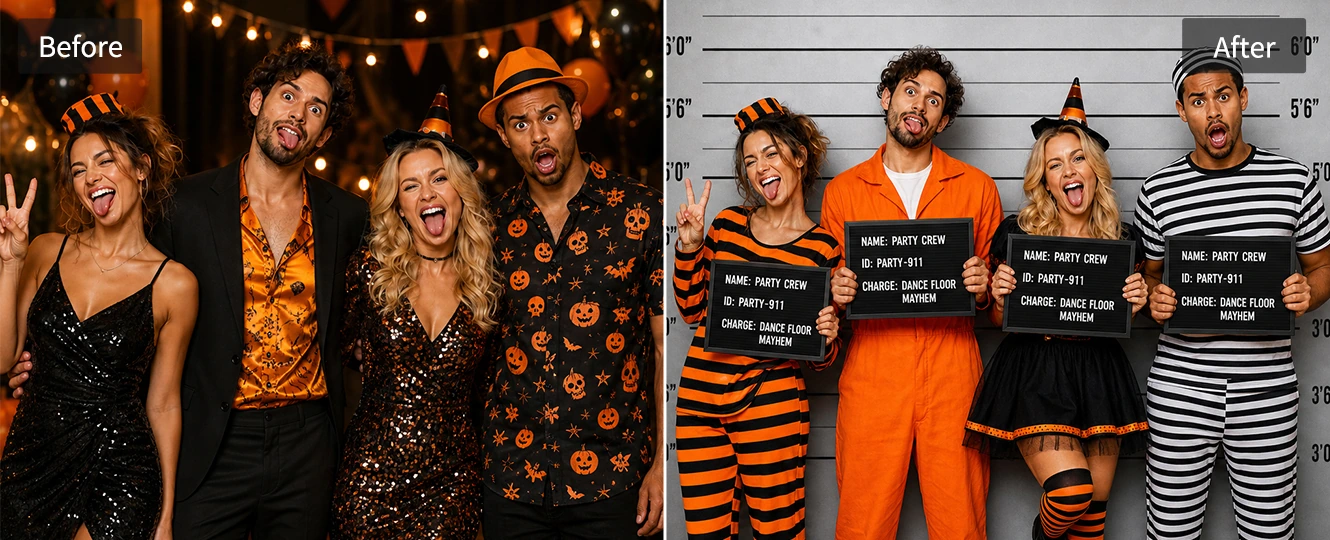
"I used it for a Halloween party invite. The group looked like a silly lineup, and the matching wall made the whole design feel more complete."
Daniel K.
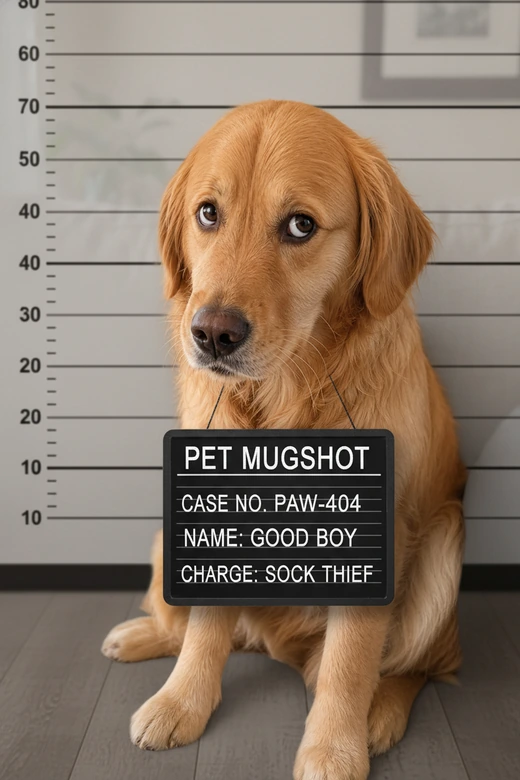
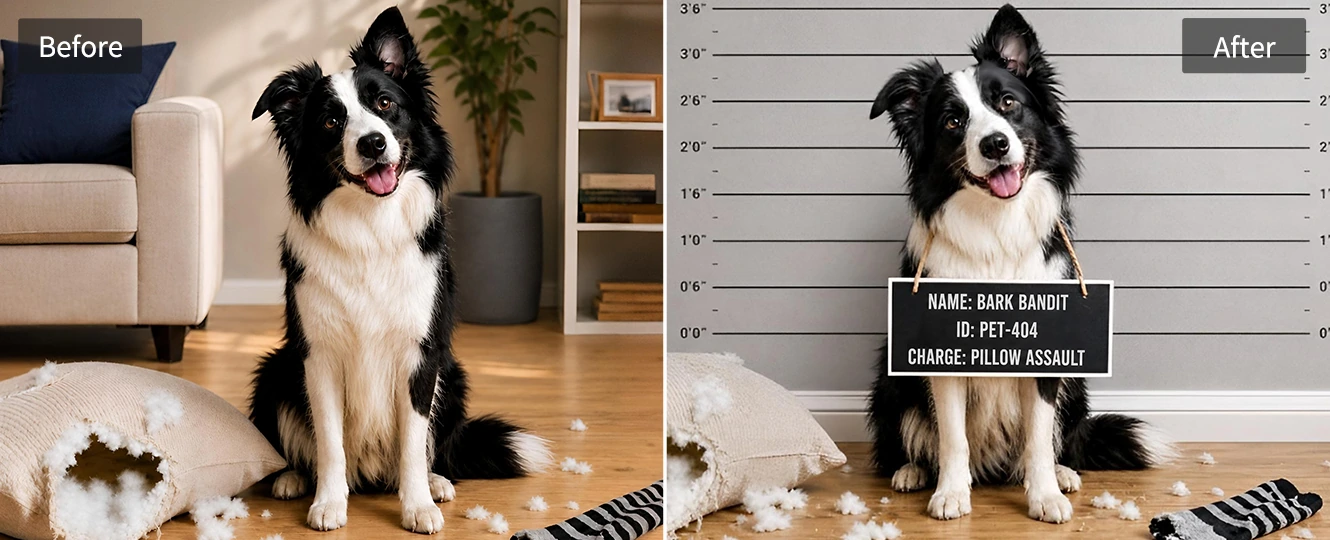
"My dog destroyed a pillow, so I made him a mugshot. The result was ridiculous in the right way, and the booking sign made the joke obvious."
Olivia T.
"I liked that I did not need Photoshop. The outfit and height-wall background lined up well enough for a meme, and editing the text was easy."
Mark B.
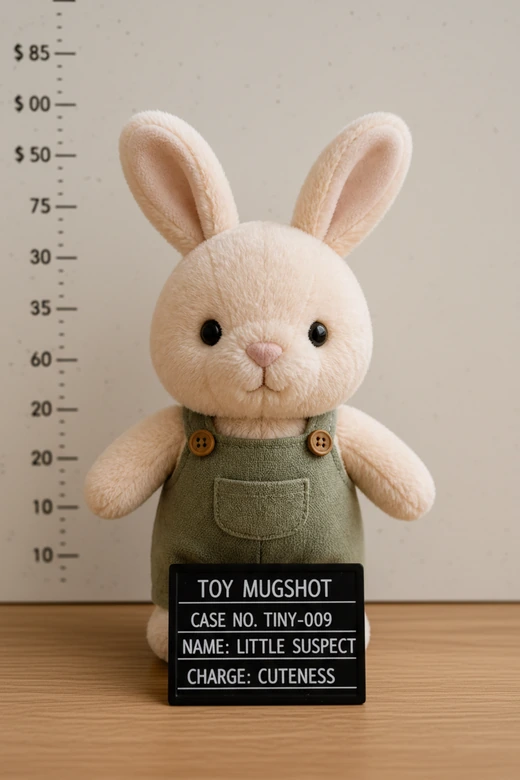
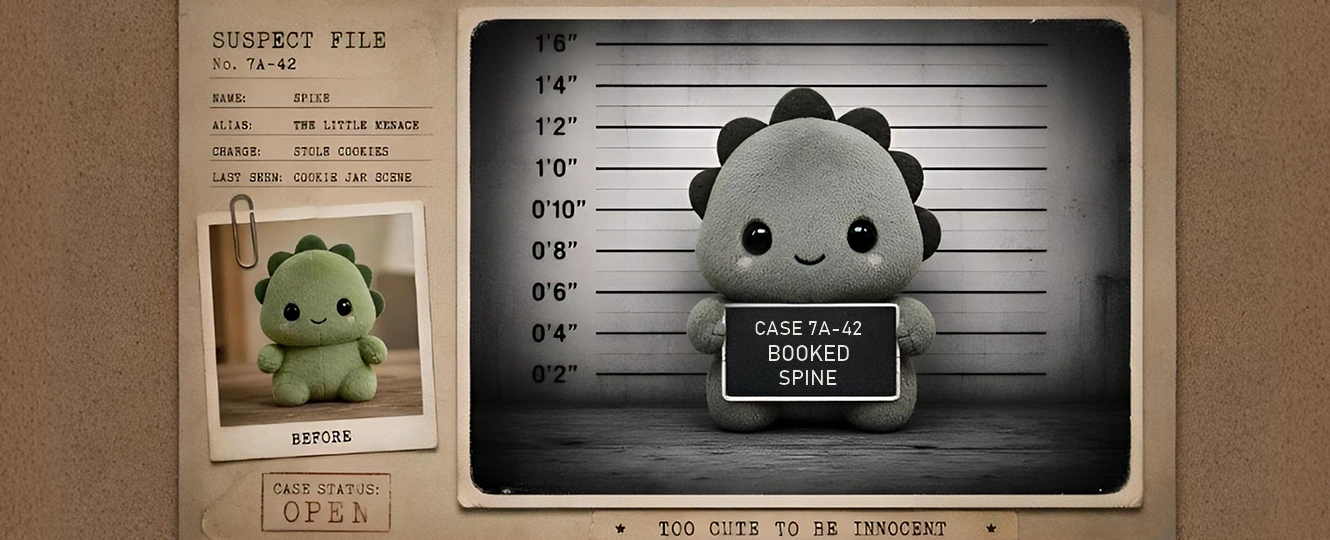
"The vintage toy mugshot idea worked better than expected. My collectible figure looked like a tiny suspect, and the final image was clean."
Megan R.
"I made a fake mugshot for my brother's birthday chat, and everyone asked what app I used. The sign editor was the best part because the joke felt personal."
Jason M.
"The background looked much cleaner than my usual cutout edits. I uploaded a simple selfie, changed the charge text, and had a funny post ready fast."
Priya S.
"I used it for a Halloween party invite. The group looked like a silly lineup, and the matching wall made the whole design feel more complete."
Daniel K.
"My dog destroyed a pillow, so I made him a mugshot. The result was ridiculous in the right way, and the booking sign made the joke obvious."
Olivia T.
"I liked that I did not need Photoshop. The outfit and height-wall background lined up well enough for a meme, and editing the text was easy."
Mark B.
"The vintage toy mugshot idea worked better than expected. My collectible figure looked like a tiny suspect, and the final image was clean."
Megan R.
"I made a fake mugshot for my brother's birthday chat, and everyone asked what app I used. The sign editor was the best part because the joke felt personal."
Jason M.
"The background looked much cleaner than my usual cutout edits. I uploaded a simple selfie, changed the charge text, and had a funny post ready fast."
Priya S.
"I used it for a Halloween party invite. The group looked like a silly lineup, and the matching wall made the whole design feel more complete."
Daniel K.
"My dog destroyed a pillow, so I made him a mugshot. The result was ridiculous in the right way, and the booking sign made the joke obvious."
Olivia T.
"I liked that I did not need Photoshop. The outfit and height-wall background lined up well enough for a meme, and editing the text was easy."
Mark B.
"The vintage toy mugshot idea worked better than expected. My collectible figure looked like a tiny suspect, and the final image was clean."
Megan R.
"I made a fake mugshot for my brother's birthday chat, and everyone asked what app I used. The sign editor was the best part because the joke felt personal."
Jason M.
"The background looked much cleaner than my usual cutout edits. I uploaded a simple selfie, changed the charge text, and had a funny post ready fast."
Priya S.
"I used it for a Halloween party invite. The group looked like a silly lineup, and the matching wall made the whole design feel more complete."
Daniel K.
"My dog destroyed a pillow, so I made him a mugshot. The result was ridiculous in the right way, and the booking sign made the joke obvious."
Olivia T.
"I liked that I did not need Photoshop. The outfit and height-wall background lined up well enough for a meme, and editing the text was easy."
Mark B.
"The vintage toy mugshot idea worked better than expected. My collectible figure looked like a tiny suspect, and the final image was clean."
Megan R.
"I made a fake mugshot for my brother's birthday chat, and everyone asked what app I used. The sign editor was the best part because the joke felt personal."
Jason M.
"The background looked much cleaner than my usual cutout edits. I uploaded a simple selfie, changed the charge text, and had a funny post ready fast."
Priya S.
"I used it for a Halloween party invite. The group looked like a silly lineup, and the matching wall made the whole design feel more complete."
Daniel K.
"My dog destroyed a pillow, so I made him a mugshot. The result was ridiculous in the right way, and the booking sign made the joke obvious."
Olivia T.
"I liked that I did not need Photoshop. The outfit and height-wall background lined up well enough for a meme, and editing the text was easy."
Mark B.
"The vintage toy mugshot idea worked better than expected. My collectible figure looked like a tiny suspect, and the final image was clean."
Daniel K.
"My dog destroyed a pillow, so I made him a mugshot. The result was ridiculous in the right way, and the booking sign made the joke obvious."
Olivia T.
"I liked that I did not need Photoshop. The outfit and height-wall background lined up well enough for a meme, and editing the text was easy."
Mark B.
"The vintage toy mugshot idea worked better than expected. My collectible figure looked like a tiny suspect, and the final image was clean."
Megan R.
"I made a fake mugshot for my brother's birthday chat, and everyone asked what app I used. The sign editor was the best part because the joke felt personal."
Jason M.
"The background looked much cleaner than my usual cutout edits. I uploaded a simple selfie, changed the charge text, and had a funny post ready fast."
Priya S.
"I used it for a Halloween party invite. The group looked like a silly lineup, and the matching wall made the whole design feel more complete."
Daniel K.
"My dog destroyed a pillow, so I made him a mugshot. The result was ridiculous in the right way, and the booking sign made the joke obvious."
Olivia T.
"I liked that I did not need Photoshop. The outfit and height-wall background lined up well enough for a meme, and editing the text was easy."
Mark B.
"The vintage toy mugshot idea worked better than expected. My collectible figure looked like a tiny suspect, and the final image was clean."
Megan R.
"I made a fake mugshot for my brother's birthday chat, and everyone asked what app I used. The sign editor was the best part because the joke felt personal."
Jason M.
"The background looked much cleaner than my usual cutout edits. I uploaded a simple selfie, changed the charge text, and had a funny post ready fast."
Priya S.
"I used it for a Halloween party invite. The group looked like a silly lineup, and the matching wall made the whole design feel more complete."
Daniel K.
"My dog destroyed a pillow, so I made him a mugshot. The result was ridiculous in the right way, and the booking sign made the joke obvious."
Olivia T.
"I liked that I did not need Photoshop. The outfit and height-wall background lined up well enough for a meme, and editing the text was easy."
Mark B.
"The vintage toy mugshot idea worked better than expected. My collectible figure looked like a tiny suspect, and the final image was clean."
Megan R.
"I made a fake mugshot for my brother's birthday chat, and everyone asked what app I used. The sign editor was the best part because the joke felt personal."
Jason M.
"The background looked much cleaner than my usual cutout edits. I uploaded a simple selfie, changed the charge text, and had a funny post ready fast."
Priya S.
"I used it for a Halloween party invite. The group looked like a silly lineup, and the matching wall made the whole design feel more complete."
Daniel K.
"My dog destroyed a pillow, so I made him a mugshot. The result was ridiculous in the right way, and the booking sign made the joke obvious."
Olivia T.
"I liked that I did not need Photoshop. The outfit and height-wall background lined up well enough for a meme, and editing the text was easy."
Mark B.
"The vintage toy mugshot idea worked better than expected. My collectible figure looked like a tiny suspect, and the final image was clean."
Megan R.
"I made a fake mugshot for my brother's birthday chat, and everyone asked what app I used. The sign editor was the best part because the joke felt personal."
Jason M.
"The background looked much cleaner than my usual cutout edits. I uploaded a simple selfie, changed the charge text, and had a funny post ready fast."
Priya S.
"I used it for a Halloween party invite. The group looked like a silly lineup, and the matching wall made the whole design feel more complete."
Daniel K.
"My dog destroyed a pillow, so I made him a mugshot. The result was ridiculous in the right way, and the booking sign made the joke obvious."
Olivia T.
"I liked that I did not need Photoshop. The outfit and height-wall background lined up well enough for a meme, and editing the text was easy."
Mark B.
"The vintage toy mugshot idea worked better than expected. My collectible figure looked like a tiny suspect, and the final image was clean."
Megan R.
"I made a fake mugshot for my brother's birthday chat, and everyone asked what app I used. The sign editor was the best part because the joke felt personal."
Jason M.
"The background looked much cleaner than my usual cutout edits. I uploaded a simple selfie, changed the charge text, and had a funny post ready fast."
Priya S.
"I used it for a Halloween party invite. The group looked like a silly lineup, and the matching wall made the whole design feel more complete."
Reviews from: Reddit, Product Hunt, G2, TrustRadius, Google Play, App Store, and more.
FAQs About Making Fake Mugshots
What kind of photo makes a mugshot look more real?
A clear front-facing portrait works best. Keep shoulders squared, ears visible, and the expression neutral so Pokecut can match the face to a height chart, placard, and police-style lighting with fewer awkward edges.
Can I use Pokecut instead of a mobile mugshot app?
Yes. Pokecut is a browser-based free online mugshot maker, so users can create and edit booking-style photos without installing an Android or iOS entertainment app or saving extra templates first.
Can I edit the precinct, ID, and fake crime?
Yes. The mugshot sign generator lets you edit the placard name, booking number, date, precinct-style details, and fake crime so the final joke feels specific instead of copied from a preset layout too.
Can I make a gritty detective movie mugshot style?
Yes. Choose a darker booking-room look, keep the pose serious, and use stronger contrast. Pokecut can shape the result toward a gritty fake mugshot generator style for detective-themed posts or posters.
What should I avoid when sharing fake mugshot images?
Use fake mugshots only for harmless memes, party posts, or playful edits. Do not present them as real records, impersonate police material, or target someone unfairly. Make the joke obvious in the caption.
Pokecut's Image Generator Trusted by Users

1M+ Users Worldwide
Pokecut generates over 500,000 images every day

#2 on Product Hunt
Pokecut was voted #2 Product of the Day on launch

Professional Privacy Protection
Ensure 100% data privacy for every photo

Trusted by Well-Known Brands
Apple, Google, PayPal, Stripe, Product Hunt, G2, TrustRadius







