





Add Signature to Photo Online for Free with Pokecut
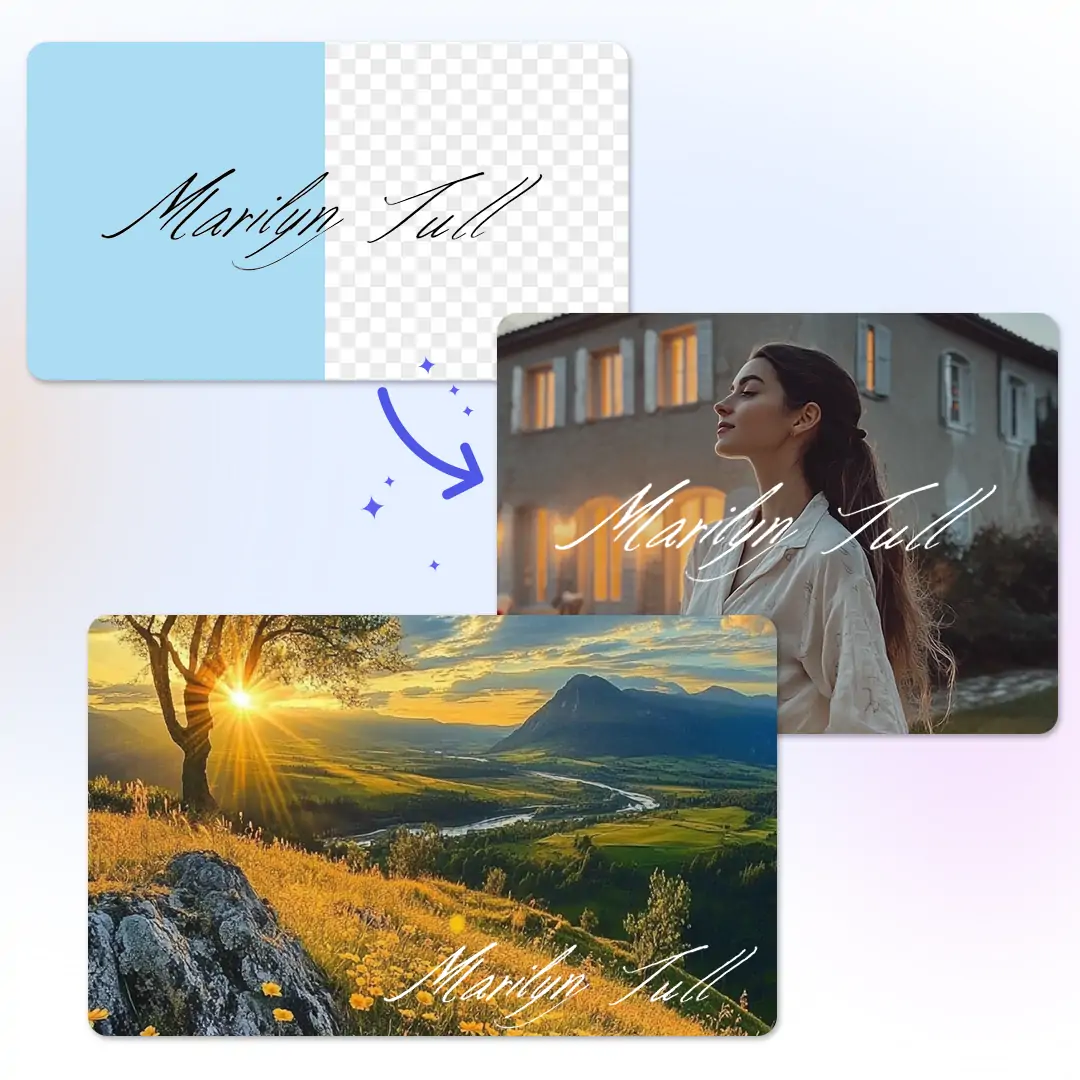
Add your handwritten or digital signature to any image in seconds. Pokecut lets you upload your sign, remove its background, and seamlessly apply it to photos.





By uploading an image or URL you agree to our Terms of Use and Privacy Policy
How to Add a Signature on a Photo Online for Free
Step 1: Upload Your Signature
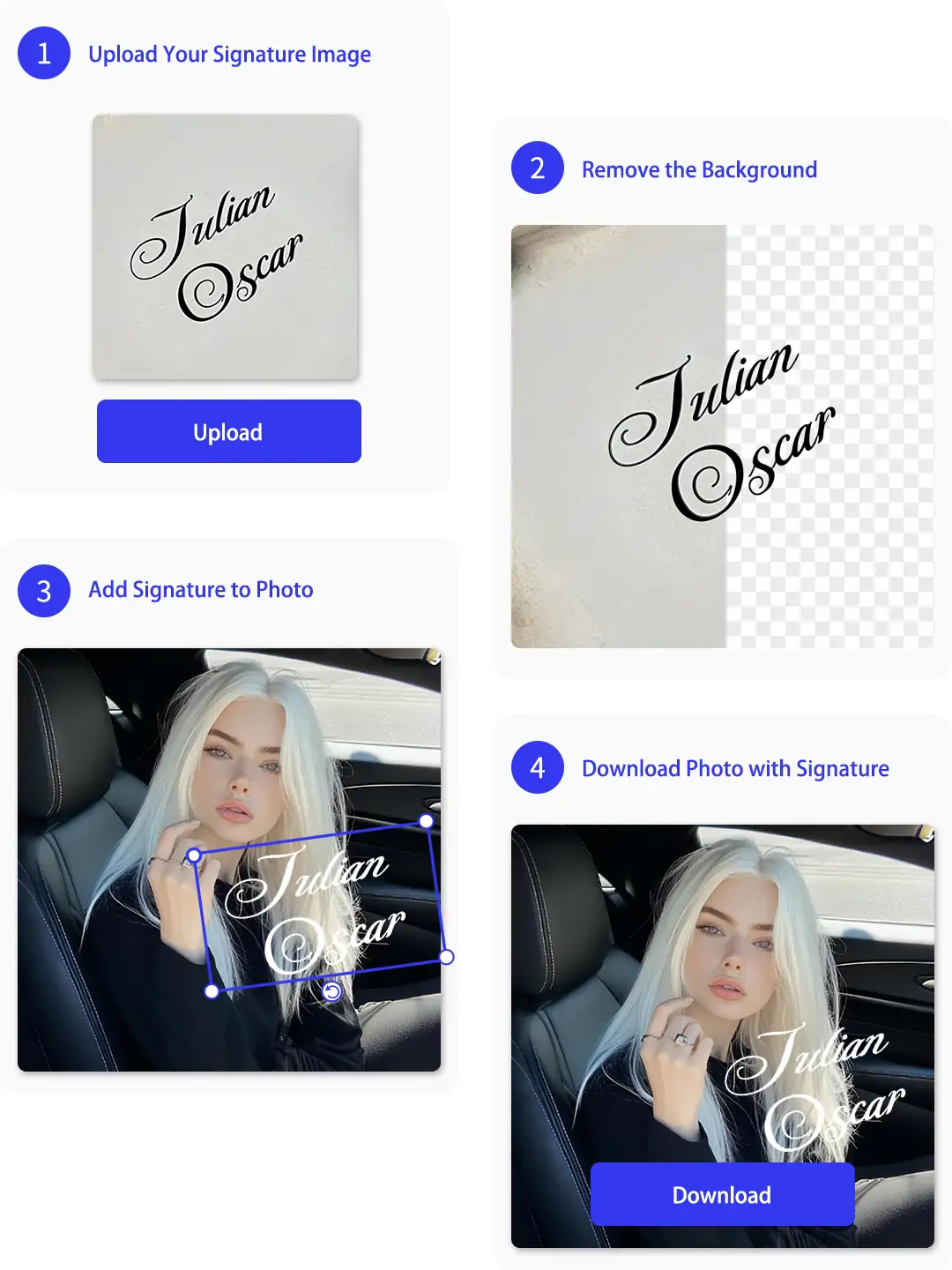
Click "Upload Image" to import your handwritten signature photo. You can also drag and drop files directly. We support common formats like JPG, JPEG, PNG, BMP and WebP.
Step 2: Extract Transparent Signature
Pokecut will automatically remove the background from your signature, leaving a clean, transparent sign. You can refine edges or adjust opacity as needed.
Step 3: Put Signature on Photo
Select "Images" under the "Change BG" tab to upload your target photo. Position and resize the extracted sign to add signature to photo naturally.
Step 4: Download Signed Image
Preview the result and click "Download" to save your signed image. Export in high-quality JPG or PNG format to share your new photo with signature instantly.
Why Choose Pokecut to Add Signature to Photo?
Extract Signature from Image with Precise AI
Turn any handwritten note into a clear digital asset by using our smart photo to signature tool. Simply upload your snapshot, and the AI automatically removes the cluttered background to extract the signature.
Get a clean, transparent PNG file ready for any document without complex editing skills. This digital signature maker handles contrast perfectly, ensuring your name looks professional when you add signature to photo.
Add Signature to Photo Online Free & Fast
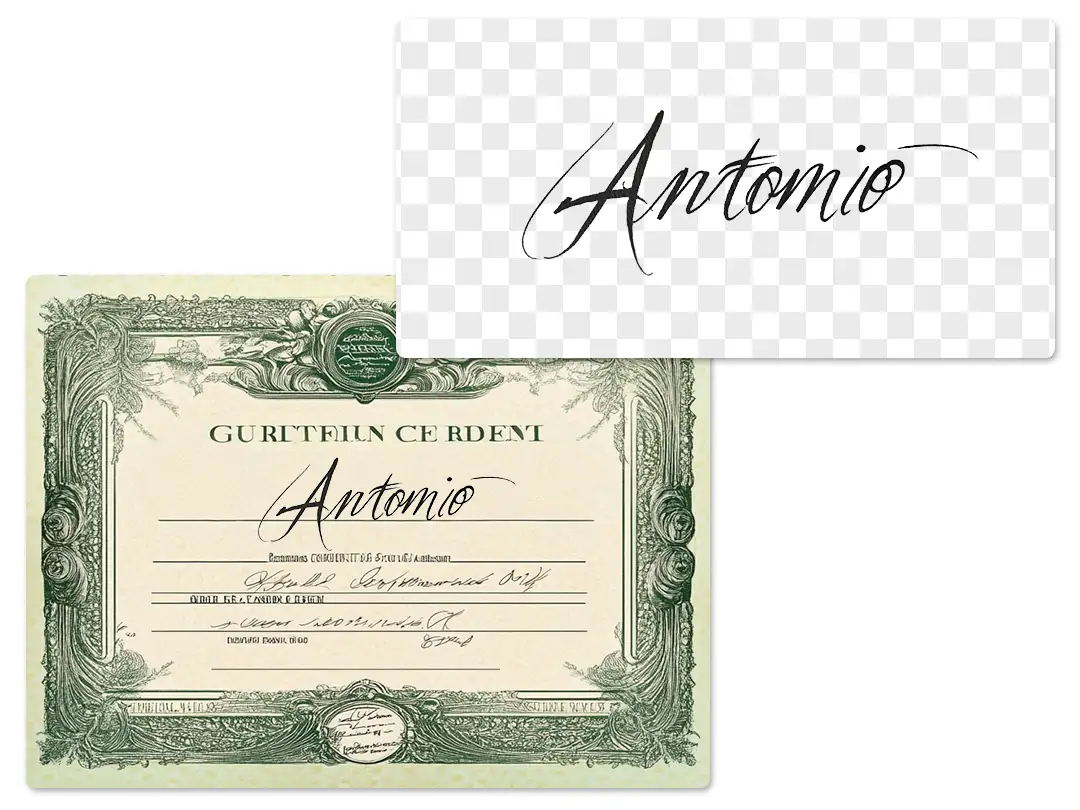
Place your digital autograph onto images instantly without any cost or registration hurdles. You can sign on photo online seamlessly right in your browser. After extracting the clear signature, use Pokecut's AI background changer to merge it onto a new image background.
Access our website from any device to handle urgent tasks anywhere. Whether you are looking for an add signature to photo app alternative or using a desktop, the process is smooth. It is the quickest way to add signature to photo android or iOS devices while on the go.

Customize and Blend Signature Naturally
Position your signature perfectly by resizing, rotating, and dragging it to the ideal spot. You can easily upload a base image and overlay your name. Control the scale and angle to make the add signature to picture process look professional on any document.
Fine-tune the visibility to match the background lighting using advanced opacity and contrast tools. Use professional overlay modes to blend signature styles naturally. This ensures your sign in picture result looks like real ink rather than a floating sticker.
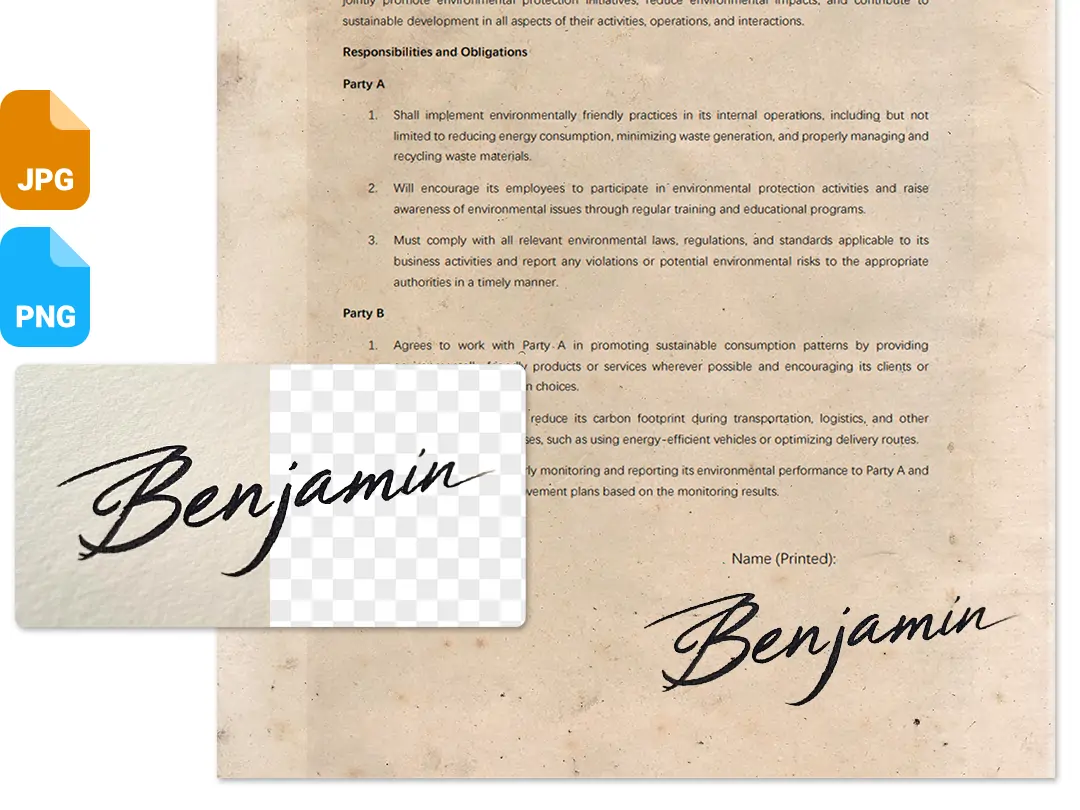
Put Signature on Photo Without Quality Loss
You can put signature on photo projects and download the result in high definition without any blur. We support popular formats like JPG and PNG, making your files ready for printing or sharing. The final image retains original details, ensuring every stroke looks sharp and professional.
Save your extracted signature as a transparent background file for future needs. You can use our tool to build a versatile digital asset library. This allows you to create png signature files that layer perfectly onto other images later, keeping your workflow efficient.
Where Can You Add Signature to Photo Effectively?


What Users Say About Pokecut's Signature Adder
Users love how easy and natural it is to add signatures. Perfect for both quick personal edits and urgent business contracts on the go.


Sarah L.

"I needed to sign a contract while at lunch. Took a pic of my name, and this tool extracted it perfectly. It saved my deal instantly!"
Mike T.
"Finally found a way to watermark my art without complex software. The background removal is magic, making my signature look so clean."
Jessica R.
"I am terrible with tech, but this was super simple. Uploaded my photo, and it just worked. It looks like I actually signed the paper."
David K.
"The extraction is great, better than other tools. I just wish changing the ink color was slightly more obvious, but the quality is top."
Emily C.
"My invoices look so much more professional now. I used to print and scan, which took forever. Now I just drag and drop my signature."
Alex B.
"Used this for a scholarship application that needed a handwritten sign. It blended perfectly with the document. Highly recommend it!"
Sarah L.
"I needed to sign a contract while at lunch. Took a pic of my name, and this tool extracted it perfectly. It saved my deal instantly!"
Mike T.
"Finally found a way to watermark my art without complex software. The background removal is magic, making my signature look so clean."
Jessica R.
"I am terrible with tech, but this was super simple. Uploaded my photo, and it just worked. It looks like I actually signed the paper."
David K.
"The extraction is great, better than other tools. I just wish changing the ink color was slightly more obvious, but the quality is top."
Emily C.
"My invoices look so much more professional now. I used to print and scan, which took forever. Now I just drag and drop my signature."
Alex B.
"Used this for a scholarship application that needed a handwritten sign. It blended perfectly with the document. Highly recommend it!"
Sarah L.
"I needed to sign a contract while at lunch. Took a pic of my name, and this tool extracted it perfectly. It saved my deal instantly!"
Mike T.
"Finally found a way to watermark my art without complex software. The background removal is magic, making my signature look so clean."
Jessica R.
"I am terrible with tech, but this was super simple. Uploaded my photo, and it just worked. It looks like I actually signed the paper."
David K.
"The extraction is great, better than other tools. I just wish changing the ink color was slightly more obvious, but the quality is top."
Emily C.
"My invoices look so much more professional now. I used to print and scan, which took forever. Now I just drag and drop my signature."
Alex B.
"Used this for a scholarship application that needed a handwritten sign. It blended perfectly with the document. Highly recommend it!"
Sarah L.
"I needed to sign a contract while at lunch. Took a pic of my name, and this tool extracted it perfectly. It saved my deal instantly!"
Mike T.
"Finally found a way to watermark my art without complex software. The background removal is magic, making my signature look so clean."
Jessica R.
"I am terrible with tech, but this was super simple. Uploaded my photo, and it just worked. It looks like I actually signed the paper."
David K.
"The extraction is great, better than other tools. I just wish changing the ink color was slightly more obvious, but the quality is top."
Emily C.
"My invoices look so much more professional now. I used to print and scan, which took forever. Now I just drag and drop my signature."
Alex B.
"Used this for a scholarship application that needed a handwritten sign. It blended perfectly with the document. Highly recommend it!"
Sarah L.
"I needed to sign a contract while at lunch. Took a pic of my name, and this tool extracted it perfectly. It saved my deal instantly!"
Mike T.
"Finally found a way to watermark my art without complex software. The background removal is magic, making my signature look so clean."
Jessica R.
"I am terrible with tech, but this was super simple. Uploaded my photo, and it just worked. It looks like I actually signed the paper."
David K.
"The extraction is great, better than other tools. I just wish changing the ink color was slightly more obvious, but the quality is top."
Emily C.
"My invoices look so much more professional now. I used to print and scan, which took forever. Now I just drag and drop my signature."
Alex B.
"Used this for a scholarship application that needed a handwritten sign. It blended perfectly with the document. Highly recommend it!"
David K.
"The extraction is great, better than other tools. I just wish changing the ink color was slightly more obvious, but the quality is top."
Emily C.
"My invoices look so much more professional now. I used to print and scan, which took forever. Now I just drag and drop my signature."
Alex B.
"Used this for a scholarship application that needed a handwritten sign. It blended perfectly with the document. Highly recommend it!"
Sarah L.
"I needed to sign a contract while at lunch. Took a pic of my name, and this tool extracted it perfectly. It saved my deal instantly!"
Mike T.
"Finally found a way to watermark my art without complex software. The background removal is magic, making my signature look so clean."
Jessica R.
"I am terrible with tech, but this was super simple. Uploaded my photo, and it just worked. It looks like I actually signed the paper."
David K.
"The extraction is great, better than other tools. I just wish changing the ink color was slightly more obvious, but the quality is top."
Emily C.
"My invoices look so much more professional now. I used to print and scan, which took forever. Now I just drag and drop my signature."
Alex B.
"Used this for a scholarship application that needed a handwritten sign. It blended perfectly with the document. Highly recommend it!"
Sarah L.
"I needed to sign a contract while at lunch. Took a pic of my name, and this tool extracted it perfectly. It saved my deal instantly!"
Mike T.
"Finally found a way to watermark my art without complex software. The background removal is magic, making my signature look so clean."
Jessica R.
"I am terrible with tech, but this was super simple. Uploaded my photo, and it just worked. It looks like I actually signed the paper."
David K.
"The extraction is great, better than other tools. I just wish changing the ink color was slightly more obvious, but the quality is top."
Emily C.
"My invoices look so much more professional now. I used to print and scan, which took forever. Now I just drag and drop my signature."
Alex B.
"Used this for a scholarship application that needed a handwritten sign. It blended perfectly with the document. Highly recommend it!"
Sarah L.
"I needed to sign a contract while at lunch. Took a pic of my name, and this tool extracted it perfectly. It saved my deal instantly!"
Mike T.
"Finally found a way to watermark my art without complex software. The background removal is magic, making my signature look so clean."
Jessica R.
"I am terrible with tech, but this was super simple. Uploaded my photo, and it just worked. It looks like I actually signed the paper."
David K.
"The extraction is great, better than other tools. I just wish changing the ink color was slightly more obvious, but the quality is top."
Emily C.
"My invoices look so much more professional now. I used to print and scan, which took forever. Now I just drag and drop my signature."
Alex B.
"Used this for a scholarship application that needed a handwritten sign. It blended perfectly with the document. Highly recommend it!"
Sarah L.
"I needed to sign a contract while at lunch. Took a pic of my name, and this tool extracted it perfectly. It saved my deal instantly!"
Mike T.
"Finally found a way to watermark my art without complex software. The background removal is magic, making my signature look so clean."
Jessica R.
"I am terrible with tech, but this was super simple. Uploaded my photo, and it just worked. It looks like I actually signed the paper."
David K.
"The extraction is great, better than other tools. I just wish changing the ink color was slightly more obvious, but the quality is top."
Emily C.
"My invoices look so much more professional now. I used to print and scan, which took forever. Now I just drag and drop my signature."
Alex B.
"Used this for a scholarship application that needed a handwritten sign. It blended perfectly with the document. Highly recommend it!"
Sarah L.
"I needed to sign a contract while at lunch. Took a pic of my name, and this tool extracted it perfectly. It saved my deal instantly!"
Mike T.
"Finally found a way to watermark my art without complex software. The background removal is magic, making my signature look so clean."
Jessica R.
"I am terrible with tech, but this was super simple. Uploaded my photo, and it just worked. It looks like I actually signed the paper."
Reviews from: Reddit, Product Hunt, G2, TrustRadius, Google Play, App Store, and more.
FAQs About Adding a Signature to a Photo
How to add signature to photo online for free?
Upload your signature image to Pokecut. Our AI removes the background instantly. Then, upload the target photo and adjust the signature for a natural result. Download the final result.
Can I add signature to photo on Android or iPhone?
Absolutely. Our website works on all mobile browsers. You can snap a picture of your signature and add it to any image directly from your phone gallery.
How to add signature photo to PDF documents?
First, save your PDF page as an image file. Use our tool to add the signature quickly. You can then save the signed image and convert it back to PDF.
Is it safe to upload my signature to your site?
We prioritize your privacy. All uploaded images and signatures are processed automatically. We delete them from our servers permanently after a short time.
Will the quality drop when I put signature on photo?
No, our tool maintains high resolution. We use advanced AI to ensure your base photo stays sharp. The added signature also remains clear and crisp.
What file formats can I use to sign a photo?
We support common formats like JPG, JPEG, PNG, BMP and WebP. You can upload a photo of your signature in any format, and we will convert it for the editing process.

Explore Similar Al Features Like Signature Maker
Pokecut's Photo Signature Tool Trusted by Millions of Users

1M+ Users Worldwide
Pokecut generates over 500,000 images every day

#2 on Product Hunt
Pokecut launched and won #2 product of the day

Professional Privacy Protection
Ensure 100% data privacy for every photo

Trusted by Well-Known Brands
Apple、Google、Paypal、Stripe、Product hunt、G2、TrustRadius





