












Unlock Pokecut VIP for just $1

Add Background to Photo Instantly for Attractive Image Result
Easily add background to photos for social media, professional profiles, creative projects, or festive occasions. No design skills needed, just upload and customize background for your image.


Upload Image
CTRL+V to paste image or URL
Supported formats: JPEG, JPG, PNG, WebP, BMP


No image? Try one of these


By uploading an image or URL you agree to our Terms of Use and Privacy Policy
How to Add Background to Photo Effortlessly
Step 1

Upload Your Photo Instantly
Choose your image to upload. The AI-powered photo editor will automatically remove the background. Get ready to add new background to photo in seconds.
Step 2

Add a Background to a Photo with AI
Add a background to a photo with AI by uploading your own image or generating one from text. Use our AI background generator for creative options.
Step 3

Download Your Photo with the New Background
Preview your finished photo with the new background. Download your image in high quality instantly. Share your beautified photo background online or use it for any purpose.

Add a Background to a Photo with High-Quality Removal
AI-powered background removal makes it easy to add a new background. A single click removes the background quickly. The tool is fast and precise. It preserves the subject with clarity. You get a clean cut that speeds up editing.
Our method does more than remove the background. It trims and smooths the subject's edges for a natural blend. There are no harsh lines or jagged corners. The subject sits naturally on any background. This helps you produce polished, ready-to-use images.

Add Background to Photos Using Multiple Styles and Templates
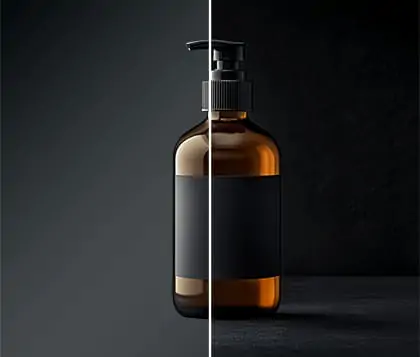
If you are unsure how to add background to photo, explore our vast collection of background templates. Find inspiration with backgrounds in various types and styles that suit your needs. For product images, select minimalistic textured backgrounds to make your item stand out.
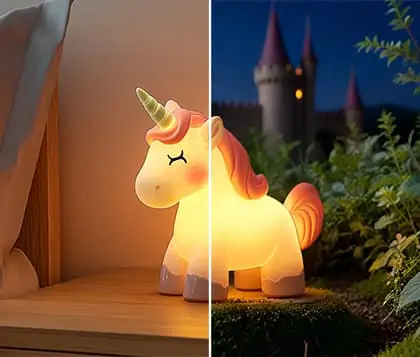
For professional portraits, add professional background to photo to enhance your profile. If you have a unique idea, our AI background generator lets you turn your concepts into custom backgrounds with just a text prompt.

Personalize New Added Background with Creative Tools
Don't settle for ordinary backgrounds when you can add background to photos with complete customization. Start by choosing a solid color background, then use text tools and letter collages to create a unique look for your image. Customize your newly added background with a variety of filters and effects to match your style and vision.
Pokecut's photo background editor gives you the flexibility to design and add AI background to photo, making each creation truly personal. Experiment with photo background customization to make your images stand out online.

Add Part Background to a Photo for Selective Areas
Try adding background effects to only parts of your image using our advanced AI Background Replacer. With Pokecut, you can easily select specific areas of the background to edit by brushing, then add background to your photo with new elements for a unique look.
Upload any image you want to attach it seamlessly into your chosen background region in seconds. The background adder for photos ensures each new element integrates smoothly, making your creative vision a reality.
Add Background to Your Image for Versatile Use Cases


Beautify your holiday memories by adding christmas background to photo. Use our background adder to create festive images for Christmas or Halloween. Share your creative moments on social media with a professional touch.
Frequently Asked Question
Will the background I add to my photo look blurry with Pokecut?
Pokecut uses advanced AI background generator technology to ensure your new background is sharp and high-quality. The photo background adder automatically blends your subject with the newly added background, keeping both crisp. Enjoy clear, professional results for all your images.
What photo formats can I add a new background to with Pokecut?
Pokecut allows you to add background to photo in popular formats like JPG, PNG, BMP, and WebP Use our background editing tool online to customize various image types. Enjoy seamless AI-powered photo editor support for your creative projects.
What if I do not have a suitable image to use as a background?
Pokecut offers an AI background generator to create unique backgrounds from text prompts. Add AI background to photo using our photo background customization feature. Explore a variety of styles and enhance your images easily.
Can I customize the new background before applying it to my photo?
With Pokecut, you can personalize the photo background design before finalizing it. Use filters, effects, and the background enhancement tool to achieve the look you want. Create unique images with the background editing tool online.
Can I try adding background to photo for free with Pokecut?
Yes. We offer a daily free quota. The quota automatically replenishes each day. You can enjoy a free background-adding experience for your photos every day. Simply upload your photo, choose a background, and apply. No extra cost, and no complicated steps.
Explore more free Al tools





 POKECUT




Copyright © 2026 Pokecut All Rights Reserved.