





Mount Rushmore Generator: Create Stone Art Online Free
Turn selfies, pets, or characters into a Mount Rushmore image with Pokecut. Easily apply realistic stone textures and get clear HD results online free.
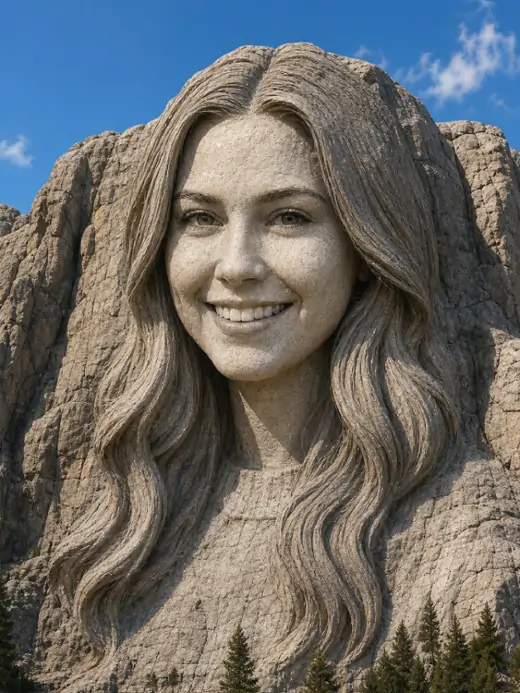
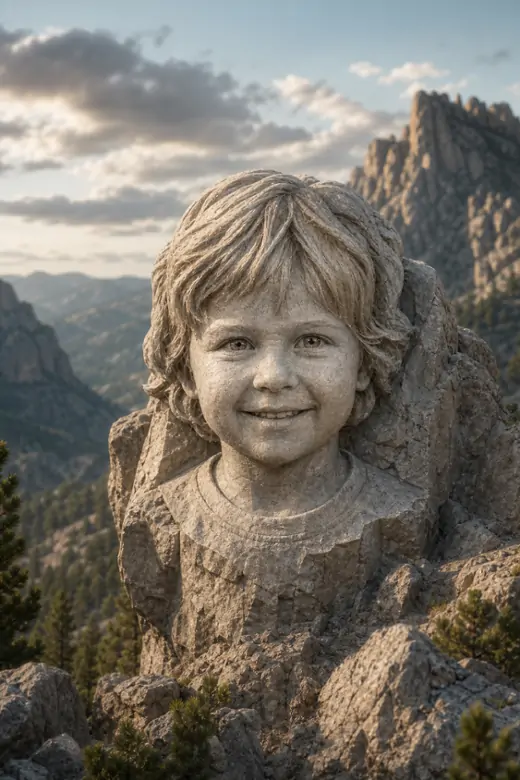
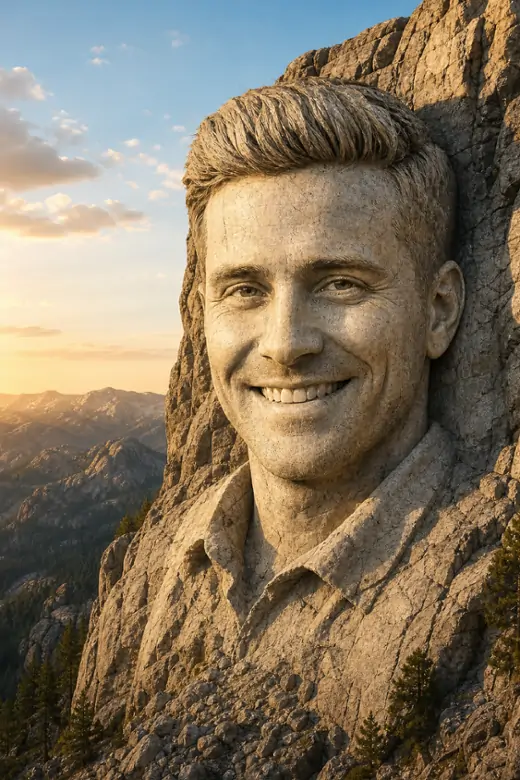
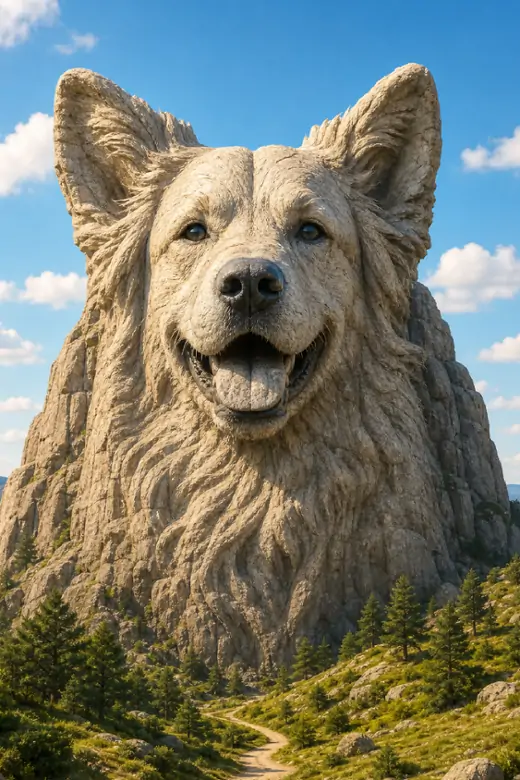
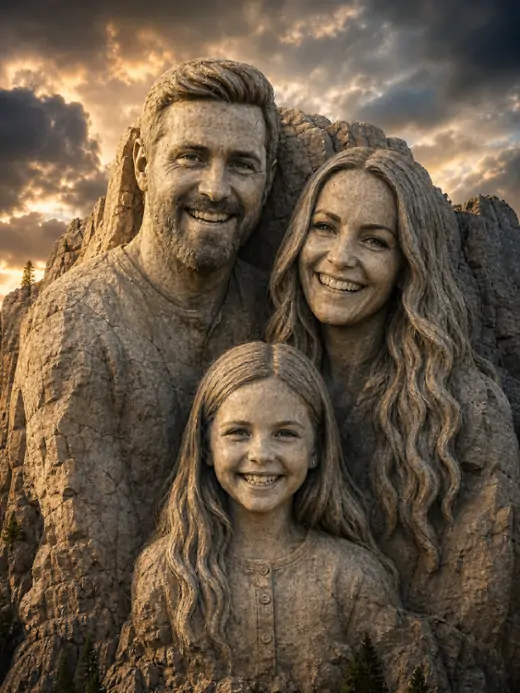
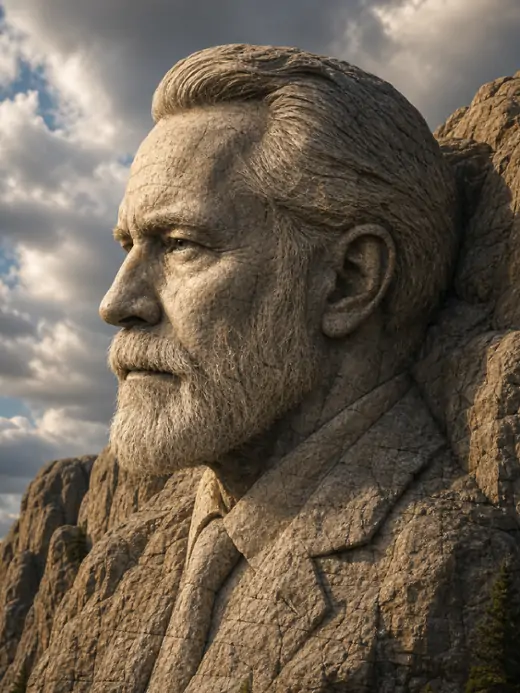
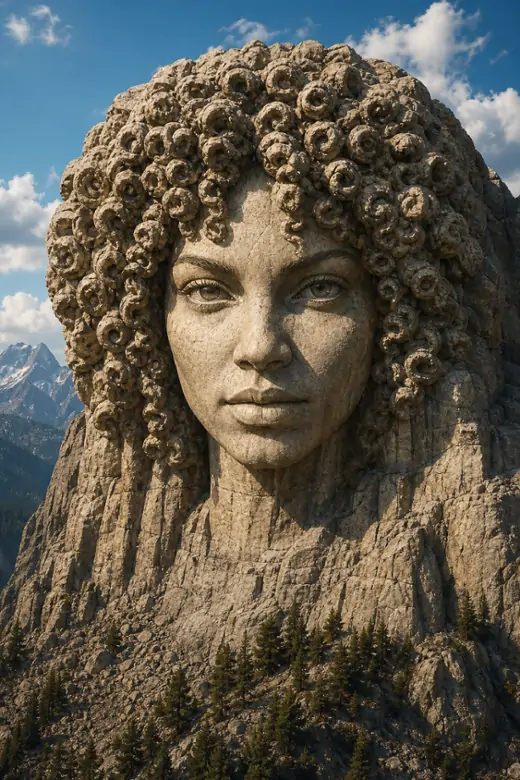
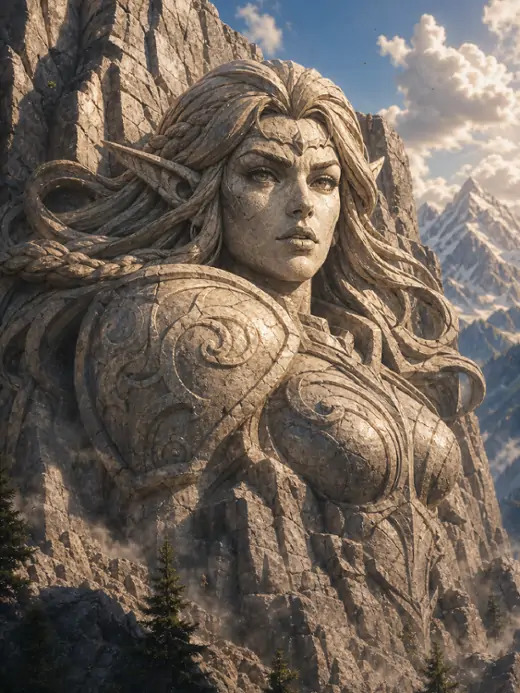


What Are the Mount Rushmore Generator's Core Features?
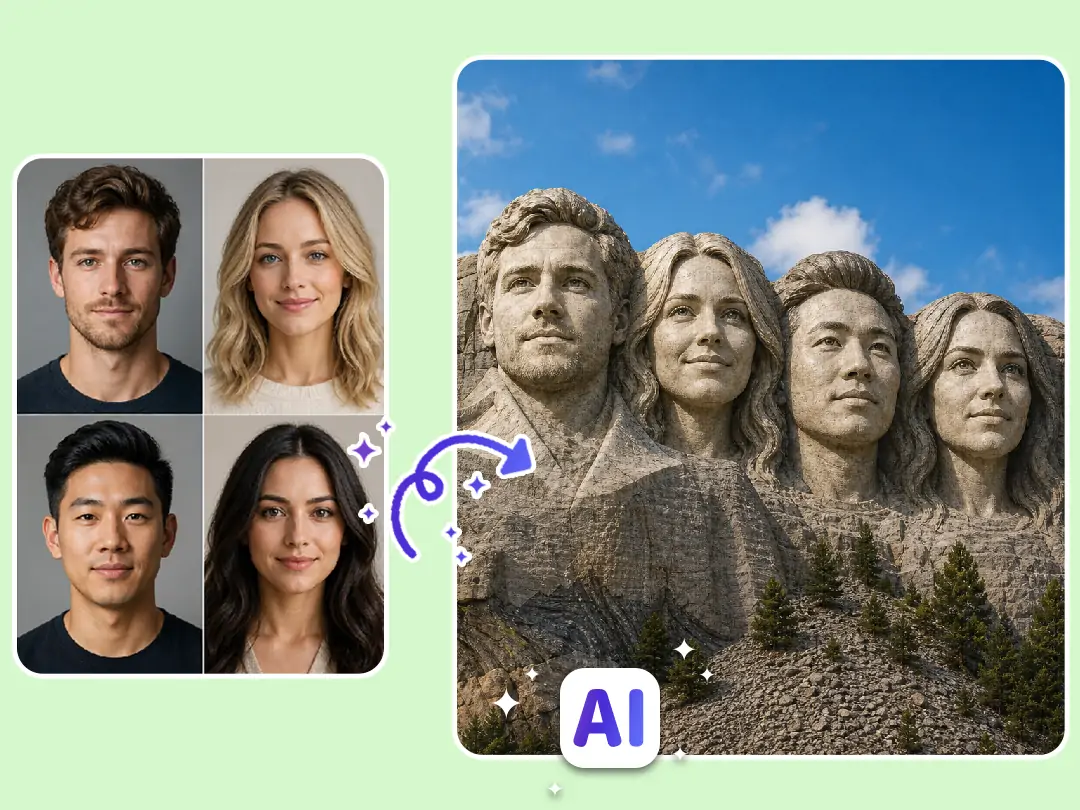
Merge up to 9 Faces Into One Stone Monument
Group edits are effortless when the AI handles the faces for you. Pokecut works as an image to image AI generator that allows you to easily put 4 faces or more on Mount Rushmore. We actually support larger groups with up to 9 uploaded photos. Each face can come from a different image, so nobody has to be in the same shot.
Forget about messy source images. The AI reads each face, removes busy backgrounds, and places the portraits into one carved scene. This Mount Rushmore face generator saves you from tedious manual cropping while keeping your group perfectly recognizable.
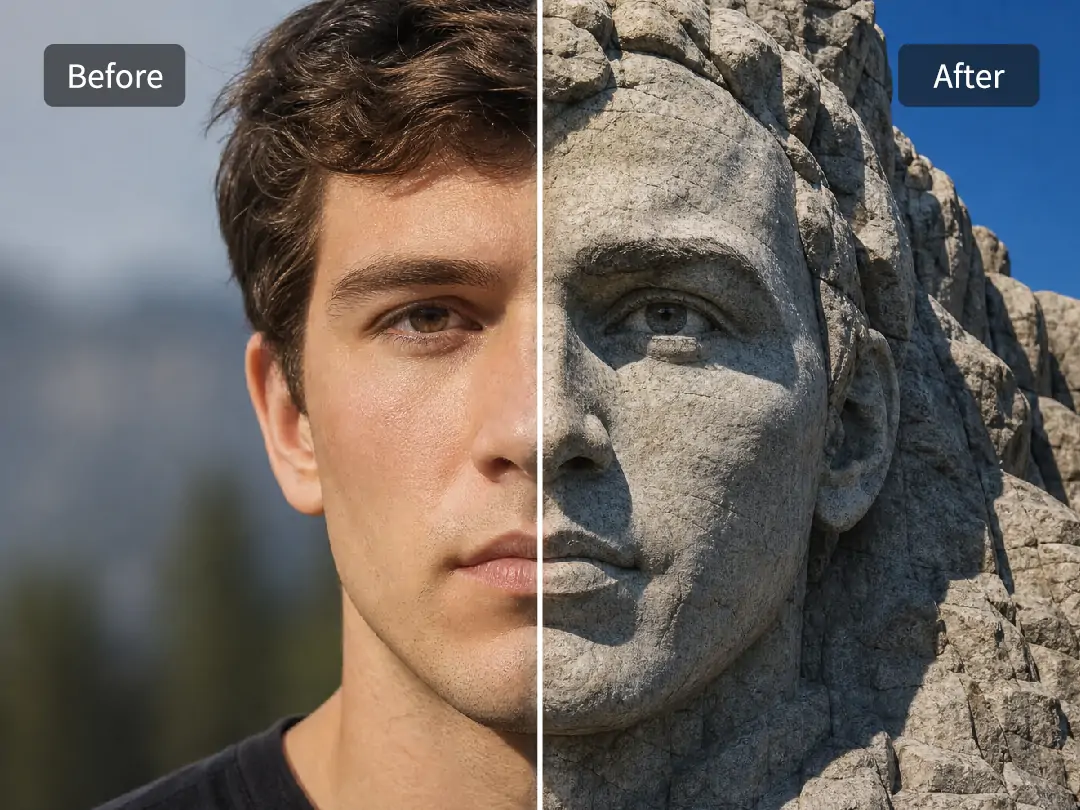
Build Real Stone Texture Without Fake Filters
A believable monument requires more than a cheap gray overlay. Pokecut features a smart Mount Rushmore template to generate authentic textures, sunlight, and shadows, ensuring your face looks genuinely carved into rock instead of just pasted on top. It perfectly preserves the person's unique facial features while delivering that rugged, authentic stone texture.
Zero editing skills required. Our advanced AI Mount Rushmore technology matches the portrait to the statue surface and keeps the lighting consistent. This helps the final image look like a real stone bust rather than a quick phone filter with flat gray color, especially around cheeks, eyes, and rock edges.
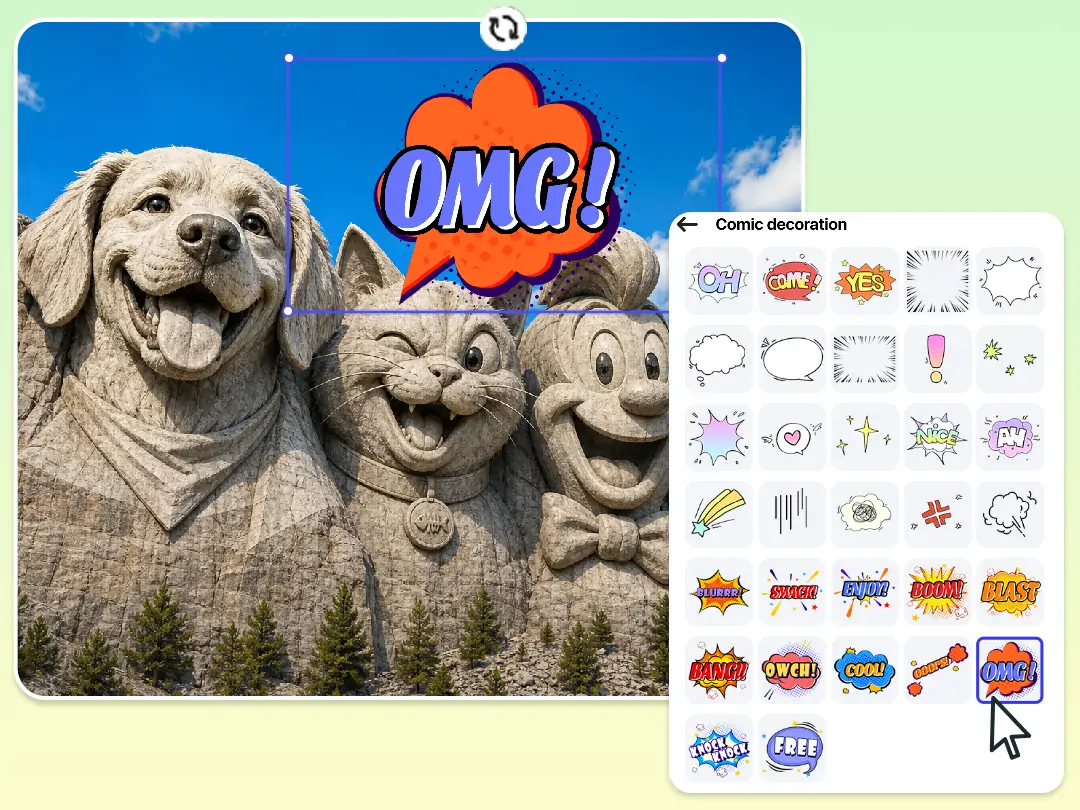
Support for Diverse Subjects to Create Free Memes
Pokecut easily recognizes diverse subjects like pets or character art and turns them into solid stone. You can use this Mount Rushmore generator for free to craft hilarious memes that are practically made for sharing.
The fun doesn't stop once the statue is carved. As your go-to Mount Rushmore meme generator, it lets you take your finished image and directly add meme text to nail the perfect punchline. Keep your entire workflow simple and zero-cost. There is no need to pay for pricey design apps or bounce between different editors just to finish a joke.
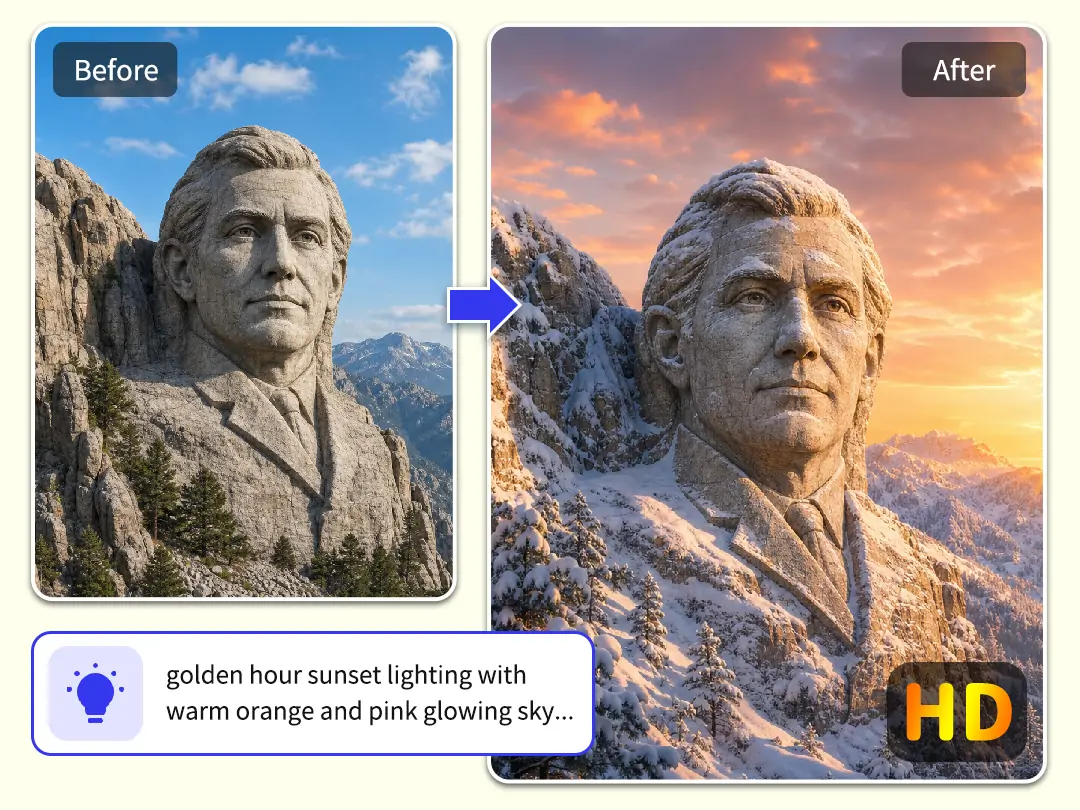
Change the Scene Style and Export in HD
Don't settle for a basic stone look. As a customizable Mount Rushmore editor, Pokecut lets you switch up the vibe through custom prompts or pre-set templates. You can easily make your own Mount Rushmore by adding seasonal snow or adjusting the lighting, transforming portraits into a bold poster masterpiece.
Worried about low-quality images? Before you start, you can enhance photo resolution to ensure the best results. While using this Mount Rushmore AI generator online free, our technology handles the quality for you. This ensures your Mount Rushmore photo generator output stays crystal clear, making it perfect for printing on T-shirts or mugs.
What Can You Do with Pokecut?
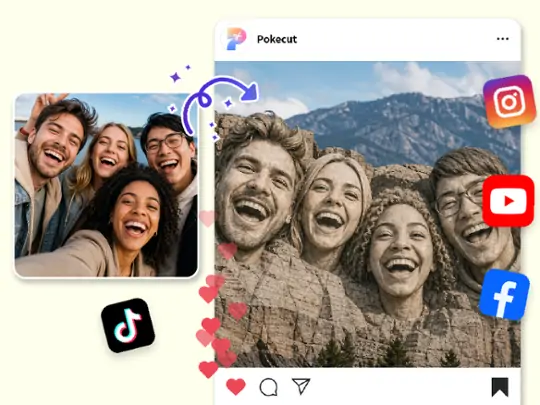
Social Posts that Get Reactions
Turn boring party photos into instant visual jokes with Pokecut. Our platform helps you transform a standard group selfie into hilarious Mount Rushmore meme art within seconds. It is amazing to use this AI tool to watch your friends' faces get carved into realistic granite. As a powerful Mount Rushmore face generator, it makes the final image perfect for dropping into the group chat or racking up likes on social media.
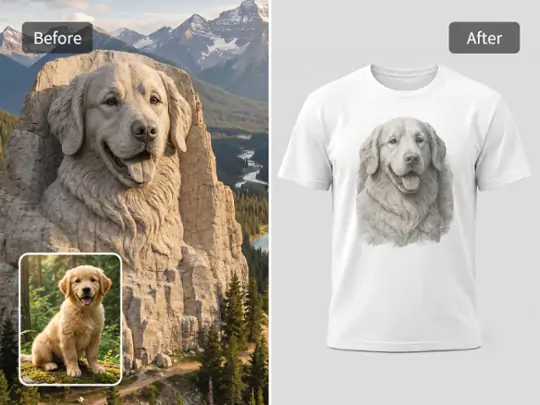
Custom Merch with Stone Portraits
Upgrade your custom merch by leveraging Pokecut's advanced AI Mount Rushmore technology to convert portraits or pets into stunning 3D stone designs. This professional Mount Rushmore photo generator focuses on high-end precision, ensuring every facial detail remains sharp for physical printing. Your final art is perfectly formatted for T-shirts, mugs, and other premium keepsakes.
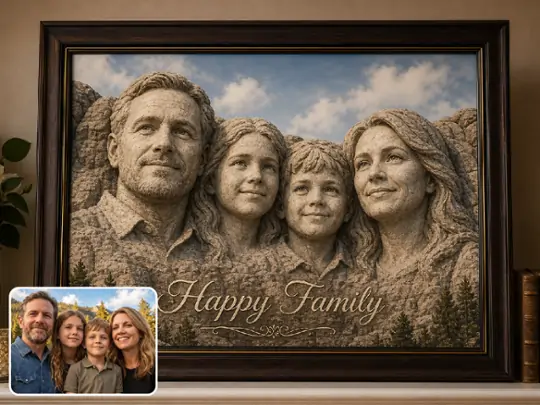
Family Gifts with a Twist
Turn boring family photos into unforgettable monuments with Pokecut. It is easy to make your own Mount Rushmore and then add greeting text for a warm, personal touch. Our Mount Rushmore image generator handles all the complex textures to ensure your project looks professionally crafted. These ultra-clear HD outputs are ideal for designing custom greeting cards or high-quality framed gifts that last a lifetime.
How to Use Pokecut's Mount Rushmore Generator
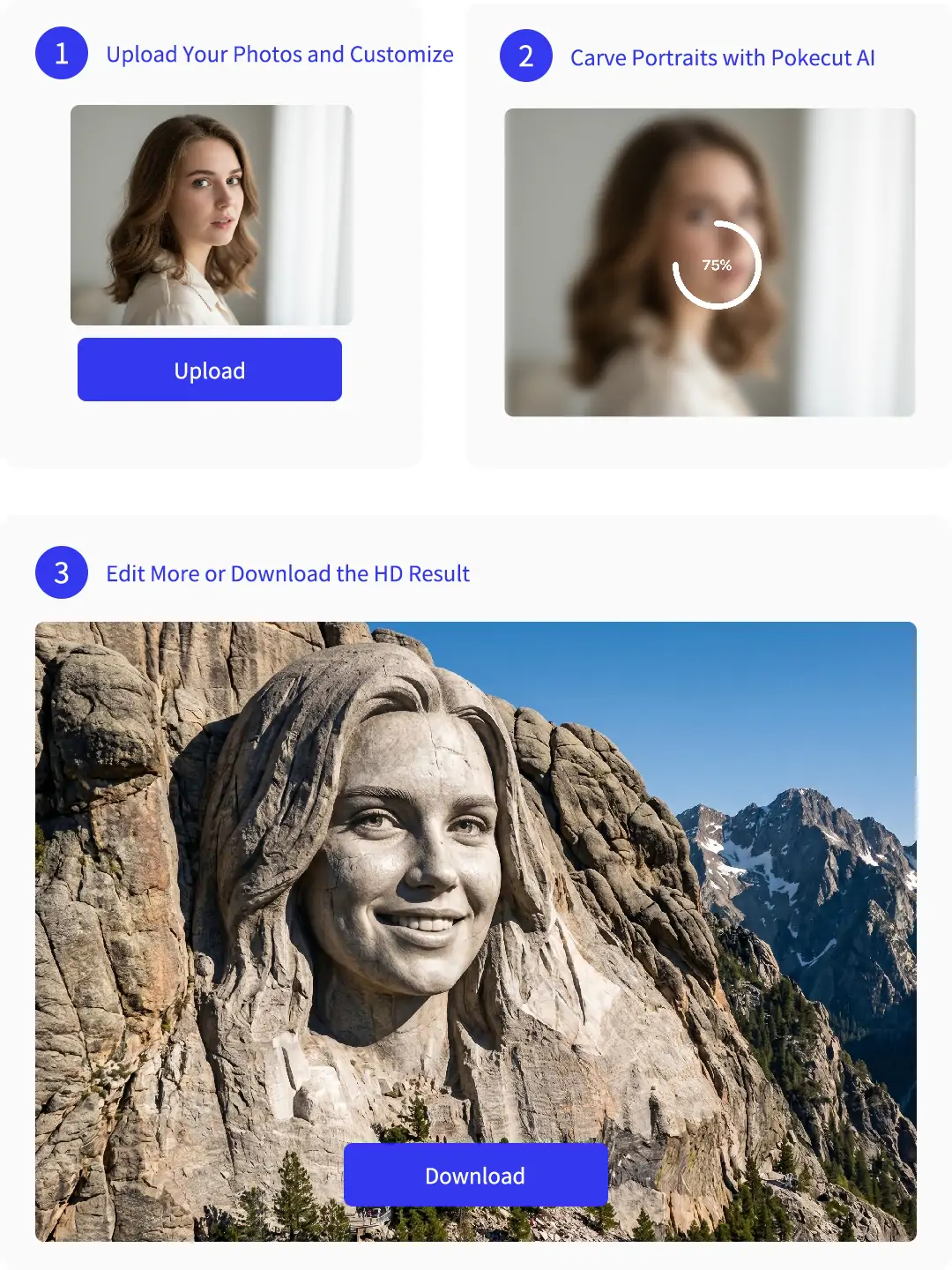
Step 1: Upload Your Photos and Customize
Upload up to 9 images and write a style prompt. Choose a high-fidelity model like Nano Banana Pro. Set your preferred image ratio for the final scene.
Step 2: Carve Portraits with Pokecut AI
Click Generate to start the process. Our AI Mount Rushmore generator blends each face into detailed stone. The AI keeps all facial features clear and perfectly balanced.
Step 3: Edit More or Download the HD Result
Preview your stone portrait and adjust the mood if needed. Download your high-resolution image instantly. Your art is now ready for sharing, cards, or custom merch.
Users Make Shareable Mount Rushmore Images Without Design Stress
People like how Pokecut handles face blending, stone texture, and clear exports without a long editing setup.


Mia R.

"I used Pokecut for a group birthday joke, and the faces actually looked carved into the mountain. It saved me from trying to cut out every head by hand."
Jordan K.
"The stone texture looked much better than the filter app I tried first. I only changed the prompt once, then downloaded a clean image for our group chat."
Nina S.
"I made a Mount Rushmore meme with my dog and two cats. The result was funny, but the faces still stayed recognizable, which mattered most."
Chris W.
"I needed a quick design for a mug mockup. Pokecut gave me a sharp stone portrait that looked good enough to test with my print shop."
Ella P.
"The best part was changing the style with plain words. I added a snowy mountain look, and the final image felt much more personal."
Ryan T.
"I am not good with photo editors, but this was simple. Upload, prompt, generate, then I could keep editing the image inside Pokecut."
Mia R.
"I used Pokecut for a group birthday joke, and the faces actually looked carved into the mountain. It saved me from trying to cut out every head by hand."
Jordan K.
"The stone texture looked much better than the filter app I tried first. I only changed the prompt once, then downloaded a clean image for our group chat."
Nina S.
"I made a Mount Rushmore meme with my dog and two cats. The result was funny, but the faces still stayed recognizable, which mattered most."
Chris W.
"I needed a quick design for a mug mockup. Pokecut gave me a sharp stone portrait that looked good enough to test with my print shop."
Ella P.
"The best part was changing the style with plain words. I added a snowy mountain look, and the final image felt much more personal."
Ryan T.
"I am not good with photo editors, but this was simple. Upload, prompt, generate, then I could keep editing the image inside Pokecut."
Mia R.
"I used Pokecut for a group birthday joke, and the faces actually looked carved into the mountain. It saved me from trying to cut out every head by hand."
Jordan K.
"The stone texture looked much better than the filter app I tried first. I only changed the prompt once, then downloaded a clean image for our group chat."
Nina S.
"I made a Mount Rushmore meme with my dog and two cats. The result was funny, but the faces still stayed recognizable, which mattered most."
Chris W.
"I needed a quick design for a mug mockup. Pokecut gave me a sharp stone portrait that looked good enough to test with my print shop."
Ella P.
"The best part was changing the style with plain words. I added a snowy mountain look, and the final image felt much more personal."
Ryan T.
"I am not good with photo editors, but this was simple. Upload, prompt, generate, then I could keep editing the image inside Pokecut."
Mia R.
"I used Pokecut for a group birthday joke, and the faces actually looked carved into the mountain. It saved me from trying to cut out every head by hand."
Jordan K.
"The stone texture looked much better than the filter app I tried first. I only changed the prompt once, then downloaded a clean image for our group chat."
Nina S.
"I made a Mount Rushmore meme with my dog and two cats. The result was funny, but the faces still stayed recognizable, which mattered most."
Chris W.
"I needed a quick design for a mug mockup. Pokecut gave me a sharp stone portrait that looked good enough to test with my print shop."
Ella P.
"The best part was changing the style with plain words. I added a snowy mountain look, and the final image felt much more personal."
Ryan T.
"I am not good with photo editors, but this was simple. Upload, prompt, generate, then I could keep editing the image inside Pokecut."
Mia R.
"I used Pokecut for a group birthday joke, and the faces actually looked carved into the mountain. It saved me from trying to cut out every head by hand."
Jordan K.
"The stone texture looked much better than the filter app I tried first. I only changed the prompt once, then downloaded a clean image for our group chat."
Nina S.
"I made a Mount Rushmore meme with my dog and two cats. The result was funny, but the faces still stayed recognizable, which mattered most."
Chris W.
"I needed a quick design for a mug mockup. Pokecut gave me a sharp stone portrait that looked good enough to test with my print shop."
Ella P.
"The best part was changing the style with plain words. I added a snowy mountain look, and the final image felt much more personal."
Ryan T.
"I am not good with photo editors, but this was simple. Upload, prompt, generate, then I could keep editing the image inside Pokecut."
Chris W.
"I needed a quick design for a mug mockup. Pokecut gave me a sharp stone portrait that looked good enough to test with my print shop."
Ella P.
"The best part was changing the style with plain words. I added a snowy mountain look, and the final image felt much more personal."
Ryan T.
"I am not good with photo editors, but this was simple. Upload, prompt, generate, then I could keep editing the image inside Pokecut."
Mia R.
"I used Pokecut for a group birthday joke, and the faces actually looked carved into the mountain. It saved me from trying to cut out every head by hand."
Jordan K.
"The stone texture looked much better than the filter app I tried first. I only changed the prompt once, then downloaded a clean image for our group chat."
Nina S.
"I made a Mount Rushmore meme with my dog and two cats. The result was funny, but the faces still stayed recognizable, which mattered most."
Chris W.
"I needed a quick design for a mug mockup. Pokecut gave me a sharp stone portrait that looked good enough to test with my print shop."
Ella P.
"The best part was changing the style with plain words. I added a snowy mountain look, and the final image felt much more personal."
Ryan T.
"I am not good with photo editors, but this was simple. Upload, prompt, generate, then I could keep editing the image inside Pokecut."
Mia R.
"I used Pokecut for a group birthday joke, and the faces actually looked carved into the mountain. It saved me from trying to cut out every head by hand."
Jordan K.
"The stone texture looked much better than the filter app I tried first. I only changed the prompt once, then downloaded a clean image for our group chat."
Nina S.
"I made a Mount Rushmore meme with my dog and two cats. The result was funny, but the faces still stayed recognizable, which mattered most."
Chris W.
"I needed a quick design for a mug mockup. Pokecut gave me a sharp stone portrait that looked good enough to test with my print shop."
Ella P.
"The best part was changing the style with plain words. I added a snowy mountain look, and the final image felt much more personal."
Ryan T.
"I am not good with photo editors, but this was simple. Upload, prompt, generate, then I could keep editing the image inside Pokecut."
Mia R.
"I used Pokecut for a group birthday joke, and the faces actually looked carved into the mountain. It saved me from trying to cut out every head by hand."
Jordan K.
"The stone texture looked much better than the filter app I tried first. I only changed the prompt once, then downloaded a clean image for our group chat."
Nina S.
"I made a Mount Rushmore meme with my dog and two cats. The result was funny, but the faces still stayed recognizable, which mattered most."
Chris W.
"I needed a quick design for a mug mockup. Pokecut gave me a sharp stone portrait that looked good enough to test with my print shop."
Ella P.
"The best part was changing the style with plain words. I added a snowy mountain look, and the final image felt much more personal."
Ryan T.
"I am not good with photo editors, but this was simple. Upload, prompt, generate, then I could keep editing the image inside Pokecut."
Mia R.
"I used Pokecut for a group birthday joke, and the faces actually looked carved into the mountain. It saved me from trying to cut out every head by hand."
Jordan K.
"The stone texture looked much better than the filter app I tried first. I only changed the prompt once, then downloaded a clean image for our group chat."
Nina S.
"I made a Mount Rushmore meme with my dog and two cats. The result was funny, but the faces still stayed recognizable, which mattered most."
Chris W.
"I needed a quick design for a mug mockup. Pokecut gave me a sharp stone portrait that looked good enough to test with my print shop."
Ella P.
"The best part was changing the style with plain words. I added a snowy mountain look, and the final image felt much more personal."
Ryan T.
"I am not good with photo editors, but this was simple. Upload, prompt, generate, then I could keep editing the image inside Pokecut."
Mia R.
"I used Pokecut for a group birthday joke, and the faces actually looked carved into the mountain. It saved me from trying to cut out every head by hand."
Jordan K.
"The stone texture looked much better than the filter app I tried first. I only changed the prompt once, then downloaded a clean image for our group chat."
Nina S.
"I made a Mount Rushmore meme with my dog and two cats. The result was funny, but the faces still stayed recognizable, which mattered most."
Reviews from: Reddit, Product Hunt, G2, TrustRadius, Google Play, App Store, and more.
FAQs About Making Mount Rushmore Images
Can I make a Mount Rushmore image with my own faces?
Absolutely. Pokecut lets you easily upload your photos and turn them into a carved monument scene. The Mount Rushmore generator keeps every face perfectly recognizable while adding realistic stone textures, depth, and natural lighting.
Does Pokecut support more than four faces in one image?
Yes. Pokecut supports up to 9 uploaded images for larger group edits. A prompt can still guide the layout, so the final monument feels planned instead of crowded or randomly pasted together in one frame.
Can I download a high-resolution Rushmore image for printing?
Yes. Pokecut produces crystal-clear exports ready for social posts or physical prints. This Mount Rushmore photo generator even automatically enhances low-quality, blurry source images, ensuring your details look razor-sharp on T-shirts, mugs, or close-up views.
Is the Mount Rushmore AI generator free to try online?
Yes. You can try it for free to preview your creations. To unlock unlimited usage, high-resolution exports, and the full suite of creative tools, we recommend our Pro plans. It’s the best way to get the most out of your designs.
Can I edit on my mobile phone?
Yes. As a browser-based Mount Rushmore AI generator online for free, Pokecut works perfectly on both desktop and mobile. You can create your stone masterpiece on the go without downloading any heavy apps.
Pokecut's Mount Rushmore Generator Trusted by Creators

1M+ Users Worldwide
Pokecut generates over 500,000 images every day

#2 on Product Hunt
Pokecut was voted #2 Product of the Day on launch

Professional Privacy Protection
Ensure 100% data privacy for every photo

Trusted by Well-Known Brands
Apple, Google, PayPal, Stripe, Product Hunt, G2, TrustRadius






