Free AI Age Filter: Transform Your Look in Seconds
Discover the potential of the AI age filter to transform your photos. Visualize age progression with precision and effortlessly explore various age scenarios.


How to Use Pokecut's Age Filter for Stunning Photo Transformations
Step 1: Upload Your Image
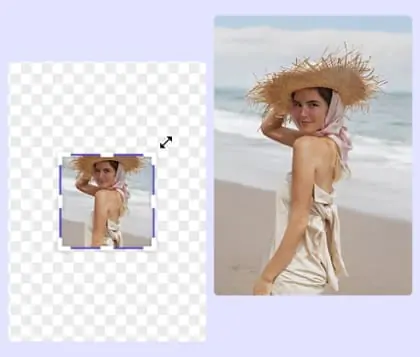
Select the 'Upload' button to add your portrait photo. You can choose from JPG, JPEG, PNG, BMP, or WebP formats. Make sure your image is clear for best results.
Step 2: Enter Desired Age Details
Specify the exact age you wish to see, like turning the person in the image into a 20-year-old. Customize further by selecting AI-generated models and adjusting image size.
Step 3: Download Your Transformed Photo
Once your photo is transformed to your liking, click the 'Download' button to save the edited image to your device. Enjoy your new look instantly.


Explore Age Filters to See Your Past and Future Self
With Pokecut's advanced aging filters, you can effortlessly see how this image-to-image tool transforms your photo into a different age version. Upload an image and let the age filter reveal a realistic transformation of both your past and future looks, providing an engaging visual experience.
Pokecut uses cutting-edge AI age progression technology to ensure each image looks natural and lifelike. Whether you are curious about how you looked years ago or want to glimpse into the future, Pokecut's AI-driven tools offer a seamless way to explore these possibilities.

Discover Aging Filter for Custom Age Exploration
With Pokecut's age progressor, you are not limited to set options. You can freely input any life stage you desire. Choose to visualize yourself in infancy, youth, middle age, or any specific age to precisely explore how you or your friends might look at different points in life, satisfying your curiosity about any moment in time.
Pokecut allows you to delve into these possibilities with accuracy and ease. This tool is designed to give you a seamless experience, providing both realism and flexibility in age simulation. Experience the potential of Pokecut's age filter to transform your images in unique and personalized ways.

Utilize Gender-Sensitive AI for Unique Ageing Effects
Pokecut AI can recognize gender to simulate differentiated aging processes. Whether you want to showcase the distinguished aging of male features or rejuvenate the soft lines of female youth, this system intelligently adapts to physiological traits. It ensures the most natural and believable age transformation using Pokecut's advanced old filter.
With Pokecut, experience the unique ability to reverse age and present youthful appearances with precision. Pokecut's tools offer a seamless way to explore gender-specific age changes, making each transformation realistic and personalized.

Experience Aging Together with Family Using Age Filter
Using a single family photo, Pokecut allows you to visualize how you and your loved ones might age or return to childhood. This unique experience enhances your appreciation for the present and helps create lasting memories.
Pokecut's age simulator offers a distinctive way to age a picture as a family. This advanced age progressor simplify exploring these transformations, bringing you closer to those you cherish by imagining both future and past scenarios together.
What Else Can You Do with Pokecut's Age Filter?

Join the Social Media Challenge
Don't miss out on the trending 'age challenge' wave. Instantly create stunning or funny age transformations and join social media buzz. Gain likes and comments, becoming the highlight among friends.

Prank Your Friends
Sneakily upload your friend's photo and generate a baby image or an aged meme. Share it in group chats to ignite laughter, creating unforgettable and joyous memories.

Create Anonymous Avatars
Concerned about revealing your identity in forums or games? Utilize AI-generated older or younger avatars to maintain anonymity. This approach effectively conceals your true appearance and protects your privacy while allowing you to showcase your unique personality. With Pokecut's aging generator, you can easily create an age photo online or explore face aging online for a personalized avatar.

Explore More Features of Pokecut
FAQs
How accurate are the age transformations using Pokecut's age filters?
Pokecut uses advanced AI technology to ensure realistic age transformations. While results are impressive, they are artistic representations and may not perfectly predict exact future appearances.
Can I use Pokecut to age a photo of multiple people?
Yes, Pokecut can process photos with multiple people. Each face will be individually transformed using age filters, providing a unique age progression for every person.
Does Pokecut support high-resolution image processing?
Pokecut effectively processes high-resolution images. Pokecut's AI-driven aging filters maintain image quality, providing clear and detailed transformations for enhanced visual results.
Is Pokecut capable of reversing an aged photo back to youth?
Pokecut can simulate both aging and rejuvenation. By applying this advanced AI age progression technology, you can see how a person might appear at a younger age.
Can I use Pokecut to age simulate historical figures?
Yes, with Pokecut, you can use an age filter online to apply transformations to various images, including historical figures. This AI age generator provides a creative way to visualize how these figures might age or appear in different eras. Explore the possibilities with Pokecut's aging filters online to bring history to life.