





Unlock Pokecut VIP for just
24
:
00
:
00

Home > Face Editor > Remove Double Chin from Photo Online for Free
AI Double Chin Remover Online for Free
Get a sharp jawline in seconds with Pokecut's AI double chin removal tool. Whether you're retouching selfies or portraits, this chin shaper naturally defines your face and eliminates a double chin without over-editing.

Upload Image
or drop a file here
CTRL+V to paste image or URL
Supported formats: JPEG, JPG, PNG, WebP, BMP


No image? Try one of these




By uploading an image or URL you agree to our Terms of Use and Privacy Policy
What Makes This AI Double Chin Remover Stand Out?
Auto AI Double Chin Removal in One Click
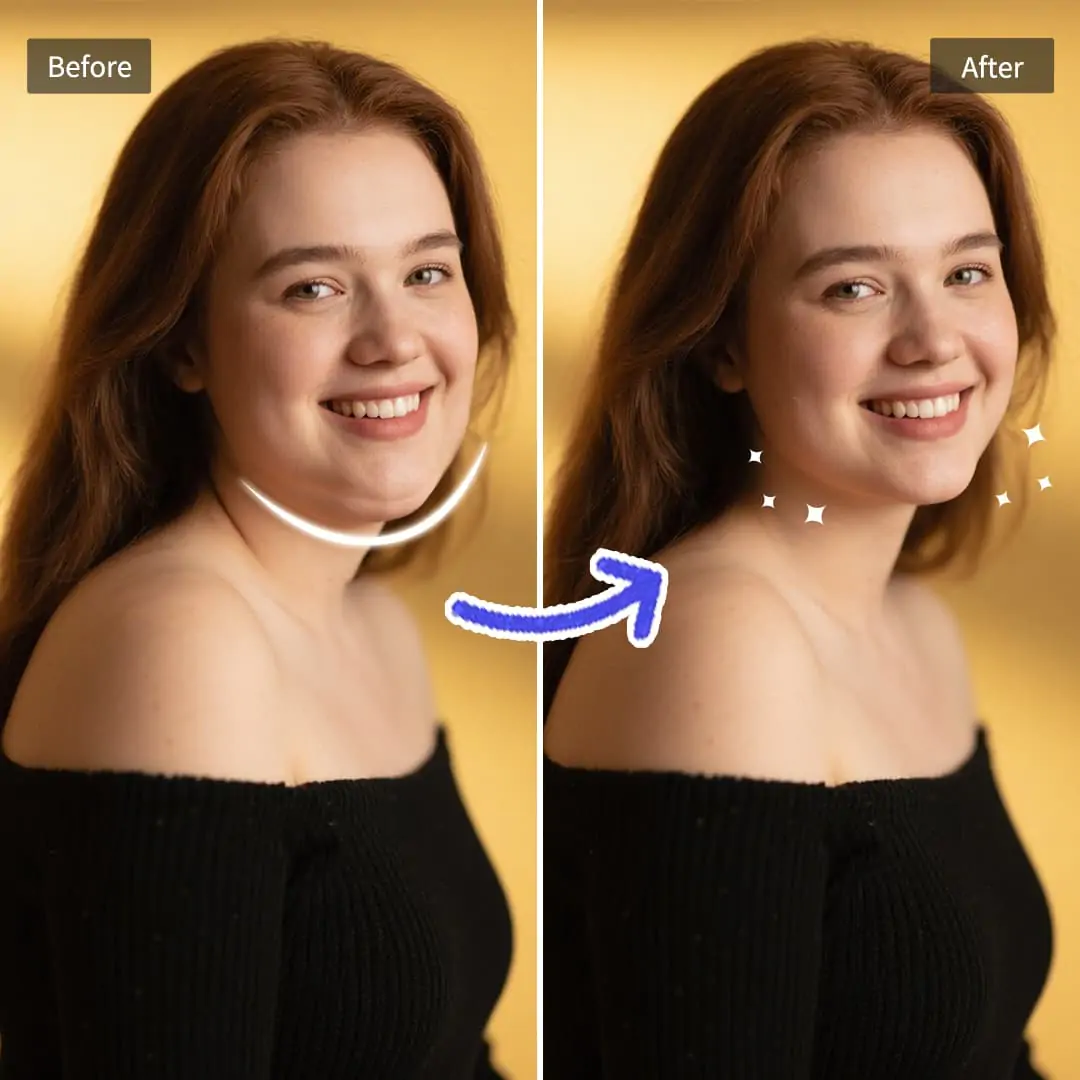
Remove double chins online for free easily without any Photoshop skills. Pokecut's face editor uses AI to accurately recognize your jawline. It easily tells the difference between your chin, neck, and clothes, gently smoothing out the extra skin without any manual selection.
Just upload your photo, and the AI does the rest. The results look completely natural, no warped backgrounds and no loss in original image quality. Whether you need to fix a quick selfie or clean up a professional headshot, this AI chin shaper helps you achieve a refined, confident look instantly.

Keep Natural Face Shape After Removing Double Chin
Pokecut's AI double chin remover does more than just erase extra fat. Powered by advanced face retouching technology, it carefully rebuilds the light and shadows along your new jawline. The edited area blends flawlessly with your natural skin tone, leaving no awkward patches, harsh lines, or color differences.
Instead of giving everyone the same fake, cookie-cutter chin, the AI follows your original jaw shape to keep things natural. It only fixes the double chin area. Your eyes, eyebrows, and natural expressions stay exactly the same. Get a cleaner jawline without the obvious "edited" look with this jawline editor.
Remove Double Chins Without Distorting Backgrounds
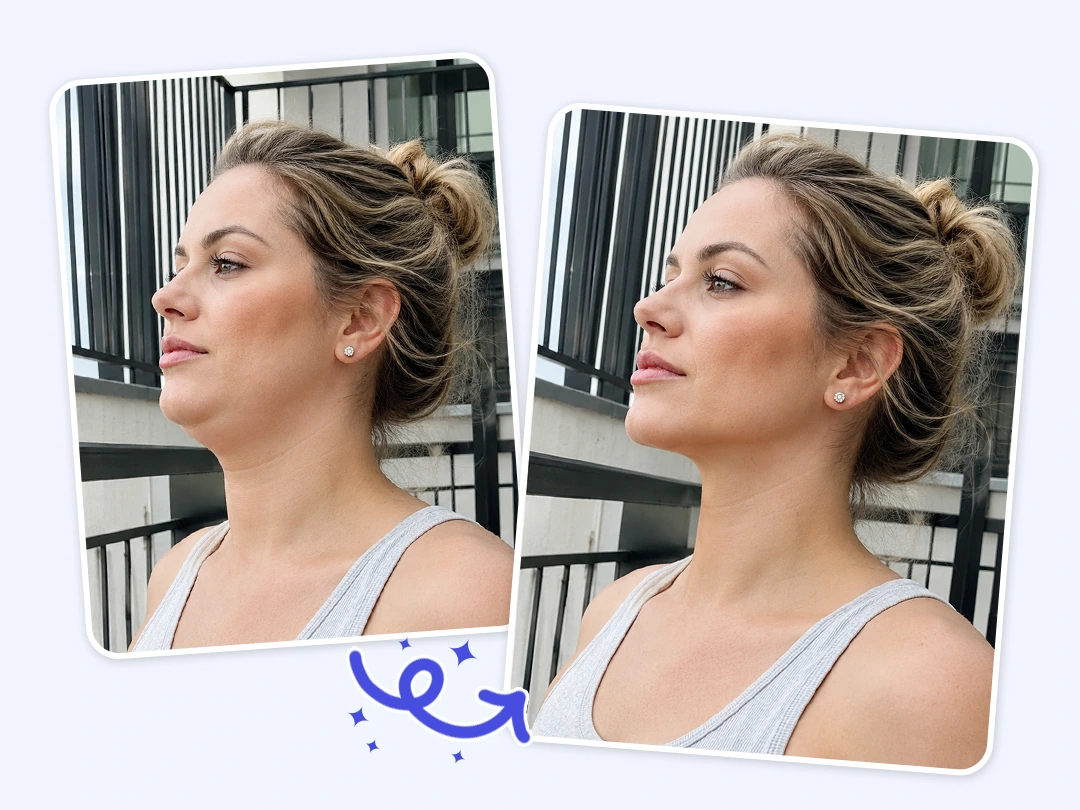
Erase your double chin without ruining the photo background. Pokecut's photo double chin remover targets facial fat and keeps your surroundings completely untouched. Your photos stay natural with zero editing traces.
Straight lines, grids, and complex backgrounds behind your portrait stay exactly the same. Traditional liquify tools often warp the space around your face. Pokecut prevents this background distortion entirely. You do not need complex Photoshop skills. Just upload your photo and let this jawline fixer deliver a professional result instantly.
Fix Double Chins From Any Camera Angle
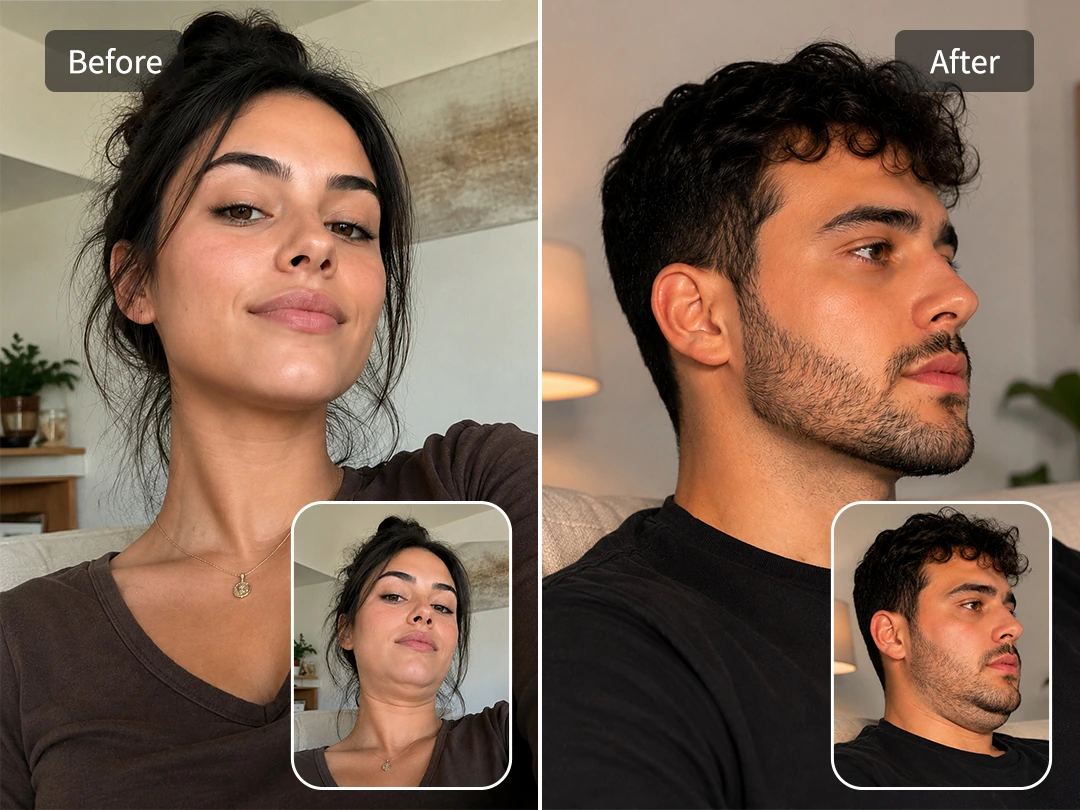
Get rid of double chins perfectly from any camera angle. Sometimes a double chin is not about weight. Awkward selfie angles or looking down can easily create extra skin under your face. Pokecut easily fixes these camera distortions across all portrait types.
Our AI analyzes your specific facial pose to adjust your jawline naturally. It understands the actual angle of your photo to make precise edits. Try this tool to remove those unwanted shadows and restore your true facial shape. You get to look your best in every single selfie.
Why Choose Pokecut to Remove Double Chin from Photo?
Enjoy free online access, real-time previews, absolute privacy, and lossless exports for perfect portraits instantly.
Free Online Double Chin Eraser
Erase your double chin online for free. You do not need expensive software or subscriptions. Upload your selfie and fix your jawline instantly at zero cost.

Instant Jawline Edit Previews
Compare your new jawline with the original face instantly. You can easily watch the double chin disappear. Adjust the effect to get a natural chin shape.

100% Private Face Retouching
Your unedited selfies stay totally private. We delete your double chin photos from our servers quickly. Nobody will ever see your original awkward portraits.

Export Sharp Portrait Photos
Save your refined face in high resolution. Our AI removes the neck fat and keeps your skin details sharp. You get a clear portrait ready for social networks.
What Kinds of Photos Does Pokecut's Double Chin Remover Support?


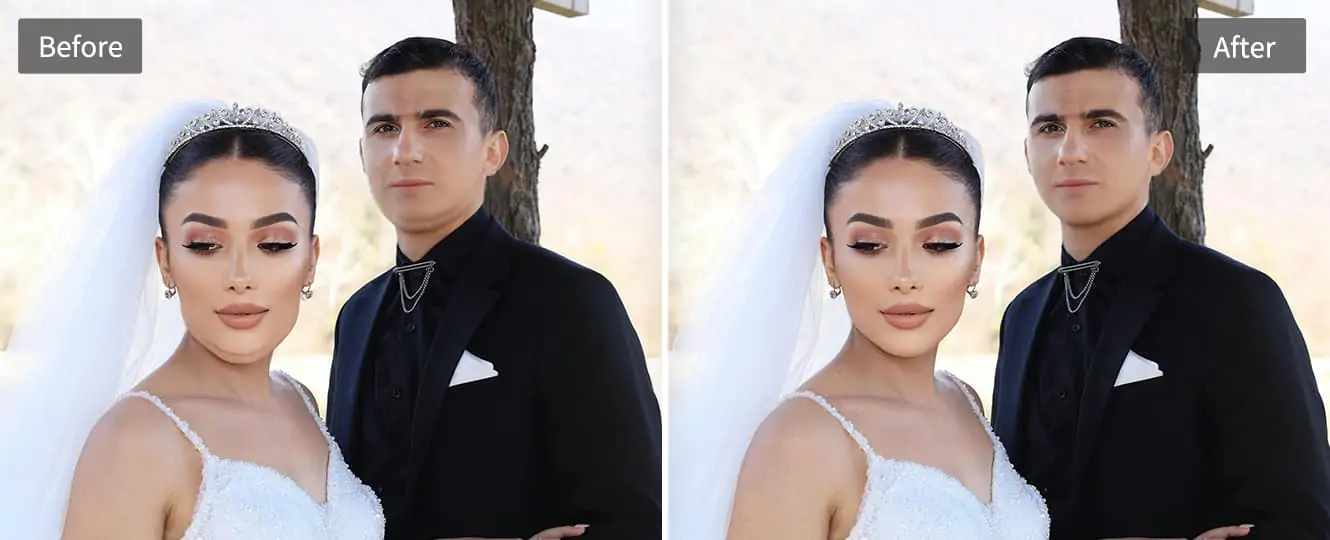


Promoting skincare or facial care products demands flawless visuals. Use Pokecut's double chin remover photo editor online to enhance jawlines and contour definition. Whether you're working on social media or e-commerce, removing the double chin from photos ensures focus stays on the product and confidence.
Pokecut vs. Other Double Chin Removers: Which is Best for You?
Finding the right tool to enhance your jawline depends on your time, budget, and skills. Check out how Pokecut compares to traditional apps and professional software in delivering a natural, flawless look.
❌ Requires stable internet
❌ Easy to distort backgrounds
❌ Steep learning curve, highly expensive
How to Remove Double Chin in Photo with Pokecut
Step 1: Upload Your Photo
Click the "Upload" button to upload your photo in JPG, PNG, WebP, or BMP format. Start using our free online photo double chin remover without installing any software.
Step 2: Wait for AI Auto-Removal
Let the AI handle the double chin removal automatically. It smartly reshapes your jawline and keeps natural skin textures for a flawless look.
Step 3: Download Your Photo Without a Double Chin
Preview the result from this double chin photo editor. Easily tweak other facial areas, then download your high-quality, watermark-free image.

What Users Say About Pokecut's Double Chin Remover
Users praise our double chin eraser for its speed and natural results. Effortlessly fix portraits for social media or professional needs without any weird warping.

Sarah M.

"I felt so insecure about my jawline in this group selfie. I tried other tools but they warped the background. Pokecut fixed it instantly. So relieved!"
David L.
"I needed a quick fix for my LinkedIn headshot. The bad lighting gave me a terrible double chin. One click here and I look sharp and professional now."
Emily R.
"I almost cried when I saw my candid wedding photos due to my chin. This AI saved them! The skin texture still looks totally real. I am beyond grateful."
Jason K.
"The jawline correction is genuinely flawless. The result looks totally natural. It took a few extra seconds to process my huge 4K file, but worth the wait."
Amanda T.
"As a photographer, fixing jawlines manually takes forever. This online tool is a lifesaver for rushing client previews. I saw zero distortion on walls!"
Chris B.
"I felt hesitant to upload my picture, but the privacy note helped. It removed the extra chin fat perfectly for my dating profile. I feel confident now."

Reviews from: Reddit, Product Hunt, G2, TrustRadius, Google Play, App Store, and more.
FAQs About Pokecut's Double Chin Removal Tool
Is Pokecut's double chin remover tool free to use?
Yes! You can remove double chin from photo online free with Pokecut. Just access our tool, upload your photo, and start editing instantly for free.
Does this double chin photo editor warp the background lines?
Our smart AI understands facial structures perfectly. It only targets the jaw area. Your background stays completely straight. You will never see twisted walls or weird lines behind your neck.
Is it possible to use Pokecut's double chin eraser on mobile?
Definitely. Pokecut works smoothly on both mobile browsers and desktops, so you can remove double chin anytime, anywhere.
Are my pictures safe when I remove double chin in photo here?
Your privacy remains our main priority. We process all uploaded pictures securely. The system deletes your files right after the edit. Nobody else will ever see your personal portraits here.
Can I edit other face parts besides the double chin remover?
Yes, this tool is a complete face editor. You can easily smooth wrinkles and remove skin blemishes. The AI also brightens your teeth effortlessly. You get a perfect full portrait in just one click.
Can I quickly fix double chin in photo with multiple people?
Yes, the tool works perfectly on group pictures. The AI scans the whole image and detects all faces automatically. It optimizes every single jawline at the same time. Everyone looks great instantly.
Pokecut's Jawline Editor Trusted by Professionals and Users

1M+ Users Worldwide
Pokecut generates over 500,000 images every day


Professional Privacy Protection
Ensure 100% data privacy for every photo

Trusted by Well-Known Brands
Apple, Google, PayPal, Stripe, Product Hunt, G2, TrustRadius
 POKECUT




Copyright © 2026 Pokecut All Rights Reserved.