












Unlock Pokecut VIP for just $1

Home > AI Replace > Open Eyes in Photo Online Free: Fix Closed Eyes with AI Easily
Open Eyes in Photo Online Free: Fix Closed Eyes with AI Instantly
Open eyes in photo online free to restore your portraits. Instantly fix closed eyes in any picture with AI eye opener, ideal for group shots or memorable moments.


Upload Image
CTRL+V to paste image or URL
Supported formats: JPEG, JPG, PNG, WebP, BMP


No image? Try one of these
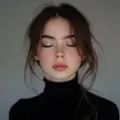

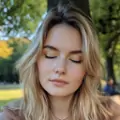
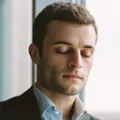
By uploading an image or URL you agree to our Terms of Use and Privacy Policy
How to Open Eyes in Photo Online Free Using Pokecut
Step 1: Upload Your Closed Eyes Photo
Click the Upload button to select your photo with closed eyes. Start fixing closed eyes easily with Pokecut’s AI open eyes tool.
Step 2: Paint Over Eyes & Add Prompt
Use the brush to highlight the closed-eye areas, then type a short prompt like "open eyes naturally." Hit Generate botton and let Pokecut's AI open eyes in your photo with realistic details.
Step 3: Download Your Open Eyes Photo
Preview the open eyes photo instantly. If you're satisfied with the result, click the Download button. Save your enhanced image for free with no watermark.


Open Eyes in Photo Online Free with AI Magic
Have you ever missed the perfect group shot because someone had their eyes closed? With Pokecut's open eyes AI, you don't need to take another photo. Just upload your photo, highlight the eye area and enter the "open eyes" prompt. The powerful AI eye opener instantly open closed eyes in photos online with a natural result.
Download your enhanced photos for free without watermarks. Explore more creative possibilities for your images with our AI replace tool. Pokecut makes it easy to fix closed eyes in photo and restore those precious memories.

Open Closed Eyes in Photos Instantly Without Editing Skills
Is it hard to fix closed eyes and make them look natural in photoshop? With Pokecut's AI eye opener, it's easy to open closed eyes in photos online free. Just paint the eyes, enter a prompt, and click generate. Get perfect open eyes photo in seconds. There is no need for editing skills like Photoshop or other software.
Even beginners can achieve professional results quickly. For more personalized enhancements, try our AI photo enhancer to further elevate your portraits. Pokecut's open eyes photo editor online is easy for everyone to use.

Fix Closed Eyes in Photo Preciesly for Group Shot or Selfie
Took a perfect group shot but someone blinked? No worries, Pokecut's open eyes AI can fix closed eyes instantly. Our open eyes photo editor online naturally restores your real gaze and facial details, making every selfie or portrait look bright, natural, and ready to share.
From friends' gatherings to solo portraits, Pokecut's AI eye opener online free brings your expressions back to life. You can also correct lighting issues or remove red eyes with our handy red eye remover to make your photos look flawless.

More Than Just an Open Eyes Photo Editor Online
Pokecut goes beyond simply fixing closed eyes in photos. With its advanced open eyes AI, you can brush over any area and describe the edit you want. Click "Generate" to instantly see your new look. Whether you want to swap outfits or change eye color, Pokecut makes creative photo editing easy and fun.
Photo retouching has never been this smooth. With Pokecut's AI image editor, you can edit photos with prompts effortlessly. The AI open eyes feature is just the beginning. Explore endless ways to perfect your photos online for free with Pokecut.
Why Choose Pokecut's AI Eye Opener?
Quickly fix closed eyes in photo with advanced open eyes AI online for free. Achieve professional results with no editing experience required.
Quick and Efficient Editing Steps
No download needed. Instantly upload your closed eye photo and paint the eye area. Enter a prompt to open eyes in photo online free. Get natural and realistic results in seconds with Pokecut's AI eyes opener.

Natural and Realistic Eye Opening Results
Only the area you paint with the magic tool will be changed. The AI eye opener redraws your eyes to match your original expression and lighting. Achieve flawless, realistic results with Pokecut's open eyes AI.

User Friendly Editing Interface
Pokecut's eye fix photo editor interface is very easy to use. No need for expert skills. Use our AI-powered tools. Even beginners can create professional-looking open eyes in photos in under three minutes.
Explore Similar Al Features Like Open Eyes Photo Editor Online
FAQs About Opening Eyes in Photos Online Free
Is there a way to open eyes on a photo naturally?
Yes! You can use Pokecut's open eyes AI to open closed eyes naturally. The advanced AI restores your real gaze, lighting, and facial features, keeping every expression natural.
Can I use Pokecut to fix my eyes in photo easily if I'm a beginner?
Absolutely. Pokecut is designed for everyone. No editing experience is needed. Just highlight the eyes, enter the prompt, and let the AI photo editor do the rest.
Is Pokecut's open eyes photo editor available online for free?
Pokecut fix eyes in photo online free. No account or registration is needed. Enjoy unlimited AI photo enhancement without any hidden costs.
What image formats are supported by Pokecut's AI eye opener tool?
Pokecut supports all popular image formats. Upload JPG, PNG, or WEBP to use open eye AI. The tool works seamlessly with standard photo files.
How fast can Pokecut fix closed eyes in photo using AI technology?
Pokecut uses advanced AI technology to open closed eyes in photo online free. Get natural and professional results in seconds. Fast, easy, and realistic.
Discover Free AI Tools Like Open Eyes AI Online


 POKECUT




Copyright © 2026 Pokecut All Rights Reserved.